Employee Leave Calendar

Kate

Managing employee leave manually can quickly become complicated, especially when multiple employees request different types of leave throughout the year. Our Employee Leave Calendar Generator provides a simple and professional way to organize employee absences, monitor leave balances, track holidays, and generate printable leave calendars—all from your web browser. Whether you manage a small business, a large organization, a school, or a government office, this online tool helps streamline leave management while keeping all records accurate and organized.

Unlike traditional spreadsheets, this generator automatically calculates leave durations, updates leave balances, excludes weekends and holidays, and presents all information in an interactive calendar. You can create professional leave schedules in minutes without installing any software.

Create a Complete Employee Leave Calendar Online

The generator allows you to enter all important employee information before recording leave requests. You can add details such as the employee’s name, ID, department, designation, manager, office location, employment type, contact information, joining date, leave year, and additional notes. This information is displayed throughout the calendar and printable reports for easy identification.

Employee Leave Calendar Generator

Create an HR leave calendar with employee details, leave requests, holidays, balances, reports, charts, live preview, print, and export tools.

Completion
0%
Employee Information
Leave Balance
Leave Details
#Leave TypeStartEndHalf AMHalf PMDaysReasonStatusActions
Public Holidays
#DateHoliday NameNationalRegionalColorNotesAction
Interactive Calendar and Charts

Reports and Charts

Monthly Leave Trend
Leave Type Distribution
Approval Status
Employee Leave Ranking

FAQs

Can this generator calculate leave days automatically?
Yes. It calculates full days, half days, working days, excludes configured weekends, and excludes public holidays.
Does the print button print only the calendar report?
Yes. The print stylesheet hides inputs, buttons, ads, sidebars, and webpage content, then prints only the preview report.
Is data stored on a server?
No. Data is stored only in the browser using localStorage.
Can I export leave records?
Yes. You can export CSV, JSON, HTML, copy the report, and use browser print to save PDF.

Record Different Types of Leave

The tool supports virtually every common leave category used by organizations. You can create records for annual leave, casual leave, sick leave, maternity leave, paternity leave, emergency leave, bereavement leave, study leave, compensatory leave, marriage leave, unpaid leave, work-from-home days, business travel, and custom leave types.

Each leave request allows you to enter:

  • Start and end dates
  • Half-day leave options
  • Leave reason
  • Approval status
  • Total leave duration

The generator automatically calculates the number of leave days while considering weekends and holidays according to your settings.

Interactive Leave Calendar

One of the most useful features is the interactive calendar view. Every approved or pending leave request is displayed directly on the calendar using different colors for quick identification. Employees, HR departments, and managers can instantly identify who is on leave during any month of the year.

The calendar includes:

  • Monthly navigation
  • Year selection
  • Previous and next month controls
  • Today shortcut
  • Color-coded leave events
  • Holiday highlights
  • Weekend highlighting

Hovering over any leave entry displays complete leave details, including employee name, leave type, reason, approval status, and leave duration.

Automatic Leave Balance Calculations

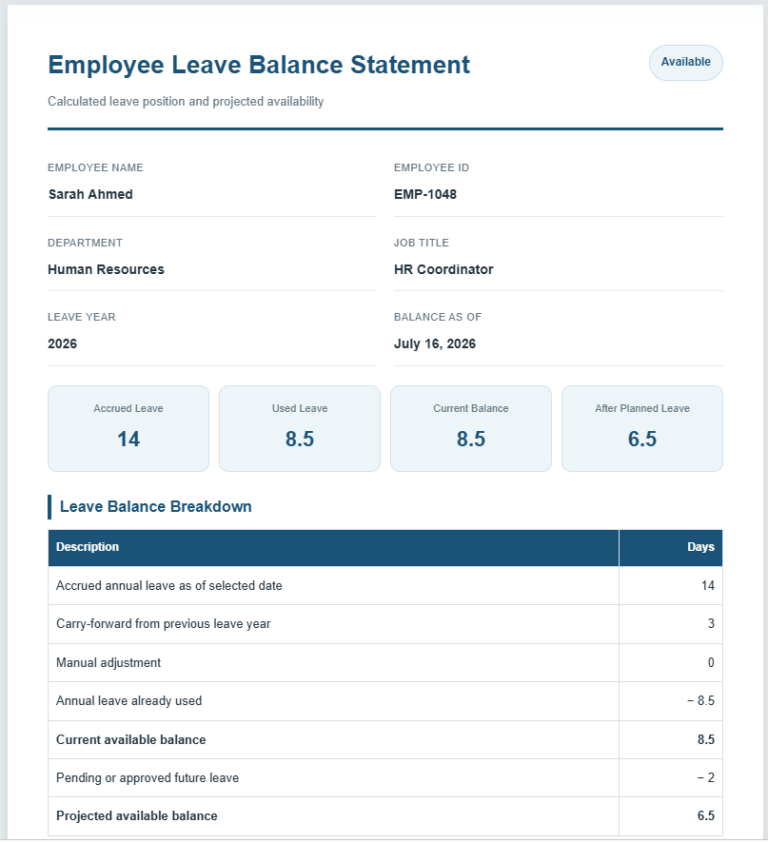
The generator eliminates manual calculations by automatically maintaining employee leave balances.

It calculates:

  • Annual leave entitlement
  • Carry-forward leave
  • Leave already used
  • Remaining leave balance
  • Available leave days
  • Leave utilization percentage

Every calculation updates instantly whenever leave records are added, edited, or removed.

Public Holiday Management

Organizations often have different holiday schedules. This generator lets you create and manage your own holiday calendar by adding national holidays, regional holidays, company holidays, and custom events. Each holiday appears automatically on the calendar and can be assigned its own color for better visibility.

Weekend Configuration

Different businesses operate under different work schedules. The generator allows you to configure weekends according to your organization’s policy. You can define Saturdays as working or non-working days, customize weekends, and ensure leave calculations accurately exclude non-working days.

Powerful Filtering Options

Finding leave records is simple using the built-in filtering tools. You can quickly search or filter records by employee, department, leave type, approval status, manager, month, year, or keywords. This makes it easy to locate specific leave requests, even in organizations with hundreds of employees.

Professional Reports and Analytics

The generator produces detailed leave reports that help HR departments monitor attendance trends and workforce availability.

Reports include:

  • Total leave days
  • Approved leave
  • Pending requests
  • Rejected leave
  • Work-from-home days
  • Business travel days
  • Holiday totals
  • Weekend totals
  • Monthly summaries
  • Department summaries
  • Employee leave summaries
  • Leave utilization statistics
  • Average leave duration
  • Most frequently used leave type

Interactive charts provide visual insights into leave trends, departmental usage, approval status, and yearly comparisons.

Live Printable Preview

Everything you enter is instantly reflected in a professional print preview. The preview includes company information, employee details, leave calendar, color legend, leave summary, approval sections, signatures, and notes. This makes it easy to review the final document before printing or downloading.

Export and Print

Once your leave calendar is complete, you can:

  • Print the leave calendar
  • Download it as a PDF using your browser
  • Export leave records to CSV
  • Export data as JSON
  • Download the generated HTML
  • Copy reports for sharing
  • Reset the generator to create a new calendar

The print function is optimized to print only the completed calendar and report, ensuring a clean and professional document without unnecessary webpage content.

Customizable Settings

The generator offers several customization options to match your organization’s branding and preferences. Users can upload a company logo, change theme colors, choose different fonts, adjust paper orientation and size, switch between light and dark modes, customize date formats, and save their preferences using local browser storage.

Mobile-Friendly and Easy to Use

Designed using responsive technology, the Employee Leave Calendar Generator works seamlessly on desktops, laptops, tablets, and smartphones. There is no need to download software or create an account. Simply enter your information, generate the calendar, and print or download your completed document whenever you need it.

Try Our Free Online Employee Leave Calendar Generator

Our online Employee Leave Calendar Generator makes employee leave management faster, more accurate, and far more organized than traditional spreadsheets or paper records. Simply fill in your employee details, record leave requests, review the automatically generated calendar, and print or download your professional leave schedule in just a few clicks. Whether you are an HR manager, business owner, school administrator, or office supervisor, this tool provides everything you need to efficiently manage employee leave throughout the year.

About the MS Excel Employee Leave Calendar Template

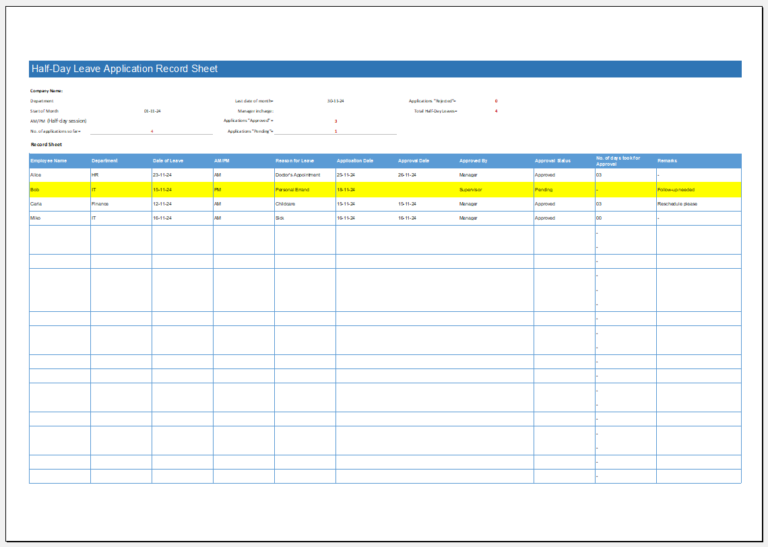
In addition to the online Employee Leave Calendar Generator, we also offer a professionally designed Microsoft Excel Employee Leave Calendar Template for users who prefer working offline. The template includes a ready-to-use leave calendar with built-in formulas to calculate leave days, remaining leave balances, and yearly summaries automatically. It provides dedicated sections for employee information, leave records, public holidays, leave types, and monthly tracking, making it easy to manage employee absences in an organized spreadsheet.

Whether you need to maintain leave records for a small team or a large workforce, this template offers a convenient solution that can be saved, shared, and updated whenever needed.

Preview and Details of Template
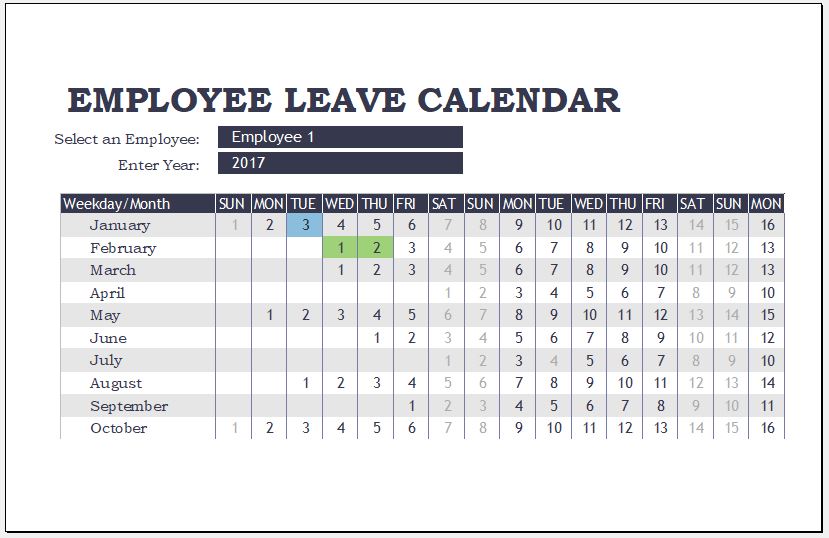
Employee leave calendar template

Employee Leave Calendar Template

File: Excel (.xls) Size 33 KB