Every working day consists of dozens of activities, but not all of them contribute equally to your goals. Some tasks move your work forward, while others consume valuable hours through interruptions, unnecessary meetings, or unexpected events. The Controllable Time Worksheet Generator helps you understand exactly where your time is going by providing a structured way to record, analyze, and improve your daily or weekly work schedule. It is an ideal productivity tool for employees, managers, business owners, students, freelancers, and anyone who wants to make better use of their working hours.
The generator allows you to create a personalized worksheet by entering your work schedule, recording activities, tracking start and end times, and classifying each task according to its level of control and productivity. As you enter information, the worksheet automatically calculates total recorded hours, controllable time, productive time, unplanned work, interruptions, and other important performance indicators. These automatic calculations eliminate manual work while providing accurate insights into how your time is being utilized.
Controllable Time Worksheet Generator
Review daily or weekly activities, identify controllable and uncontrollable time, calculate productivity percentages, locate time-wasting activities, and build a practical improvement plan.
Worksheet Details
Filters and Bulk Entry
Time Activity Entries
| # | Date | Start | End | Manual Min | Duration | Activity / Task | Category | Control Type | Priority | Productivity | Interruption | Planned? | Notes | Actions |
|---|
Time Improvement Action Plan
| Problem / Issue | Related Activity | Current Min | Desired Min | Saving | Improvement Action | Responsible | Target Date | Priority | Status | Follow-up Notes | Remove |
|---|
Focus Schedule
| Time Block | Planned Task | Category | Priority | Duration Min | Distraction-Control Method | Notes | Remove |
|---|
Import and Export
Daily Controllable Time Worksheet
Northstar Office Solutions
Time Balance
Visual Analysis
Main Activity Table
| # | Date | Activity | Category | Duration | Control | Productivity | Interruption | Notes |
|---|
Category Summary
| Category | Activities | Total Duration | % of Recorded | Controllable Duration | Unproductive/Wasted |
|---|
Top Time-Use Findings
Time Improvement Action Plan
| Issue | Current | Desired | Saving Target | Action | Priority | Status |
|---|
Focus Schedule
| Time Block | Task | Category | Priority | Duration | Distraction Control |
|---|
General Notes
Open Saved Worksheets
Frequently Asked Questions
What is controllable time?
Controllable time is time spent on activities that you can directly plan, reduce, delegate, reschedule, or improve through better work habits.
What is the difference between controllable and uncontrollable time?
Controllable time can be influenced by your choices, while uncontrollable time is affected by external demands, emergencies, delays, or required interruptions.
How is the controllable time percentage calculated?
It is calculated as fully controllable time divided by total recorded time, multiplied by 100.
Can I use this worksheet for daily and weekly time analysis?
Yes. Choose Daily, Weekly, or Custom Date Range and adjust the working hours and working days.
How should partially controllable time be classified?
Use partially controllable for activities that cannot be avoided completely but can be shortened, scheduled better, or handled more efficiently.
Can I add unlimited activities?
Yes. You can add, duplicate, sort, and remove as many activity rows as needed.
Does the worksheet save my information online?
No. Saved worksheets are stored locally in your browser and are not uploaded to the website server.
How do I save the worksheet as a PDF?
Use Download as PDF, then select Save as PDF in your browser print dialog.
Can I import a previously saved worksheet?
Yes. Use Download JSON to back up a worksheet, then Import JSON to restore it later.
Is this worksheet suitable for employees, managers, students, and freelancers?
Yes. It is useful for anyone who wants to review time use, reduce wasted time, and create a practical improvement plan.
Interactive charts and summary tables present your information in a clear and easy-to-understand format. The generator highlights productivity patterns, identifies common distractions, measures time utilization, and reveals opportunities to reduce wasted time. A built-in action plan section allows you to record improvement ideas, assign priorities, establish target dates, and monitor progress over time. These features make the worksheet valuable for personal productivity improvement, employee performance reviews, project management, workplace efficiency analysis, and professional development.
The tool also includes several advanced features such as unlimited activity entries, automatic duration calculations, editable sample data, browser-based saving, JSON import and export, CSV export, printable reports, and a professional live preview that updates instantly as you work. Everything operates directly within your browser without requiring additional software or technical expertise.
MS Excel Template
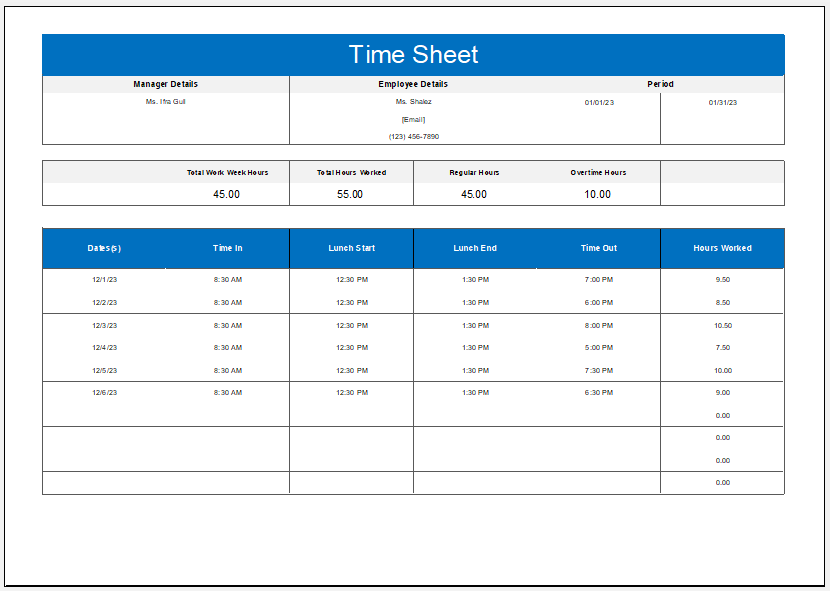
For users who prefer offline editing, we also offer professionally designed MS Excel Controllable Time Worksheet Templates that can be downloaded and customized on your computer. Whether you choose the online generator for its automatic calculations or the Excel template for offline record keeping, both options make it easier to organize your schedule, analyze work habits, and maximize every productive hour.
Worksheet Template File 55 KB
- Quotation Register
- Customer Order Tracker
- Inventory Dashboard Generator
- Sales Dashboard Generator
- SWOT Analysis Generator
- KPI Scorecard Generator
- Warehouse Bin Location Generator
- Dispatch Slip Generator
- Universal Work Order Generator
- Office Asset Transfer Form Generator
- Summer Holiday Assignment Cover Page Generator
- Salary and Overtime Calculator Template
- Summer Vacation Planner Generator
- Outlet Mall Shopping Planner
- Customer Information and Ranking Sheet