Our Online Appointment Card Generator is a simple yet powerful tool designed to help clinics, hospitals, medical offices, consultants, beauty salons, repair services, and other businesses create professional appointment cards instantly. Instead of manually designing appointment slips or using complicated software, users can quickly generate a ready-to-print appointment card directly from their web browser.
The generator provides an interactive form where users can enter appointment details and immediately see a live preview of the appointment card. As information is entered, the card updates automatically, allowing users to review the final design before printing or downloading it.
Appointment Card Generator
Fill in the details below and instantly create a printable appointment card.
Appointment Details
Easy-to-Use Appointment Form
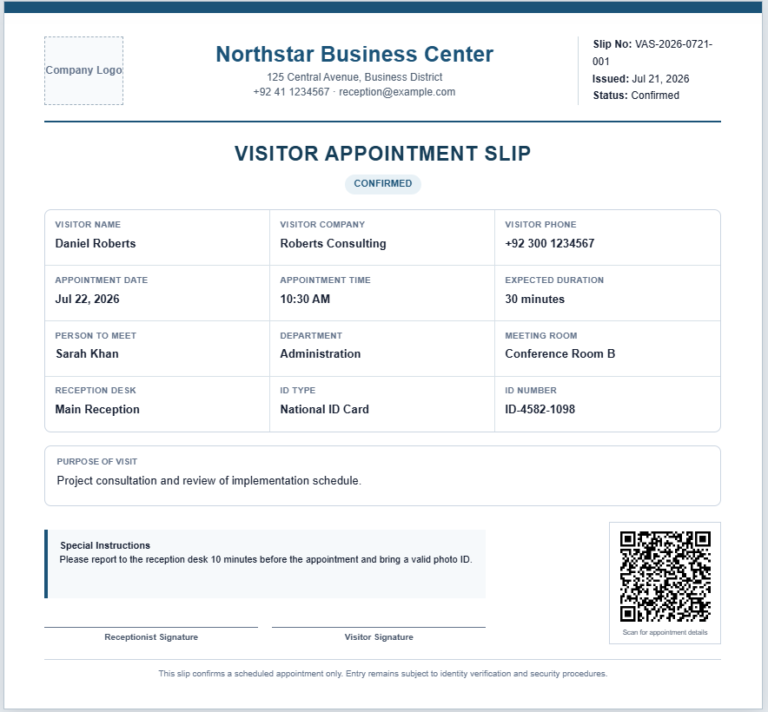
The generator includes all the important fields typically found on a professional appointment card. Users can enter information such as:
- Clinic or business name
- Doctor or service provider name
- Department or service type
- Patient or client name
- Appointment date
- Appointment time
- Appointment number or token number
- Contact information
- Business address
- Special notes or instructions
- Appointment status
- Footer message
These fields help create a complete and professional-looking appointment card suitable for almost any industry.
Live Appointment Card Preview
One of the most useful features of this generator is the real-time preview section. As soon as you enter or modify information, the appointment card updates instantly without refreshing the page.
This live preview allows you to:
- Verify appointment information before printing
- Check the card layout and formatting
- Correct mistakes immediately
- Create professional appointment cards faster
Automatic Appointment Number Generation
To save time, the generator can automatically create an appointment number when one is not entered manually. This feature helps maintain organized appointment records and reduces data entry effort.
Multiple Appointment Status Options
The tool supports different appointment statuses including:
- Confirmed
- Pending
- Rescheduled
- Cancelled
Each status is displayed with a visually distinctive badge, making it easy to identify the current appointment condition at a glance.
Custom Themes and Card Sizes
Users can personalize the appearance of their appointment cards by selecting different card styles and themes. The generator also provides multiple card size options, allowing users to create cards that best fit their printing requirements.
Available options may include:
- Small Appointment Card
- Medium Appointment Card
- Large Appointment Card
This flexibility makes the generator suitable for both digital and printed use.
Print-Ready Output
Once the appointment information has been entered, users can print the appointment card with a single click. The print feature has been specifically designed to print only the appointment card itself rather than the entire webpage.
This creates a clean and professional printed document without unnecessary page elements.
Download and Save
The generator also allows users to download the completed appointment card for future use. This feature is especially useful for businesses that need to maintain appointment records or send appointment cards electronically to clients and patients.
Mobile-Friendly Design
The Appointment Card Generator works smoothly on:
- Desktop computers
- Laptops
- Tablets
- Mobile phones
Its responsive design automatically adjusts to different screen sizes, ensuring a comfortable user experience across all devices.
Instant Editing and Corrections
Unlike traditional appointment card templates, this online tool allows users to make changes instantly. If any information needs to be updated, simply modify the form fields and the preview card will update automatically.
Who Can Use This Generator?
This tool is ideal for:
- Hospitals
- Medical clinics
- Dental clinics
- Beauty salons
- Hair salons
- Physiotherapy centers
- Veterinary clinics
- Coaching centers
- Consultants
- Service providers
- Repair businesses
Quick Tips to Use the Generator
- Enter the clinic or business information.
- Fill in the patient or client details.
- Select the appointment date and time.
- Add notes or special instructions if required.
- Review the live appointment card preview.
- Print the card or download it for future use.
The Online Appointment Card Generator provides a quick, professional, and hassle-free way to create appointment cards without requiring any design skills or software installation.
Prefer MS Word Templates?
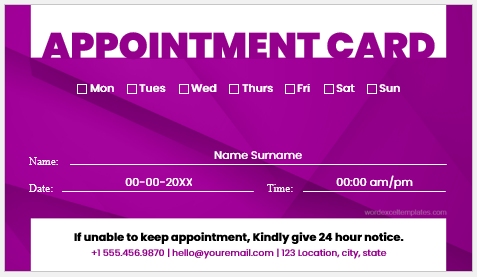
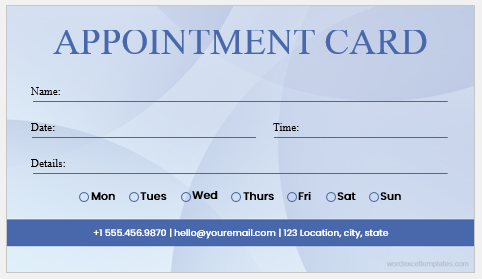
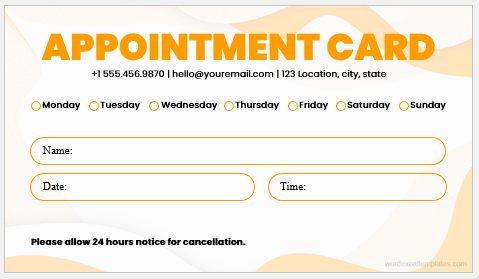
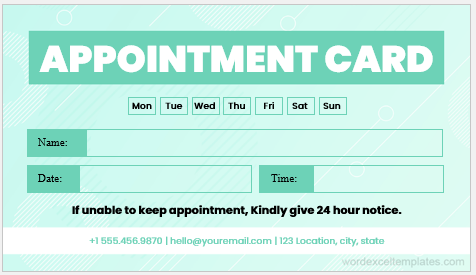
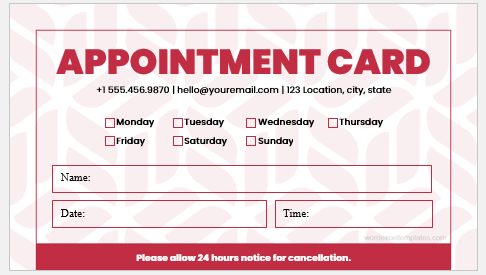
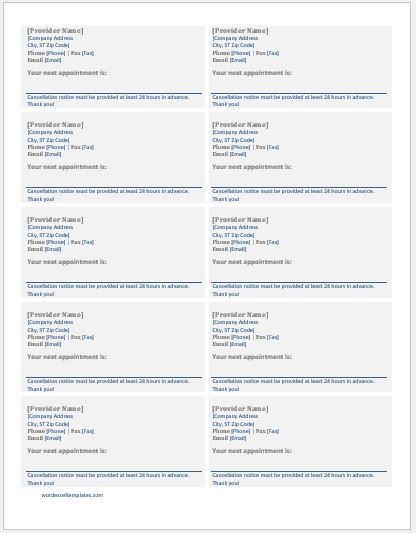
While our Online Appointment Card Generator provides a quick and convenient way to create appointment cards directly in your browser, we also understand that some users prefer working with traditional document formats. For this reason, we offer professionally designed MS Word Appointment Card Templates that can be downloaded, edited, and printed offline.
Our editable Word templates are ideal for users who:
- Prefer working in Microsoft Word.
- Need to customize the layout extensively.
- Want to add their own branding and logos.
- Require offline access without an internet connection.
- Need to save appointment cards as Word documents for future editing.
How to Use the MS Word Appointment Card Templates
- Browse the available appointment card templates given below.
- Download the template that best matches your requirements.
- Open the file in Microsoft Word.
- Replace the sample information with your own appointment details.
- Customize colors, fonts, logos, and other design elements if needed.
- Save the document for future use.
- Print the appointment card or share it digitally with patients and clients.
Online Generator vs. MS Word Template
The Online Appointment Card Generator is best for users who need a fast solution with instant card creation, live previews, and print-ready output. On the other hand, the MS Word templates provide greater flexibility for users who want complete control over formatting and customization.
Whether you choose the online generator or the downloadable Word template, both options are designed to help you create professional appointment cards quickly and efficiently.
File: MS Word (.doc)
File: 37 KB
File: MS Word (.doc)
File: 37 KB
File: MS Word (.doc)
File: 37 KB
File: MS Word (.doc)
File: 37 KB
File: MS Word (.doc)
File: 37 KB
File: MS Word (.doc)
File: 37 KB
- Quotation Register
- Customer Order Tracker
- Inventory Dashboard Generator
- Sales Dashboard Generator
- KPI Scorecard Generator
- Warehouse Bin Location Generator
- Dispatch Slip Generator
- Universal Work Order Generator
- Office Asset Transfer Form Generator
- Summer Holiday Assignment Cover Page Generator
- Salary and Overtime Calculator Template
- Temporary Employee ID Badge Templates
- Construction Worker ID Cards
- Hospital Employee ID Card Templates
- School Staff ID Card Templates