Almost everyone enjoys a football tournament. At the start of each season, people from all walks of life begin planning their routines around the matches so that they can enjoy the tournament to the fullest.
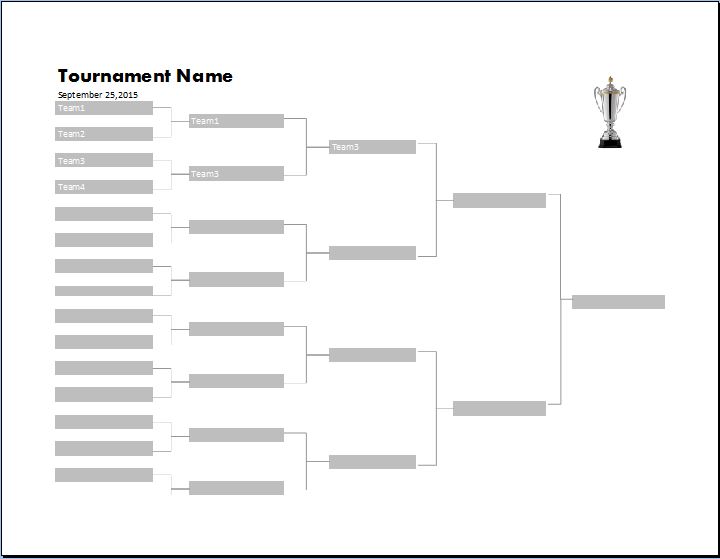
A tournament bracket is a tree diagram that shows every game in a tournament, from the first round to the final. Our Tournament Bracket Generator lets football fans, organisers and coaches create a professional bracket on their own, without any special skills or software.
It is especially useful in schools and colleges, where it makes planning matches and keeping a record of each result simple and efficient. It is equally helpful for sports clubs and community leagues.
Why Use a Tournament Bracket
A bracket is essential when a tournament is run by a school, college or sports club. It shows at a glance which teams are still in the competition and which have been knocked out. Recording every result matters because each round depends on the one before it.
A bracket also keeps everyone informed about the details of the tournament. Players, parents and supporters can follow the progress of their favourite team, which makes the event more enjoyable for them.
What the Bracket Shows
The bracket is a single document that holds the tournament title, the participating teams, the matches and the scores. It records the tournament as it progresses. From it, you can see:
- the number of games played
- the matches won and lost by each team
- the teams that have reached the semi-finals and the final
- the champion and the third-placed team
Tournament Bracket Generator
Make a tournament bracket in four steps. Type the team names, add the tournament details, enter the match scores as the games are played, then print the bracket. Winners move on to the next round automatically, and the champion is shown when the final is decided. The bracket works for football and for any other sport, with 4 to 64 teams. Byes are added when the number of teams does not fill the bracket. Check the live preview, then print the bracket, save it as a PDF, download a page as a picture or download an Excel file with live formulas. Your details stay in your browser and are not sent anywhere.
Teams
Leave the list empty to print a blank bracket and write the names by hand. Each name can be up to 24 characters.
Bracket Setup
With standard seeding, the first team typed plays the last, the second plays the second last, and so on, so type the strongest teams first. A bye sends a team straight to the next round.
Tournament Details
Match Results
Enter the score for each team. The winner moves on to the next round. If a score is level, choose the winner of the penalties or tiebreak.
Page and Style
Brackets of 32 or 64 teams are printed on two pages, one for each half, with the final on the second page. Landscape suits most brackets.
How the Generator Works
The generator is easy to use and fully customisable. Type in the team names, add the tournament details, and choose the paper size, orientation and colour. As you enter each score, the winner moves on to the next round automatically, until the champion is declared and crowned. If a match is level, you can choose the team that won on penalties or a tiebreak.
Whether the tournament is local or international, a bracket makes it easier to run. Once the bracket is ready, you can print it, save it as a PDF, download it as a picture or export it to an Excel file with live formulas.
Main Features
- The bracket lets you follow the whole tournament without any hassle. Without it, you would need to put in a lot of effort to monitor every match.
- The empty fields show you exactly what information is needed to complete the bracket.
- The bracket is easy to customise, so you can add or remove details as you wish.
- Because it is ready-made, all you need to do is fill in the fields and print it.
Preview and details of the template
File:Excel (.xls) and iPad Size 52 Kb