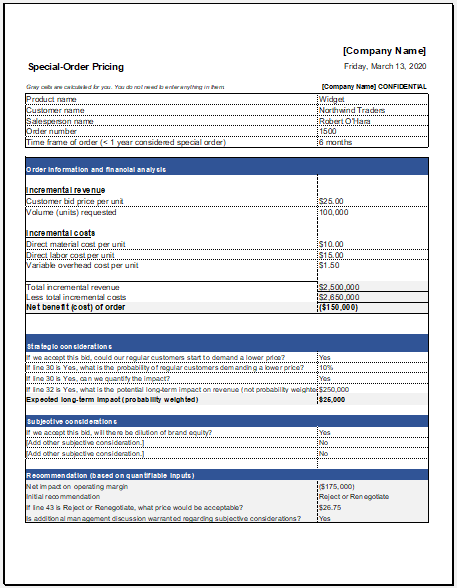
Determining whether to accept a special order can be a challenging decision for businesses. A special order often involves selling products or services at a price different from the standard selling price, usually because of bulk purchases, excess inventory, seasonal demand fluctuations, or customized customer requirements. To make informed decisions, businesses must carefully evaluate costs, available production capacity, and expected profitability.
Our Special Order Pricing Generator simplifies this process by automatically analyzing cost and pricing information to help businesses determine whether a special order is financially beneficial. Instead of manually performing calculations, users can enter relevant cost details and instantly receive pricing recommendations, profit estimates, and decision-making insights.
What is a Special Order Pricing Generator?
A Special Order Pricing Generator is an online tool designed to calculate the minimum acceptable selling price for a special order. It evaluates key financial factors such as variable costs, fixed costs, production capacity, order quantity, and expected profit margins.
The generator helps business owners, managers, accountants, and sales teams quickly determine whether accepting a special order will contribute positively to overall profitability. By automating calculations, it reduces errors and saves valuable time during pricing negotiations.
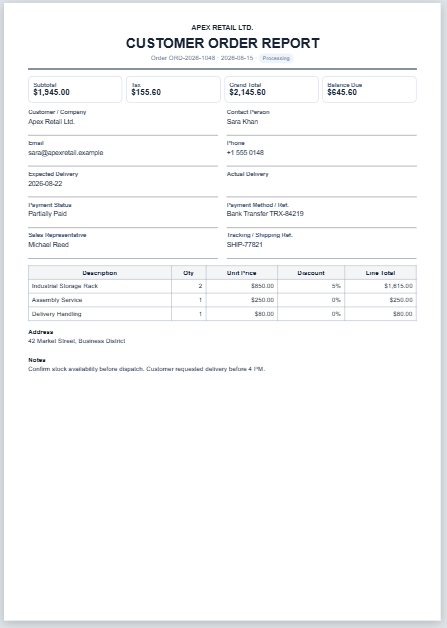
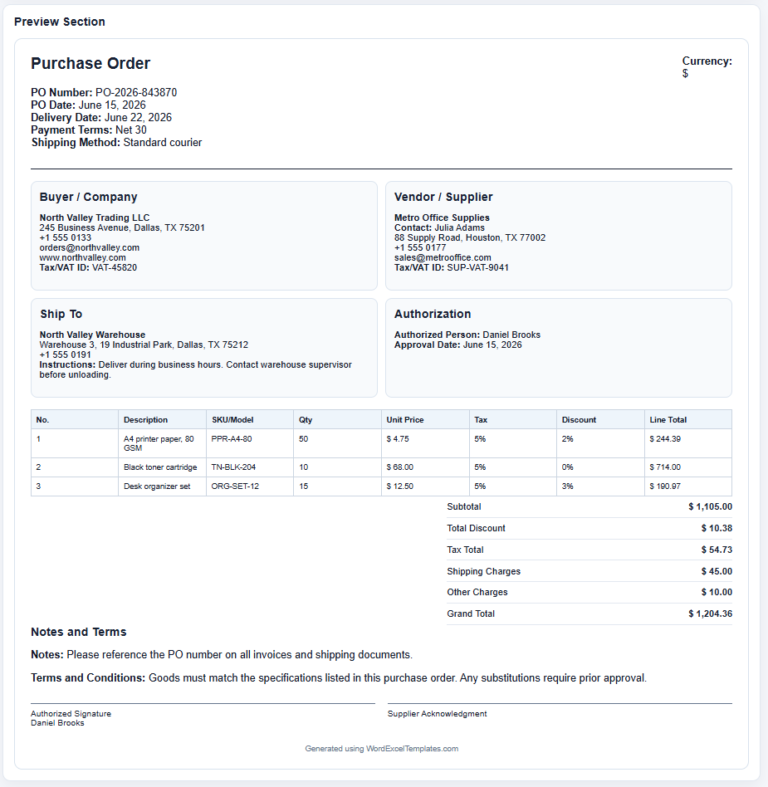
Special Order Pricing Sheet
Create a custom order pricing sheet with itemized material, labor, setup, tax, discount, deposit, and balance calculations.
Business Information
Customer Information
Special Order Details
Itemized Pricing Table
| # | Item/Service | Description | Qty | Unit | Unit Price | Material | Labor | Setup Fee | Line Discount | Taxable | Line Total | Action |
|---|
Totals, Notes, and Approval
Live Totals
When Businesses Consider Special Orders
Businesses typically evaluate special orders under specific circumstances, including:
- Excess production capacity
- Seasonal inventory clearance
- Bulk purchase requests
- Long-term customer opportunities
- Entry into new markets
- Promotional sales campaigns
- Utilization of idle resources
When production facilities are operating below capacity, accepting a special order may allow the company to generate additional revenue without significantly increasing fixed costs. In such cases, even a lower selling price may still produce a positive financial outcome.
How the Generator Helps
The Special Order Pricing Generator allows users to enter essential information such as:
- Product or service description
- Order quantity
- Variable cost per unit
- Additional special-order costs
- Existing fixed costs
- Desired profit margin
- Available production capacity
Based on the provided data, the generator automatically calculates:
- Total variable costs
- Additional order-related expenses
- Minimum acceptable selling price
- Expected revenue
- Estimated profit or loss
- Profit per unit
- Contribution margin
- Acceptance recommendation
These automated calculations provide businesses with clear insights before making pricing decisions.
Benefits of Using the Special Order Pricing Generator
Faster Decision Making
Manual calculations can take time and may lead to errors. The generator instantly performs all required calculations and presents results in an easy-to-understand format.
Improved Profit Analysis
The tool helps users understand whether a special order will generate sufficient profit or merely cover costs.
Better Capacity Utilization
Businesses can determine whether accepting additional work will make productive use of idle equipment, labor, and resources.
Reduced Financial Risk
The generator highlights situations where a special order may result in losses, helping businesses avoid unprofitable agreements.
Enhanced Pricing Accuracy
Accurate cost analysis ensures that pricing decisions are based on real financial data rather than assumptions.
Supports Negotiations
Sales teams can use the generated results during negotiations with customers to establish realistic and profitable pricing arrangements.
Why Businesses Accept Special Orders
Many companies encounter periods when production resources are not fully utilized. Instead of leaving machinery, labor, and facilities idle, businesses may choose to accept special orders that generate additional income.
A special order can often provide benefits beyond immediate profits. It may strengthen customer relationships, create future sales opportunities, improve inventory turnover, or help a company enter a new market segment.
The key is ensuring that the special-order price covers all relevant costs and contributes positively to the organization’s financial objectives. The generator assists by providing clear calculations and profitability indicators before a final decision is made.
Benefits for Customers
Special orders can also be advantageous for customers. They may receive:
- Volume discounts
- Customized products or services
- Special pricing arrangements
- Faster inventory clearance opportunities
- Tailored business solutions
This creates a mutually beneficial arrangement where both the customer and the business gain value.
Generate Results Online Instantly
Our online Special Order Pricing Generator eliminates the need for complex spreadsheets and manual formulas. Simply enter the required information, and the tool will automatically calculate pricing recommendations, profitability estimates, and key financial metrics in seconds.
The generated results can be reviewed, printed, saved, or shared for internal decision-making and customer negotiations.
Prefer Excel?
For users who prefer working with spreadsheets, we also continue to offer the traditional Special Order Pricing Worksheet in Microsoft Excel format. The Excel version allows offline calculations and manual customization, while the online generator provides faster calculations, instant analysis, and a more convenient user experience.
File: Excel (.xlsx)
Size 26 KB
- Quotation Register
- Customer Order Tracker
- Inventory Dashboard Generator
- Sales Dashboard Generator
- SWOT Analysis Generator
- KPI Scorecard Generator
- Warehouse Bin Location Generator
- Dispatch Slip Generator
- Universal Work Order Generator
- Office Asset Transfer Form Generator
- Summer Holiday Assignment Cover Page Generator
- Salary and Overtime Calculator Template
- Summer Vacation Planner Generator
- Outlet Mall Shopping Planner
- Customer Information and Ranking Sheet