A company needs to care for its employees to maintain a healthy working environment and support organizational success. Employees may become ill and need time away from work. Managing these absences appropriately helps support their recovery while minimizing disruption to operations.
A company may have a policy governing sick leave. If an employee exceeds their leave allowance, the manager may need to discuss the situation with them and HR. Accurate records help managers understand when employees were absent and arrange appropriate coverage. An employee sick leave schedule is useful for this purpose.
What is an Employee Sick Leave Schedule?
An employee sick leave schedule records the dates and number of days employees are absent from work because of illness. It can be maintained for an individual employee or an entire department.
(Create a schedule sample for you.)
Employee Sickness & Holiday Schedule
Schedule Setup
Employee Leave Records
Coverage & Management Notes
Sick leave is recorded by day count only. Avoid adding medical diagnoses or confidential health details.
Schedule Summary
What Does an Employee Sick Leave Schedule Do?
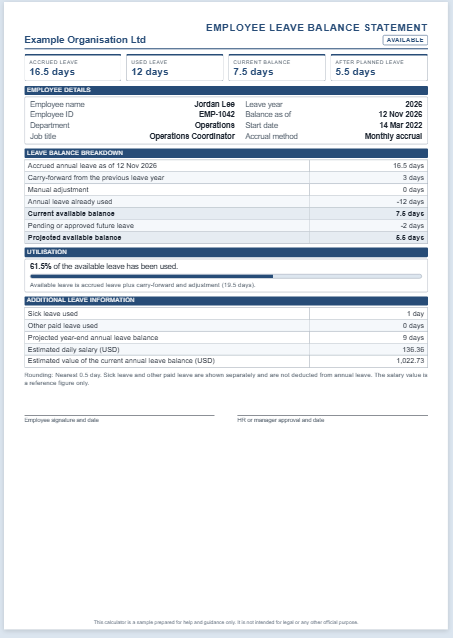
The schedule lists employees and records their sickness-related absences. It helps managers identify who is currently away, monitor leave balances, and arrange temporary coverage where needed.
How to Create an Employee Sick Leave Schedule
Create a clear and accurate schedule that meets your organization’s recordkeeping needs. Consider the following points:
Application
Choose an application that makes the information easy to enter, update, and review. A spreadsheet application such as Microsoft Excel can be used to record absences and calculate totals.
Schedule Format
The document should have a clear heading, such as “Employee Sick Leave Schedule.” Organize the information in a table with consistent labels and readable formatting. Check entries and formulas for accuracy.
Details to Include
Include the year covered by the schedule, the department, and the manager’s name, if relevant.
Give each employee a separate row. You can use columns for the months of the year and enter the number of sick leave days taken each month. Include a column for the annual total. If individual absence dates are needed, record them in a separate section or worksheet.
If the company provides a defined sick leave allowance, include columns showing the allowance, leave taken, and remaining balance. This makes it easier to identify cases that need further review under company procedures.
Importance of an Employee Sick Leave Schedule
A sick leave schedule helps businesses maintain consistent absence records and plan staffing coverage. It can also highlight recurring absences that may warrant a supportive discussion about an employee’s circumstances or workplace needs.
The record should not be used on its own to conclude that an employee is misusing sick leave. Frequent absences may have genuine causes, and any concerns should be reviewed with appropriate context.
Access to the schedule should be limited to authorized staff. Avoid recording unnecessary medical details in a shared tracker.
Accurate records can help resolve questions about leave dates, balances, and approvals. Used alongside the company’s leave procedures, the schedule supports clear communication and more effective absence management.
#1


MS Excel File: 56 Kb
#2