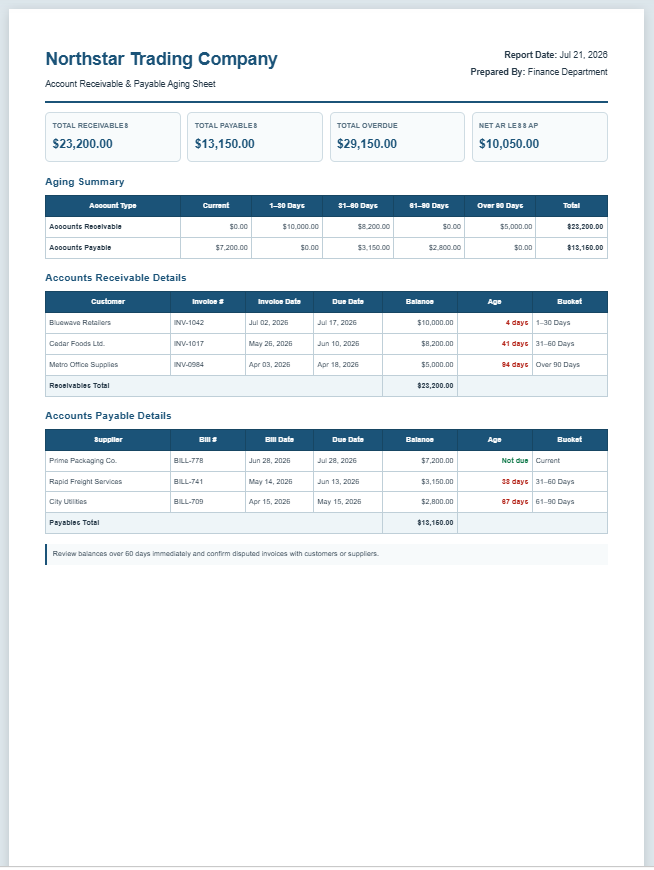
The Account Receivable & Payable Aging Sheet Generator is a practical financial management tool that helps businesses monitor outstanding customer invoices and unpaid supplier bills in one organized report. It automatically categorizes balances into standard aging periods such as Current, 1–30 Days, 31–60 Days, 61–90 Days, and Over 90 Days, making it easier to identify overdue accounts and prioritize collections or payments.
The generator calculates outstanding balances after partial payments and provides separate summaries for receivables and payables along with overall totals. It is useful for accountants, finance teams, small business owners, wholesalers, retailers, and service providers who need accurate aging reports for better cash flow management.
The organized layout makes reviewing financial obligations quick and efficient while supporting informed business decisions. Whether preparing monthly financial reports, monitoring customer payment trends, or planning supplier payments, this generator simplifies the aging process and helps maintain healthier financial records with greater accuracy and consistency.
Report Settings
| Type | Customer / Supplier | Invoice / Bill # | Invoice Date | Due Date | Original Amount | Paid | Balance | Action |
|---|
Northstar Trading Company
Account Receivable & Payable Aging Sheet
Aging Summary
| Account Type | Current | 1–30 Days | 31–60 Days | 61–90 Days | Over 90 Days | Total |
|---|
Accounts Receivable Details
| Customer | Invoice # | Invoice Date | Due Date | Balance | Age | Bucket |
|---|
Accounts Payable Details
| Supplier | Bill # | Bill Date | Due Date | Balance | Age | Bucket |
|---|
Frequently Asked Questions
What is an accounts receivable aging sheet?
An accounts receivable aging sheet groups unpaid customer invoices by how long they have remained outstanding. It helps identify overdue balances and supports collection planning.
What is an accounts payable aging sheet?
An accounts payable aging sheet organizes unpaid supplier bills by due-date age. It helps a business plan payments, protect supplier relationships, and manage cash flow.
Which aging periods are included?
The generator uses Current, 1–30 Days, 31–60 Days, 61–90 Days, and Over 90 Days aging buckets.
How is the aging bucket calculated?
The sheet compares the selected report date with each invoice or bill due date. Items not yet due are Current, while overdue items are placed in the appropriate aging period.
Can I record both receivables and payables?
Yes. Select Accounts Receivable or Accounts Payable for every row. The report provides separate summaries and a combined aging overview.
Can partial payments be entered?
Yes. Enter the original amount and the amount already paid. The outstanding balance is calculated automatically.
Can I add or delete rows?
Yes. Use Add Entry to create additional invoice or bill rows and use the Delete button to remove an unwanted row.
Does the generator calculate totals automatically?
Yes. It calculates row balances, aging-bucket totals, total receivables, total payables, overdue balances, and net working-capital exposure.
Can the aging report be printed?
Yes. The Print button prints only the live report area on A4 pages with its formatting, borders, totals, and notes.
Is the information saved online?
No information is sent to a server by this generator. Data remains in the browser unless your WordPress website adds separate storage functionality.
MS Excel Templates
Preview & Details of Template
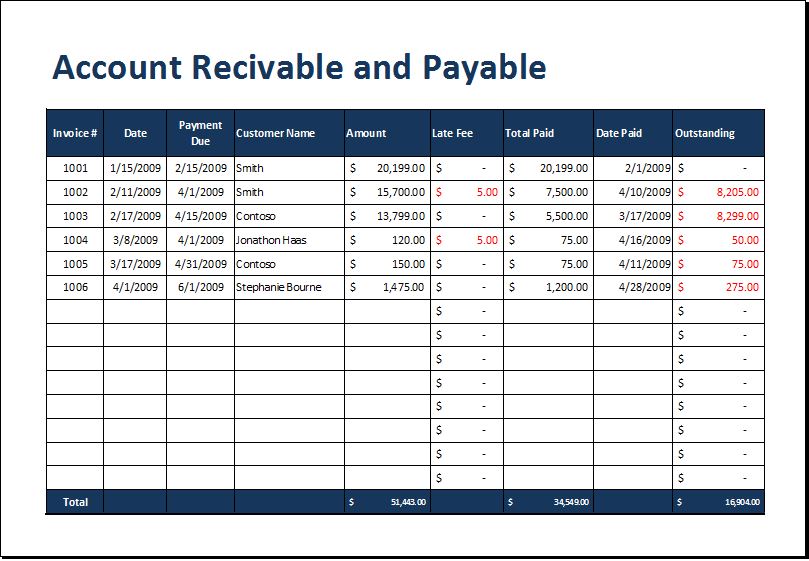
File: Excel (.xls) and iPad
Size 32 Kb
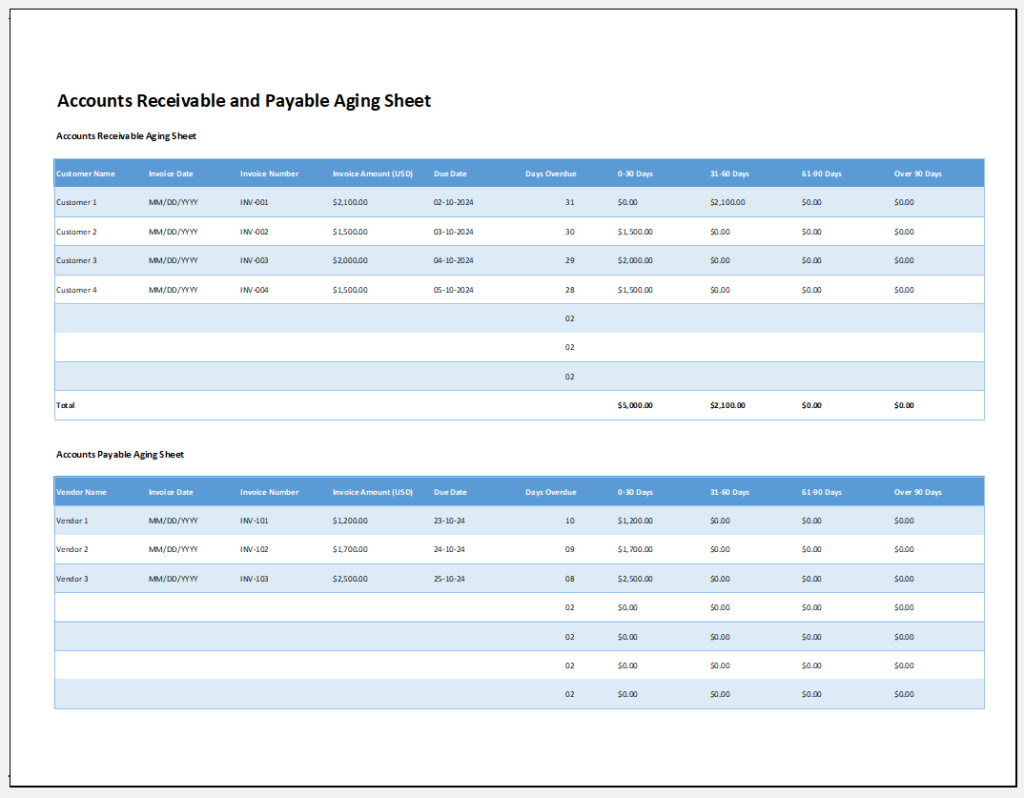
File: Excel (.xls) and iPad
Size 86 Kb
- Warehouse Bin Location Generator
- Dispatch Slip Generator
- Universal Work Order Generator
- Office Asset Transfer Form Generator
- Summer Holiday Assignment Cover Page Generator
- Salary and Overtime Calculator Template
- Summer Vacation Planner Generator
- Outlet Mall Shopping Planner
- Customer Information and Ranking Sheet
- Small Family Kitchen Design Planning Sheet
- Summer Party Budget Sheet Generator
- Payroll Register & Salary Sheet Generator