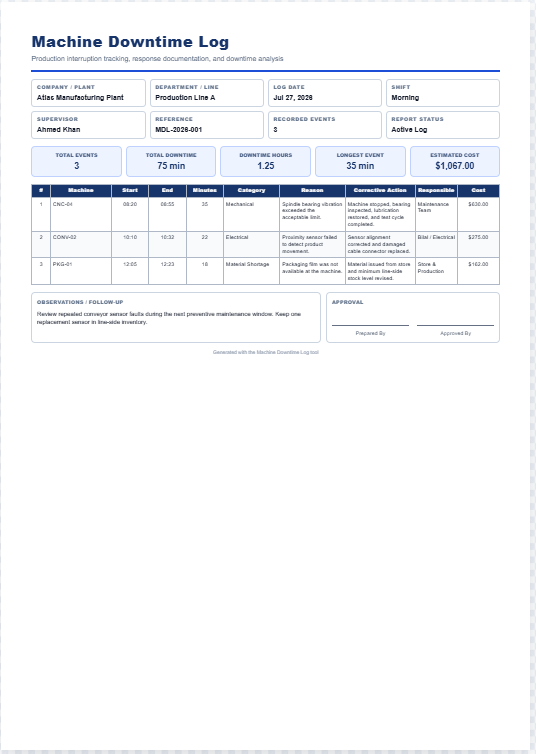
A Shift Handover Form is a structured document that helps production teams transfer important operational information from one shift to the next. Instead of relying on verbal communication, it records production status, machine conditions, completed work, pending tasks, maintenance issues, safety observations, quality concerns, downtime, and special instructions in one organized report.
This generator is designed for manufacturing plants, factories, warehouses, production supervisors, shift leaders, maintenance teams, and quality control staff. It helps prevent communication gaps, reduces production delays, minimizes errors, and ensures every incoming shift has the latest operational information before work begins.
Users can enter details such as company name, department, shift date and time, outgoing and incoming supervisors, production targets, actual output, machine status, equipment issues, maintenance activities, quality observations, safety incidents, material shortages, pending work, remarks, and employee signatures.
As information is entered, the generator instantly creates a professional live preview of the completed Shift Handover Form. The finished report is neatly formatted with tables, status labels, and organized sections, making it suitable for documentation, printing, and record keeping.
The built-in print feature generates a clean A4 portrait production sheet while preserving colors, borders, typography, and layout, making it ideal for daily manufacturing operations and audit-ready documentation.
Shift Handover Form Generator
Create a clear, professional production shift handover record with an A4-ready live preview.
Form Details
Document & Shift Information
Production Summary
Equipment Status
| Equipment | Status | Reading / Condition | Action Required |
|---|
Open Issues & Handover Tasks
| Issue / Task | Priority | Owner | Due / Next Step |
|---|
Safety, Quality & Notes
Live Preview
SHIFT HANDOVER FORM
Production continuity, safety, quality and equipment status record
| Product / Production Line | Planned | Produced | Rejected | Completion |
|---|---|---|---|---|
| Equipment | Status | Reading / Condition | Action Required |
|---|
| Issue / Task | Priority | Owner | Due / Next Step |
|---|
| Quality | |
|---|---|
| Materials | |
| Additional Notes |