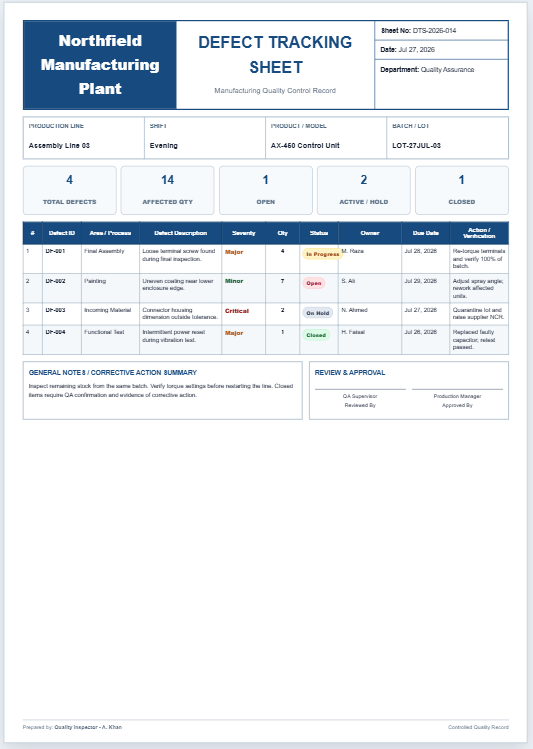
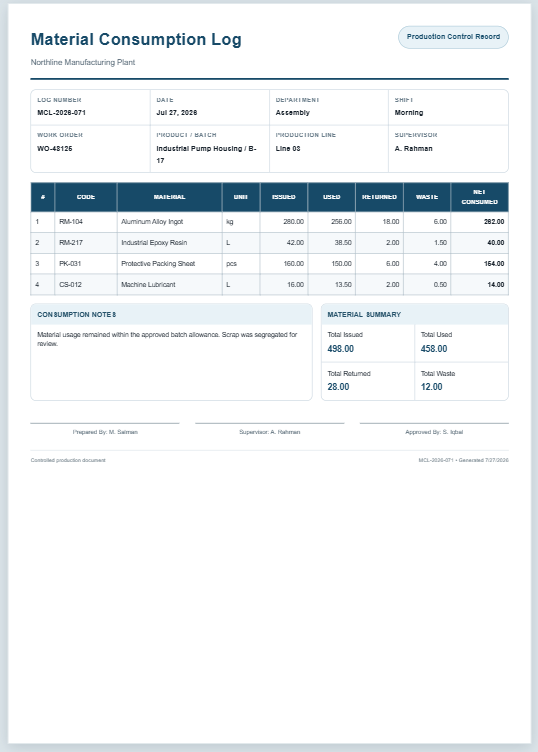
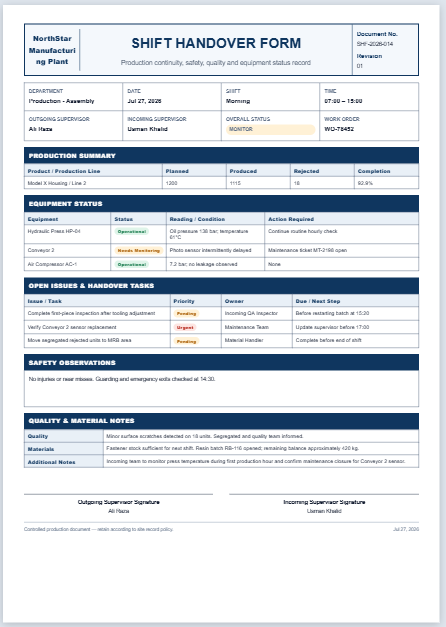
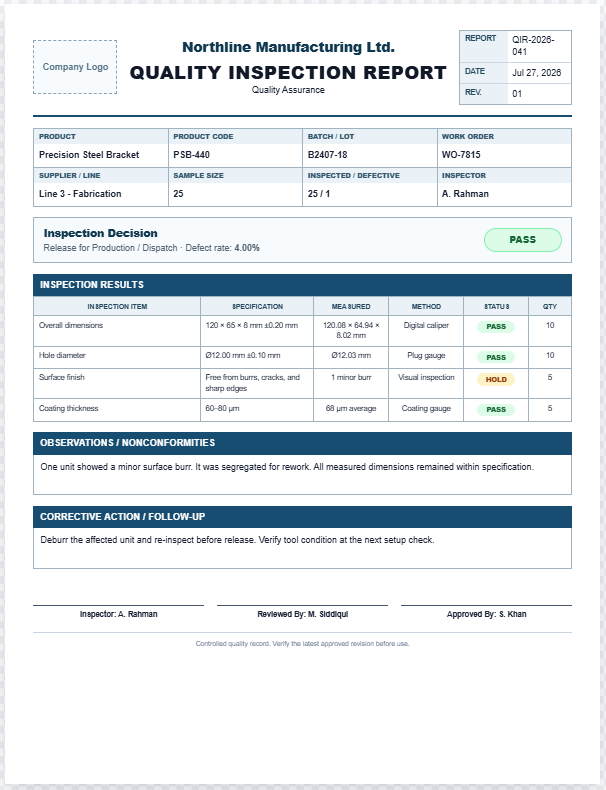
A Work Order Generator is a practical tool that helps organizations create professional work orders quickly and consistently. It is designed to document maintenance, repair, production, inspection, installation, or service tasks in a standardized format. Instead of preparing work orders manually, users can enter project details into the form and instantly generate a clean, print-ready document with a live preview.
The generator calculates labor and material costs, organizes task information, and produces a structured work order that is easy to distribute to technicians and supervisors. It is ideal for manufacturing plants, maintenance departments, workshops, factories, warehouses, construction companies, and facility management teams.
Users can enter company details, work order numbers, dates, machine or asset information, task descriptions, assigned personnel, safety instructions, labor hours, materials, quantities, unit costs, and completion notes. The generator automatically calculates estimated costs, displays material summaries, and formats everything into a professional A4 work order.
Built with responsive design, it works smoothly on desktop and mobile devices while providing an interactive live preview. The integrated print feature prints only the completed work order, preserving colors, tables, borders, labels, and formatting without blank pages.
This saves time, reduces paperwork errors, improves communication, enhances maintenance planning, and ensures every job is properly documented and tracked from request to completion.
Work Order Details
Complete the fields below. The production-ready work order updates instantly.
Company & Order Information
Asset & Work Scope
Labor & Materials
Completion & Notes
Live Preview
Preview fitted.Frequently Asked Questions
What is a work order generator?
A work order generator creates a structured document for assigning, tracking, costing, approving, and closing production, maintenance, inspection, installation, or repair work.
Who can use this Work Order Generator?
It is suitable for manufacturing plants, workshops, maintenance teams, production supervisors, facility managers, technicians, contractors, and small businesses that need consistent work instructions.
Can I add several materials or spare parts?
Yes. Use the Add Material button to create additional rows. Quantity, unit cost, line amount, material subtotal, tax, labor cost, and total estimate update automatically.
Does the print button print the entire webpage?
No. Printing is isolated in a dedicated print document. Only the complete live work order preview is printed, without the website header, theme sidebar, controls, input fields, or FAQ section.
Will it fit on one A4 portrait page?
Yes. The print routine measures the generated work order and proportionally scales it inside a fixed A4 portrait sheet while preserving borders, colors, tables, labels, and typography.
Does printing work when the mobile preview tab is hidden?
Yes. The print routine clones the live preview directly from the document, so it does not depend on whether the preview tab is currently visible on a phone or tablet.
Does this generator use external libraries or deprecated APIs?
No. It uses scoped HTML, CSS, and vanilla JavaScript with supported browser features such as querySelector, addEventListener, matchMedia, structured DOM cloning, and window.print.