Remote Work Salary Adjustment Log
Record, calculate, review, print, download, and export salary adjustments for remote, hybrid, and temporary remote employees.
Enter company and employee details, add the salary adjustment record, then use the summary, filters, CSV tools, print, or PDF options for HR and payroll review.
Company Information
Summary Cards
Employee Salary Adjustment Form
Salary Adjustment Records
| Employee | Department | Job Title | Remote Type | Locations | Effective Date | Current Salary | Adjustment Type | Total Allowances | Deductions | Adjusted Salary | Difference | % Change | Reason | Approval | Actions |
|---|
Remote work has transformed the modern workplace, allowing businesses to hire talented professionals regardless of geographical boundaries. As organizations continue to embrace flexible work arrangements, managing employee compensation fairly and transparently has become increasingly important. Factors such as relocation, changes in cost of living, revised job responsibilities, market salary trends, or internal compensation policies may require adjustments to an employee’s salary. To simplify this process, our Remote Work Salary Adjustment Log Generator provides an efficient and professional way to create, track, and maintain salary adjustment records online.
The Remote Work Salary Adjustment Log Generator is an AI-powered online tool designed to help employers, HR professionals, and payroll teams document salary changes related to remote work arrangements. Instead of manually preparing records from scratch, users can enter the required information into the generator and instantly create a well-structured salary adjustment log that is ready to print, save, or download.
One of the primary advantages of using the online generator is the speed and convenience it offers. The tool automatically organizes salary adjustment information into a professional format, reducing administrative effort and minimizing the risk of calculation or documentation errors. It provides a centralized way to maintain accurate records while promoting transparency between employers and remote employees regarding compensation changes.
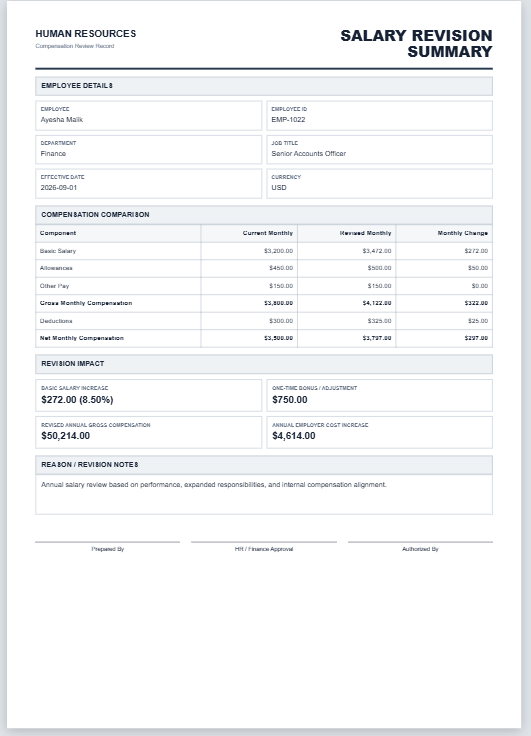
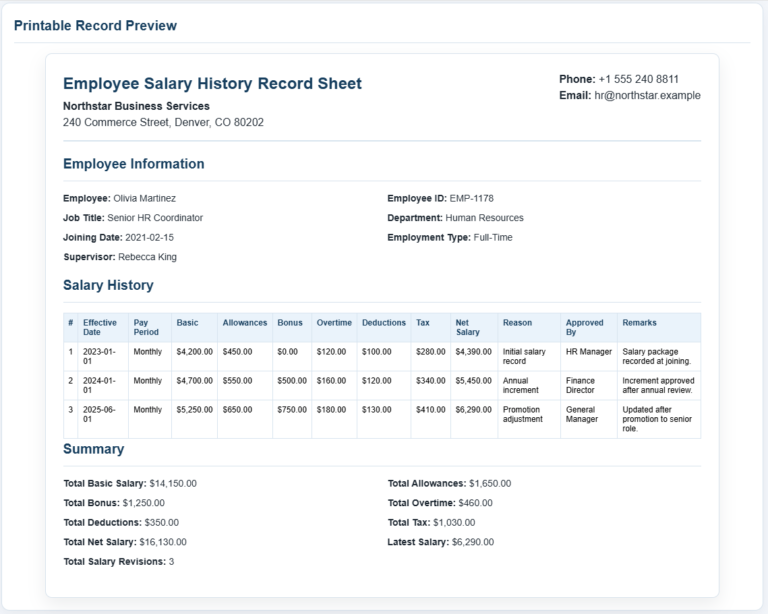
The generator typically includes fields for essential employee information such as employee name, employee ID, department, job title, and remote work location if applicable. Users can enter the employee’s original salary, specify the adjustment amount or percentage, provide the reason for the adjustment, and record the revised salary and effective date. Once completed, the log can be generated instantly for recordkeeping purposes.
The tool is beneficial for organizations of all sizes because it helps standardize the salary adjustment process. HR teams can use the generated logs to maintain payroll records, monitor compensation changes over time, and provide supporting documentation whenever salary-related questions arise.
Some key benefits of using the Remote Work Salary Adjustment Log Generator include:
- Generate professional salary adjustment logs within minutes.
- Improve transparency regarding remote employee compensation changes.
- Maintain organized records for payroll and HR purposes.
- Reduce the chances of manual documentation errors.
- Create consistent reports across departments and teams.
- Provide supporting evidence in the event of payroll reviews or legal disputes.
- Save completed logs digitally or print them for physical filing.
How to Use the Remote Work Salary Adjustment Log Generator
Using the online generator is simple and requires only a few steps:
Enter Company Information
Provide details such as the company name, department, reporting period, or any other organizational information required for the adjustment record.
Add Employee Details
Enter the employee’s full name, employee identification number, department, job title, and remote work location if relevant to the adjustment decision.
Record Salary Information
Input the employee’s original salary before the adjustment. Then specify the adjustment amount or percentage, the reason for the change, the revised salary amount, and the effective date of implementation.
Include Supporting Notes
If necessary, additional comments, approval references, or policy-related notes can be added to provide further context regarding the adjustment decision.
Generate and Save the Log
After entering the required information, the tool automatically generates a professional Remote Work Salary Adjustment Log. Users can print the completed report, download it for future reference, or maintain it as part of the organization’s digital employee records.
Remote employees deserve fair and accurate compensation that reflects their responsibilities and working arrangements. Whenever salary revisions occur, they should be documented clearly and professionally. The Remote Work Salary Adjustment Log Generator helps businesses streamline this process by providing an easy-to-use solution for recording salary adjustments while maintaining consistency, transparency, and compliance.
About Our Remote Work Salary Adjustment Log Generator
Our online Remote Work Salary Adjustment Log Generator is designed to simplify the creation of salary adjustment records for remote employees. The generator includes dedicated sections for employee details, original salary, adjustment amount or percentage, revised salary, effective date, approval notes, and the reason for adjustment. It offers a user-friendly interface that enables businesses to generate accurate records quickly without the need for complex spreadsheets.
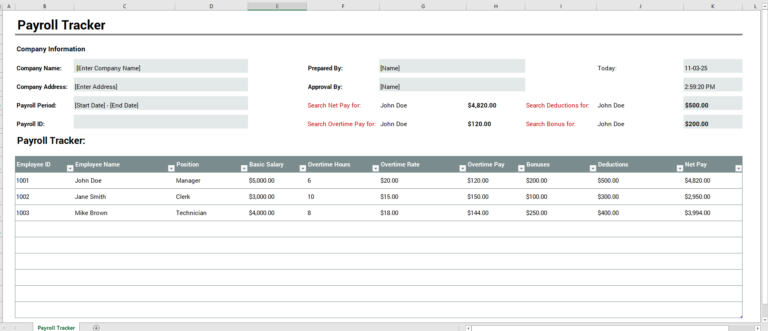
For users who prefer traditional recordkeeping methods, we also continue to provide the Remote Work Salary Adjustment Log Worksheet in MS Excel format. The downloadable Excel template offers the same practical functionality with the flexibility of offline editing, making it an excellent choice for organizations that rely on spreadsheet-based workflows.
- Universal Work Order Generator
- Office Asset Transfer Form Generator
- Summer Holiday Assignment Cover Page Generator
- Salary and Overtime Calculator Template
- Summer Vacation Planner Generator
- Outlet Mall Shopping Planner
- Customer Information and Ranking Sheet
- Small Family Kitchen Design Planning Sheet
- Summer Party Budget Sheet Generator
- Payroll Register & Salary Sheet Generator
- Employee Skill Development Tracker
- HR Budget & Expense Tracker
- Leave & Vacation Tracker
- Exit/Off-boarding Checklist
- Performance Evaluation Sheet