Managing employee salary increases becomes much easier with our Employee Salary Increment Calculator. Whether you are an HR professional, payroll officer, business owner, manager, or employee, this calculator helps you quickly determine the impact of a salary increment. Instead of manually calculating percentage increases or fixed raises, the calculator provides accurate results within seconds.
The calculator allows you to enter the employee’s current salary and choose whether the increment is based on a percentage or a fixed amount. It instantly calculates the increment amount, the revised salary, and the percentage increase. You can also include monthly allowances, deductions, annual bonuses, and pay frequency to get a more realistic estimate of total compensation.
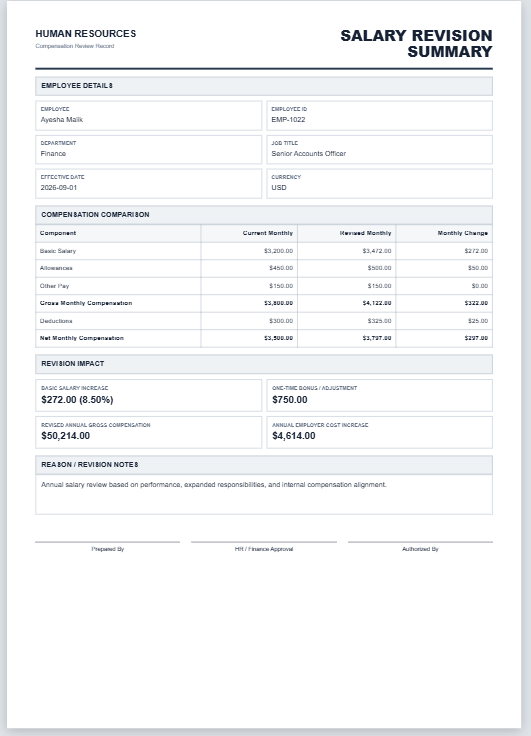
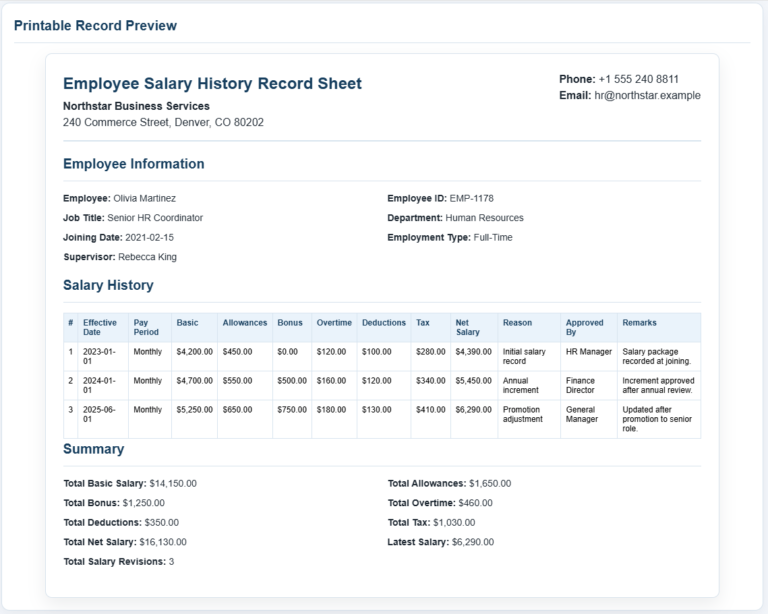
One of the most useful features is the live preview report, which updates automatically as you enter values. This makes it easy to review the salary revision before printing or saving it as a PDF. The professional report layout is ideal for salary discussions, HR records, payroll planning, and employee documentation.
Employee Salary Increment Calculator
Calculate revised salary, increment amount, annual impact, and projected earnings.
Employee Details
Salary and Increment
Salary Increment Summary
Employee compensation revision report
| Calculation | Before Increment | After Increment | Difference |
|---|---|---|---|
| Gross Pay per Period | — | — | — |
| Net Pay per Period | — | — | — |
| Annual Base Salary | — | — | — |
| Total Annual Compensation | — | — | — |
| Projected Additional Earnings | — | — | — |
—
Frequently Asked Questions
1. What is an Employee Salary Increment Calculator?
It is a tool that calculates the increase in an employee’s salary using either a percentage or a fixed amount and shows the revised salary and annual impact.
2. How is a percentage salary increment calculated?
The current salary is multiplied by the increment percentage, and the resulting amount is added to the current salary.
3. Can I calculate a fixed salary increase?
Yes. Select the fixed amount option and enter the exact increment amount to calculate the revised salary.
4. Does the calculator include allowances and deductions?
Yes. You can enter monthly allowances and deductions to estimate gross and net pay before and after the salary increment.
5. Can I use different currencies?
Yes. The calculator includes several common currency symbols, including PKR, USD, GBP, EUR, INR, AED, and SAR.
6. What does total annual compensation include?
It includes annual base salary, annual allowances, and the annual bonus entered in the calculator.
7. Can I calculate weekly or biweekly salary increments?
Yes. Choose the appropriate pay frequency to view the effect of the increment for weekly, biweekly, semi-monthly, monthly, or annual pay.
8. What are projected additional earnings?
This is the estimated extra amount an employee may earn over the selected projection period because of the salary increment.
9. Can I print the salary increment report?
Yes. Use the Print / Save PDF button to print only the complete live preview area on an A4 sheet or save it as a PDF.
10. Is this calculator suitable for official payroll processing?
It is useful for planning and estimation. Final payroll decisions should still be verified against company policies, contracts, taxes, and applicable employment rules.
The calculator supports multiple currencies, making it suitable for businesses operating in different countries. It also estimates annual compensation before and after the increment, helping organizations understand the financial impact of salary revisions. The projected earnings feature shows how much additional income an employee may receive over the selected period.
This tool is suitable for annual performance reviews, promotions, cost-of-living adjustments, and employee retention planning. It eliminates manual calculations, reduces the chances of errors, and saves valuable administrative time.
Whether you’re reviewing one employee’s salary or planning increments across an entire department, the Employee Salary Increment Calculator provides a fast, accurate, and professional solution. It is designed to simplify salary planning while producing clear reports that can be printed, shared, or saved for future reference.