Employee absence can create costs beyond the employee’s regular pay. Depending on the situation, an employer may incur paid wages during the absence, replacement or temporary staffing costs, overtime coverage, administrative costs, and productivity-related impacts.
The Employee Absence Cost Calculator below helps estimate these costs for a specific absence scenario. Enter the employee’s pay information, absence duration, paid-absence percentage, coverage expenses, and any indirect-cost assumptions to estimate direct, indirect, and total absence costs.
[wet_employee_absence_cost_calculator_full]
To use the Employee Absence Cost Calculator, start on the Settings tab. Enter your company name, report title, period and currency symbol. Set a benchmark absence rate, such as 3%, so you can see whether your results are high. Then review the cost assumptions: working days per year, pay on-costs such as benefits and payroll taxes, the share of absence covered by overtime or temporary staff, the premium paid for that cover, and an indirect cost for lost output.
Next, open the Employees tab. Add each employee with their department, annual salary and the number of sick, unplanned and unpaid days taken. You can type them in one by one, paste a list copied from a spreadsheet, or load the sample data to see how it works. Use the optional scheduled days field for part-year staff.
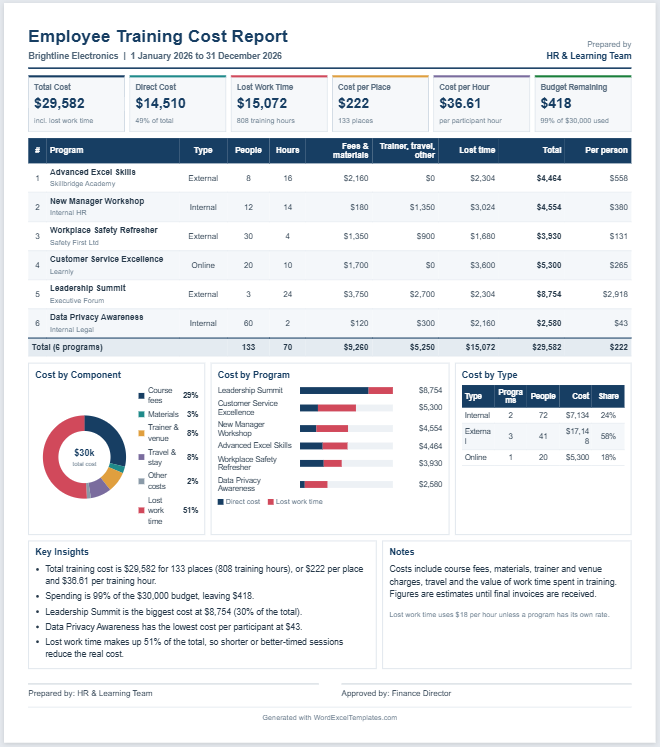
The preview on the right updates as you type. It shows total absence cost, absence days, absence rate, cost per employee and cost per absence day. Charts break the cost down by type and department, and the insights section explains the results in plain sentences, including how much one fewer absence day per employee would save.
Finally, add notes and names on the Review tab. Download the Excel file to keep working with live formulas, or print the report to PDF for sharing.