An Employee Cost to Company (CTC) Calculator calculates the total annual cost an employer incurs for hiring an employee. It includes the employee’s basic salary, allowances, bonuses, benefits, insurance, employer contributions, and other employment-related expenses.
About to Create an Online Tool
To use the Employee Cost to Company (CTC) Calculator, start on the Employee tab. Enter your company name, the employee’s name, ID, job title and department, and an effective date. Choose your currency symbol, then type the monthly basic salary. This is the figure that percentage-based components are calculated from. Add the employee’s retirement contribution, an estimated income tax rate and any other monthly deductions so the tool can estimate take-home pay.
Cost to Company (CTC) Calculator
Add salary and every employer-paid cost for one employee. See the annual and monthly CTC, the split by type, and an estimated take-home.
Employee Details
Salary & Employee Deductions
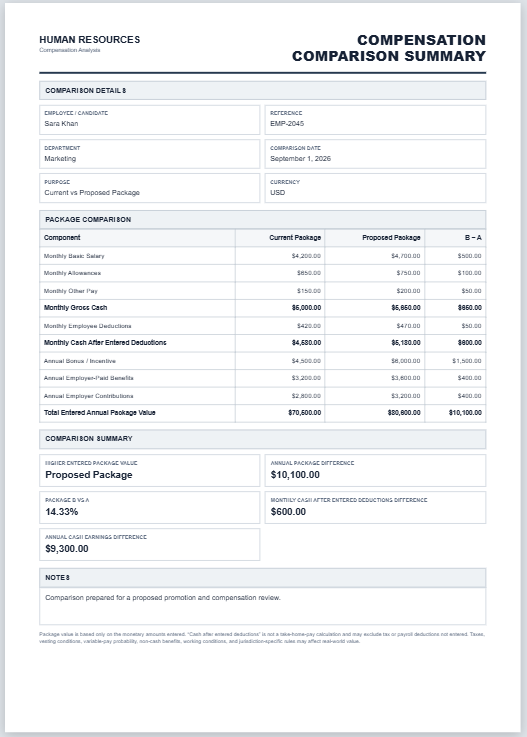
Gross pay is basic salary plus fixed and variable pay. CTC adds everything the company pays on top: employer contributions, benefits and other costs. Take-home is an estimate: gross pay minus the employee's retirement contribution, income tax and other deductions.
Pay & Cost Components
Basic salary is added automatically from the first tab. Add each other component below.
Categories: Fixed pay, Variable pay, Employer contributions, Benefits, Other costs.
Review & Approval
Next, open the Components tab. Basic salary is added automatically, so list everything else the company pays. For each item, enter a name and choose a category: fixed pay, variable pay, employer contributions, benefits or other costs. Then choose whether it is a fixed amount or a percentage of basic salary, enter the value, and say whether it is paid monthly or yearly. Typical examples are house rent allowance, bonus, employer retirement contribution, health insurance, equipment and training. You can also paste a list or load the sample to see how it works.
The preview on the right updates as you type. It shows annual and monthly CTC, gross pay, the extra costs the employer pays on top of gross pay, and estimated take-home. A table groups every component by category with its share of the total, a donut chart shows the split, and the insights section explains the numbers in plain sentences.
Finally, add notes and approver names on the Review tab. Download the Excel file to keep working with live formulas, or print the statement to PDF.