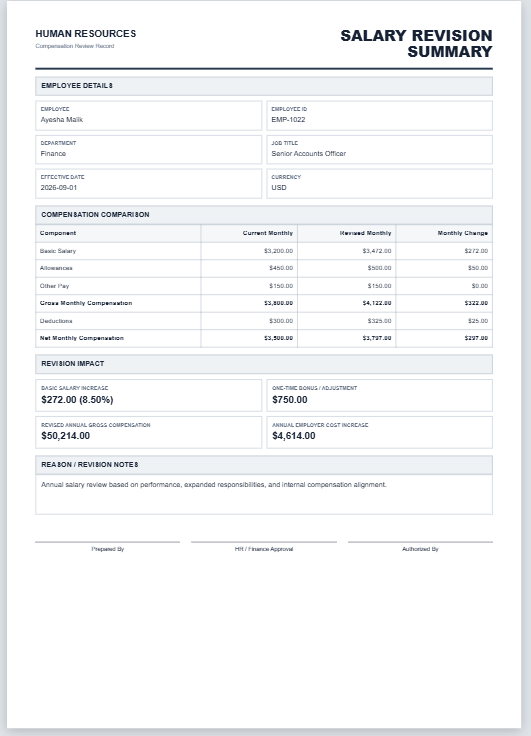
Employee compensation can include more than basic salary. Allowances, other regular pay, bonuses or incentives, employer-paid benefits, employer contributions, and employee deductions can all affect how two compensation packages compare.
The Employee Compensation Comparison Calculator below lets you enter two packages side by side and compare their annual cash earnings, cash after the deductions you enter, employer-paid compensation components, and total entered annual package value. It can be used for current-versus-proposed salary reviews, job offers, promotions, internal transfers, and other compensation comparisons.
Employee Compensation Comparison Calculator v1.2
Compare two employee compensation packages side by side, including salary, allowances, bonus, benefits, deductions, and total annual package value.
Employee Compensation Comparison Calculator FAQs
What does the Employee Compensation Comparison Calculator do?
It compares two compensation packages side by side using salary, allowances, other pay, bonus, employer-paid benefits, employer contributions, and employee deductions.
Can I compare a current salary package with a proposed package?
Yes. The tool is suitable for current-versus-proposed compensation reviews, promotions, internal transfers, job offer comparisons, and other compensation scenarios.
What is included in total entered annual package value?
Total entered annual package value combines the annualized monthly cash earnings, annual bonus or incentive, employer-paid benefits, and employer contributions entered for that package. It represents the monetary compensation components entered into the calculator and does not attempt to assign a value to items that have not been entered.
How is monthly cash after entered deductions calculated?
The calculator adds the monthly basic salary, allowances, and other pay entered for a package, then subtracts the monthly employee deductions entered by the user. This figure should not automatically be treated as take-home pay because income tax, payroll deductions, or other amounts not entered in the calculator are not included.
Does the calculator compare annual bonus and benefits?
Yes. Annual bonus or incentive, employer-paid benefits, and employer contributions can be entered separately for both packages.
How is the package difference percentage calculated?
The percentage difference compares Package B with Package A using Package A's total entered annual package value as the baseline. If Package A has a value of zero, a percentage difference cannot be calculated, so the calculator displays a dash (—) instead.
Does the tool identify the higher-value package?
Yes. It automatically identifies which package has the higher total annual monetary value based on the figures entered.
Can I use the calculator for job offer comparison?
Yes. You can name each package and use the Job Offer Comparison purpose to compare two offers using the same compensation components.
Can I print or save the comparison as a PDF?
Yes. The Live Preview includes a Print / Save PDF option. It opens the formatted A4 comparison report in the browser's print workflow, where you can print it or choose the browser's PDF-saving option.
Does this tool determine which job or package is objectively better?
No. It compares entered monetary compensation values. Taxes, vesting conditions, variable-pay probability, working hours, job security, location, non-cash benefits, career opportunities, and personal preferences can also affect the real value of a package.