Employees need time off to rest and take a break from work. This allows them to return feeling refreshed and better prepared to carry out their tasks. Vacations can help reduce stress and support productivity. Therefore, companies should have a clear process for employees to request and take vacation leave.
Vacation requests need to be coordinated with employees’ leave entitlements and the company’s staffing needs. Employees should follow the organization’s approval procedures before taking time off. A vacation request form provides a professional way to manage this process.
What is a vacation request form?
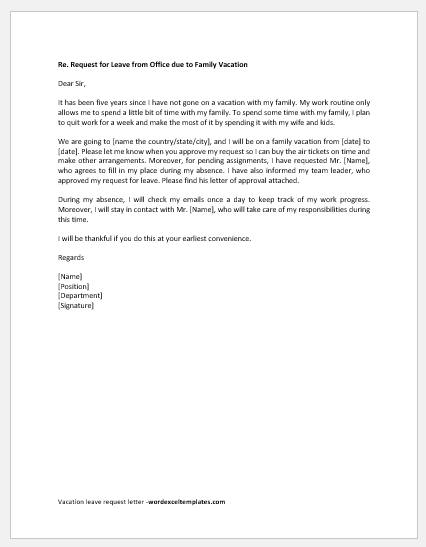
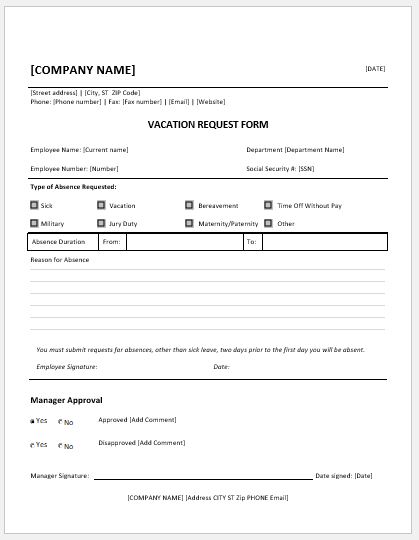
This document allows employees to formally request vacation leave from their boss or employer. The employee completes the form and submits it to the employer or manager for approval.
What does a vacation request form do?
The document records an employee’s requested vacation dates and the number of days they wish to take off. The employer or manager can review the request, check leave balances, and assess staffing requirements. The form also helps managers coordinate vacation schedules and arrange work coverage.
(Use the following online tool to create the form)
Employee Vacation Request Form
Create an employee vacation request and approval form.
Employee Information
Vacation Request
Approval & Signatures
Signatures may be required for approval.
Review & Export
Review the request, download an editable Word document, or print.
How do you create a vacation request form?
The form should be clear and easy to complete so employees can provide the necessary information and managers can review requests efficiently. The following points can help you create a vacation request form:
Structure of the form:
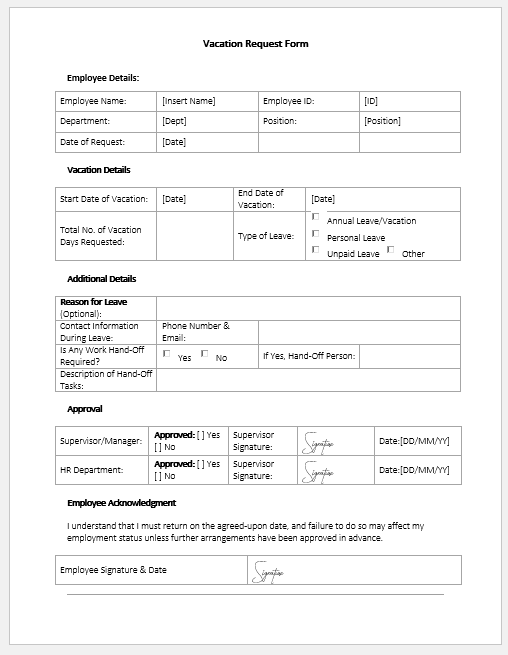
The form can be created in an application like Microsoft Word. Choose a readable font and organize related information into clearly labeled sections. The heading can be “Vacation Request Form.” Include the company’s name and address.
Employee details:
Include a section for the employee’s full name, ID, department, and job title.
Vacation details:
This section should record the requested start and end dates, the total number of leave days, and the expected return-to-work date.
Employee contact details:
Include the employee’s usual contact information. If an emergency contact number during leave is needed under company policy, provide a separate field for it and clarify when it may be used.
Supervisor review and approval:
Provide a section for the supervisor or other authorized person to complete. Include their name, the approval decision, and the date of the decision. Add space for a signature and any comments or reasons for declining the request.
Notes:
Include a space for brief additional information, such as work handover arrangements or changes to the requested dates.
How the form supports vacation tracking
The form helps employers maintain a record of vacation requests and approval decisions. When used alongside a leave tracker, it helps managers review scheduled absences, leave taken, and remaining balances.
A consistent request process can support fair treatment by allowing managers to assess requests against the same policies and staffing considerations. Employees also benefit from having a clear, professional way to submit their preferred dates and receive a decision.
Keeping completed forms in the appropriate employee records makes it easier to review previous requests and resolve questions about approved leave. The form helps manage vacation requests while taking company policies and employee entitlements into account.
File: Word (.doc) and iPad
Size 35 Kb
File: Word (.doc) and iPad
Size 35 Kb