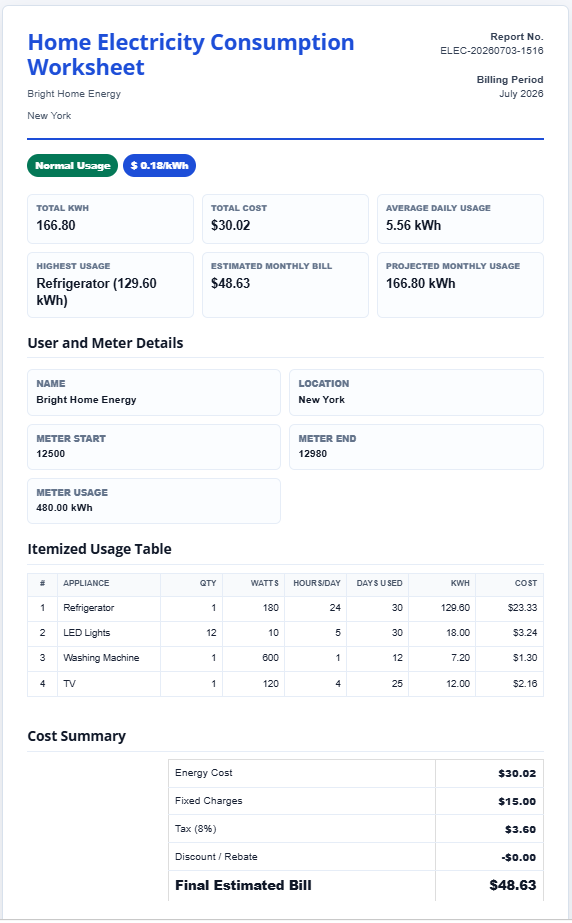
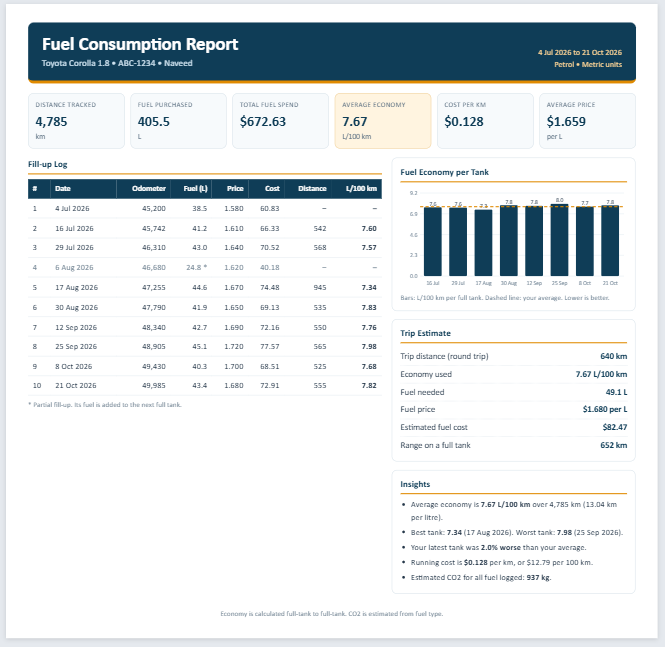
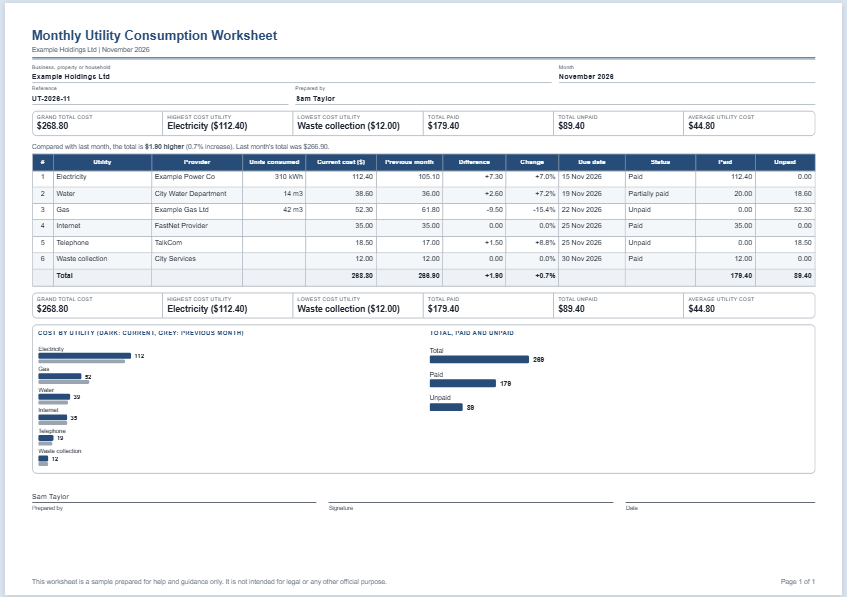
The Monthly Utility Consumption Worksheet is an online tool designed to help businesses, offices, property managers, and homeowners track utility usage and costs in a simple and organized manner. Instead of manually creating spreadsheets and formulas, users can enter utility information directly into their browser and instantly generate a professional monthly utility report.
The worksheet supports multiple utility categories, including electricity, gas, water, internet, telephone services, waste collection, and other recurring utility expenses. As information is entered, the worksheet automatically calculates totals and presents key insights that help users understand their monthly utility spending.
Monthly Utility Consumption Worksheet
Enter each utility with its provider, units consumed, current cost, previous month's cost, due date, payment status and any notes. The total cost, the amount paid, the unpaid balance, the average, the highest and lowest utility and the comparison with last month are worked out for you. Check the preview, then print the worksheet or save it as a PDF, or download an Excel workbook with working formulas. Your details stay in your browser and are not sent anywhere. This worksheet is a sample prepared for help and guidance only. It is not intended for legal or any other official purpose.
Worksheet Details
Paid bills count as fully paid, unpaid bills as nothing paid. For a partially paid bill, enter the amount paid.
Utilities
Page & Style
Enter Utility Information
Users can fill out the worksheet directly online without downloading any software. The worksheet allows entry of:
- Utility name
- Service provider
- Units consumed
- Current utility cost
- Previous month’s cost
- Due date
- Payment status
- Additional notes or comments
This makes it easy to maintain a complete record of all monthly utility expenses in one place.
Automatic Cost Analysis
One of the main advantages of this online worksheet is its ability to automatically analyze the entered information. As utility costs are added, the worksheet instantly calculates:
- Total monthly utility cost
- Amount already paid
- Outstanding unpaid balance
- Average utility cost
- Highest utility expense
- Lowest utility expense
This eliminates the need for manual calculations and helps users quickly identify major utility expenses.
Utility Comparison Features
The worksheet also compares current utility costs against the previous month’s figures. It automatically displays:
- Cost differences between months
- Percentage increase or decrease
- Monthly consumption trends
These comparisons help users identify rising utility expenses and monitor changes in consumption patterns over time.
Payment Tracking
Managing utility bills becomes easier with the built-in payment tracking functionality. Users can mark utilities as:
- Paid
- Unpaid
- Partially Paid
The worksheet then summarizes payment information, making it easier to track outstanding bills and upcoming obligations.
Summary Dashboard
At the top and bottom of the worksheet, important summary information is automatically generated. This includes:
- Grand Total Utility Cost
- Highest Cost Utility
- Lowest Cost Utility
- Total Paid Amount
- Total Unpaid Amount
- Average Monthly Cost
These summary boxes provide a quick overview of utility performance without requiring users to review individual records.
Online Editable and Printable
The worksheet is fully editable within the browser. Users can update information at any time, modify existing entries, or add new utility records as needed.
Once the worksheet is completed, it can be printed directly from the browser, creating a professional report for:
- Internal business records
- Budget planning
- Expense management
- Property management reports
- Financial reviews
- Utility consumption monitoring
Suitable for Multiple Users
This worksheet is useful for:
- Small businesses
- Offices
- Retail stores
- Rental property owners
- Apartment managers
- Schools
- Non-profit organizations
- Homeowners
Traditional Excel Version Also Available
For users who prefer working offline, we also provide the traditional Microsoft Excel version of the Monthly Utility Consumption Worksheet. The Excel template offers spreadsheet-based utility tracking, while this online version provides faster data entry, automatic calculations, instant reporting, and browser-based accessibility without requiring Excel installation.
The online Monthly Utility Consumption Worksheet combines convenience, automated calculations, and professional reporting to help users monitor utility expenses efficiently and make better budgeting decisions throughout the year.
See Also
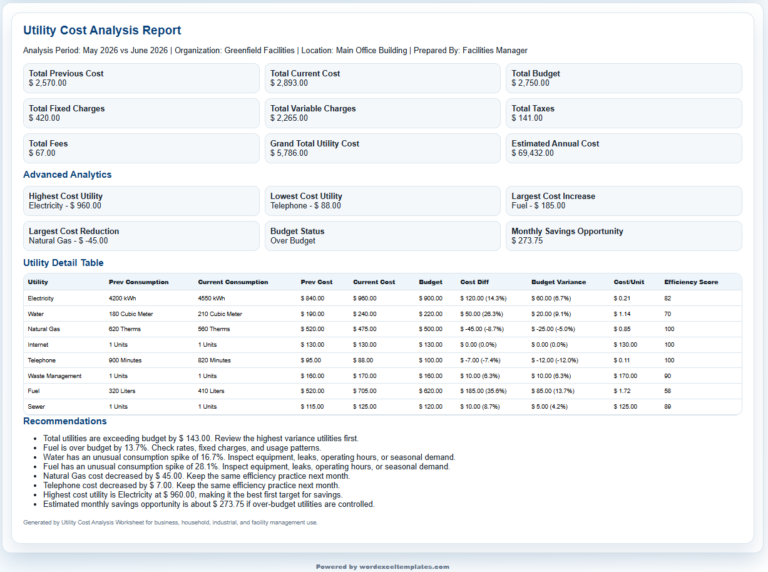
Utility Cost Analysis Worksheet

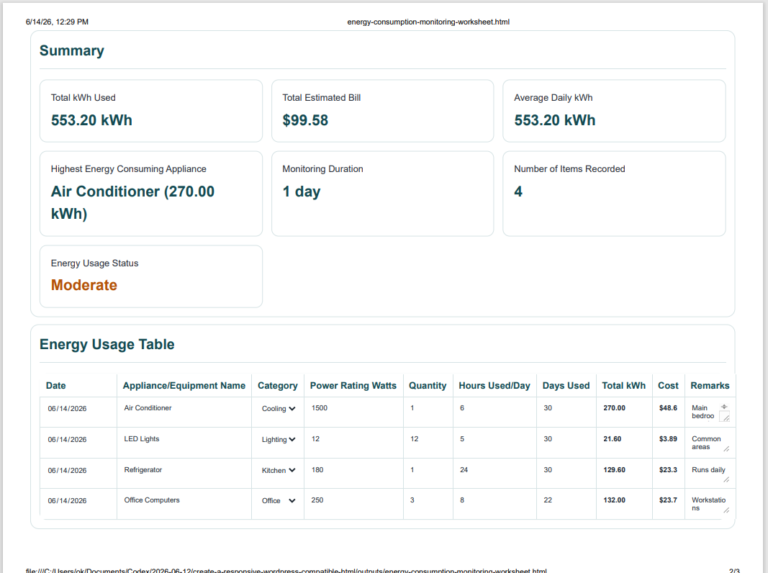
Energy Consumption Monitoring Worksheet