A Tenant Inventory Generator is a practical online tool designed to help landlords, property managers, letting agents, and tenants create a detailed inventory report for a rental property. The report records the condition of rooms, furniture, fixtures, appliances, and other household items at the beginning, during, or end of a tenancy. Having a well-prepared inventory helps reduce misunderstandings, supports deposit claims when necessary, and provides a clear record of the property’s condition.
Using the generator is simple. Start by entering the property details, tenant and landlord information, inspection date, and tenancy details. Next, add inventory items such as furniture, kitchen appliances, flooring, windows, lighting, and other fixtures. For each item, you can specify its location, current condition, and any comments about wear, damage, or missing parts. The generator automatically organizes the information into a professional inventory report with a live preview that updates as you type.
The built-in preview allows you to review the completed report before printing. Once everything has been verified, you can print a clean A4-ready inventory sheet that is suitable for inspections, move-in reports, periodic property checks, and move-out assessments.
This generator is beneficial for landlords, tenants, estate agents, property management companies, housing associations, and rental inspectors. It saves time, improves record accuracy, and creates a standardized document that can be used as evidence if disputes arise. Whether you manage a single rental property or a large portfolio, a Tenant Inventory Generator provides an efficient way to maintain complete and organized property records throughout the tenancy.
Property & Report Information
Inventory Items
Notes & Signatures
Frequently Asked Questions
What is a tenant inventory report?
A tenant inventory report records the contents, fixtures, cleanliness, and condition of a rental property at a specific time, usually before move-in or at move-out.
Who should use this generator?
Landlords, tenants, letting agents, property managers, and housing administrators can use it to create a clear and consistent property condition record.
Can I add or remove inventory items?
Yes. Use the Add Item button to create new entries and the × button beside an entry to remove it. The preview updates automatically.
Can I organize items by room?
Yes. Each item includes a room field so you can identify where it belongs, such as the kitchen, bedroom, bathroom, lounge, hallway, or exterior.
Does the generator calculate a condition summary?
Yes. It automatically counts the total items, items marked New or Good, and items whose condition may need attention.
Can I print the completed inventory?
Yes. The Print Inventory button prints only the live report on A4 pages while preserving tables, borders, headings, and other styling.
Will a long inventory continue onto another page?
Yes. When the inventory contains many items, the browser can continue the table naturally onto additional A4 pages.
Should both parties sign the report?
It is good practice for the tenant and landlord or agent to review, date, and sign the report so both parties acknowledge the recorded condition.
MS Excel Template
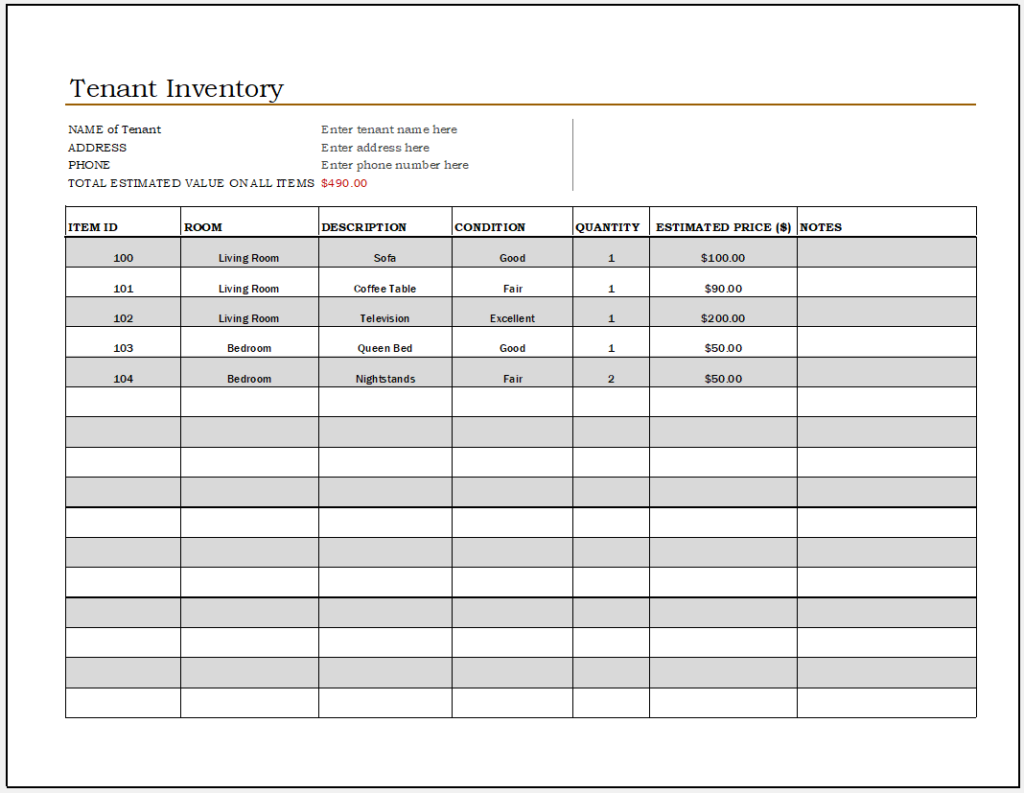
Tenant Inventory File
- KPI Scorecard Generator
- Warehouse Bin Location Generator
- Dispatch Slip Generator
- Universal Work Order Generator
- Office Asset Transfer Form Generator
- Summer Holiday Assignment Cover Page Generator
- Salary and Overtime Calculator Template
- Summer Vacation Planner Generator
- Outlet Mall Shopping Planner
- Customer Information and Ranking Sheet
- Small Family Kitchen Design Planning Sheet
- Summer Party Budget Sheet Generator
- Payroll Register & Salary Sheet Generator
- Employee Skill Development Tracker
- HR Budget & Expense Tracker