A well-organized office environment supports the effective operation of a company. However, when everyone is busy, the workplace can easily become disorganized. Maintaining order and cleanliness helps provide a comfortable environment where employees can work effectively.
Proper maintenance also helps keep office equipment in good working condition, supporting efficiency and reducing avoidable downtime. Additionally, a clean and well-maintained office creates a positive impression on clients and visitors. An office maintenance schedule organizes cleaning, repairs, and servicing so these activities receive regular attention.
Create your office maintenance schedule using the online tool below to organize tasks, set due dates, and assign responsibilities.
Office Maintenance Schedule
Plan recurring maintenance, assign responsibility, and track completion.
Schedule Details
Maintenance Tasks
Add maintenance activities; new records expand and focus automatically.
Planning & Budget
Review & Approval
What is an office maintenance schedule?
An office maintenance schedule is a plan that records maintenance tasks, how often they should be performed, and who is responsible for completing them. It can cover cleaning, equipment servicing, building upkeep, and routine safety checks.
Importance of an Office Maintenance Schedule
An office maintenance schedule helps staff coordinate upkeep and monitor when work is due. Keeping tasks and responsibilities clearly documented reduces the risk of overlooking maintenance and makes outstanding work easier to identify.
Guidelines for Creating an Office Maintenance Schedule
The following steps can help you prepare a clear and practical schedule:
Research and Asset Listing
Begin by identifying the office areas, assets, and equipment that require maintenance. Determine their specific requirements and record the tasks involved. Consult manufacturer guidance where applicable, and identify the supplies, skills, or external services needed for each task.
Create a Structured Table
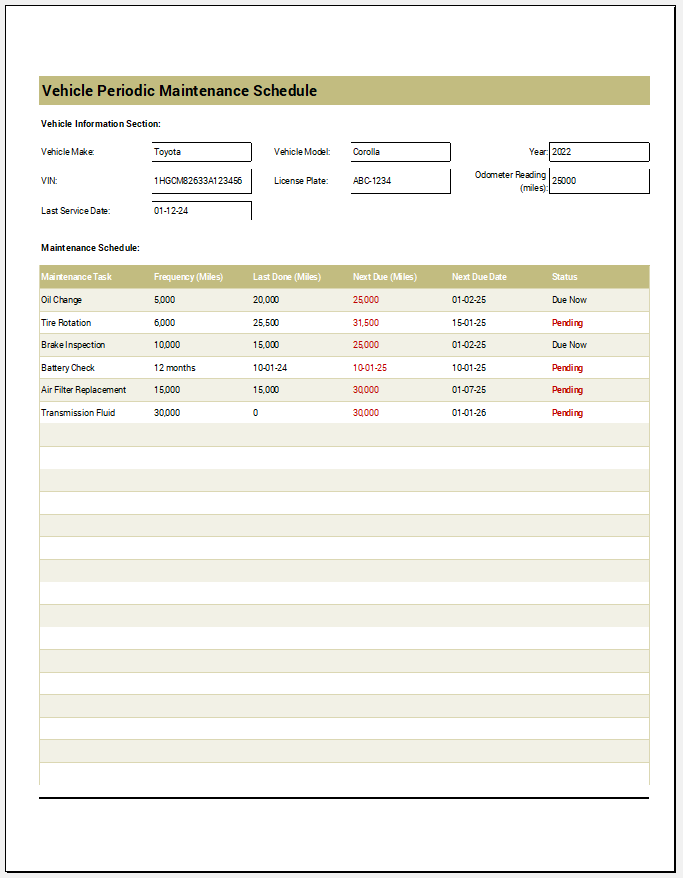
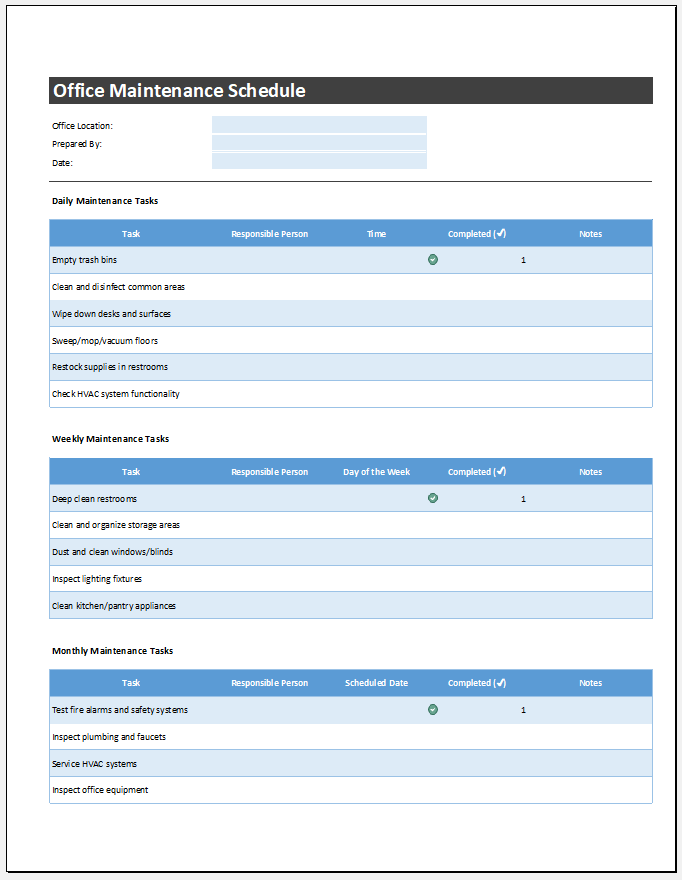
Use the heading “Office Maintenance Schedule” and include your company’s name. Organize the information in a table with clear columns for tasks, frequency, due dates, responsibility, and completion status.
Task Description
List each maintenance activity under a Task column. Tasks can be grouped into sections—for example, equipment maintenance, cleaning, and safety checks. Cleaning tasks may be further categorized by location, such as office areas, the lobby, or restrooms. Use specific descriptions so the person completing each task understands what is required.
Frequency of Tasks
Add a Frequency column to specify how often each task should be performed—daily, weekly, monthly, quarterly, or annually. Choose intervals based on usage, condition, and relevant servicing guidance rather than applying the same frequency to all equipment.
Timing of Tasks
Include a Scheduled Date and Time column. Plan disruptive work for suitable periods and record the next due date for recurring tasks.
Assignment of Responsibility
Add an Assigned To column to identify the person or team responsible for each task. Confirm responsibilities with the relevant staff or service providers, and provide space to record completion dates and any follow-up work.
Planned Office Maintenance for Better Performance
Regular maintenance can help identify developing faults and reduce the likelihood of unexpected breakdowns. Routine inspections and timely servicing also support better planning for repairs and replacements.
Regular cleaning and upkeep help maintain a comfortable, orderly workplace. A well-maintained office also leaves a positive impression on clients and visitors.
Keep the schedule up to date as equipment, staffing, or maintenance needs change. Reviewing completed and overdue tasks helps ensure the plan remains useful in day-to-day operations.
MS Excel Template
Download the Excel template below and customize it to suit your office’s maintenance requirements.
Format: MS Excel -all versions