Creating a professional No Objection Certificate (NOC) has never been easier. Our Online No Objection Certificate Generator allows individuals, businesses, educational institutions, landlords, employers, and organizations to create fully customized NOC letters within minutes. Instead of writing a certificate from scratch, simply fill in the required information, preview the document instantly, and print or download your completed certificate.
The generator has been designed to produce professional-looking certificates suitable for personal, educational, business, legal, travel, employment, property, banking, and many other official purposes.
No Objection Certificate Generator
Create a professional NOC for employment, travel, visa, property, vehicle, bank, school, business, and general purposes with live preview.
FAQs
What is a No Objection Certificate?
Can I edit the generated wording?
Does the print button print only the certificate?
Is data sent to a server?
Multiple NOC Types
The generator supports a wide range of No Objection Certificate formats. Simply choose the certificate type from the dropdown menu, and the wording automatically changes to match your selected purpose. You can create certificates for employment, travel, visa applications, property transactions, vehicle transfers, educational institutions, internships, training programs, passport applications, business activities, customs clearance, tenant verification, police verification, utility connections, loans, and many other situations.
Easy-to-Complete Input Form
A user-friendly form allows you to enter all the required details without any technical knowledge. The generator includes fields for organization information, recipient details, certificate number, issue date, subject, purpose, validity period, project information, employee details, vehicle information, passport details, property details, and additional references.
Every field updates the certificate automatically as you type, allowing you to see exactly how the final document will appear.
Professional Live Preview
One of the most useful features of this generator is the real-time certificate preview. Every change made in the input form is instantly reflected in the preview section without refreshing the page. This allows you to review your certificate before printing or downloading it, reducing errors and saving valuable time.
Editable Certificate Content
Although the generator provides professionally written default text for different certificate types, you are free to modify every part of the certificate. The main body of the NOC remains fully editable, allowing you to add special instructions, conditions, project information, legal statements, or organization-specific wording whenever necessary.
Automatic Certificate Number Generation
To improve document organization, the generator automatically creates a unique certificate number in a professional format. This helps businesses and organizations maintain proper records while ensuring that each certificate can easily be identified.
Upload Company Logo, Signature and Official Stamp
You can personalize your certificate by uploading your organization’s logo, authorized signature, and official company stamp. These images appear directly within the certificate preview, giving the document a genuine and professional appearance suitable for official use.
QR Code for Quick Verification
The generator automatically creates a QR code containing important certificate information such as the certificate number, recipient name, issue date, organization, and purpose. This provides an additional layer of verification and modernizes the appearance of the document.
Custom Design Options
Different organizations have different branding requirements. This generator allows you to customize fonts, font sizes, color themes, borders, headings, and background colors to match your company’s identity. Multiple professional themes are available, including corporate blue, gray, green, dark, and minimal designs.
Watermark Support
For additional document security, optional watermarks such as Original, Copy, Draft, Confidential, or Paid can be applied to the certificate. This feature is especially useful for organizations managing internal approvals and document distribution.
Print-Ready Layout
The certificate is optimized for A4 paper size and professional printing. The Print button prints only the completed certificate without printing the webpage, menus, buttons, or input form. This ensures that the final document looks clean and professional.
Download and Save Options
Once your certificate has been completed, you can print it immediately or download it for future use. The generator also supports saving your work as a draft, allowing you to continue editing later without re-entering all the information.
Responsive on All Devices
Whether you’re using a desktop computer, laptop, tablet, or smartphone, the generator automatically adjusts its layout to provide the best possible experience. The responsive design makes it convenient to create certificates from virtually any device.
Secure and Browser-Based
Everything is generated directly within your browser. No software installation is required, and you can create certificates anytime using an internet connection. The intuitive interface makes the generator suitable for both occasional users and professionals who prepare certificates regularly.
Who Can Use This Generator?
This Online No Objection Certificate Generator is suitable for:
- Companies and businesses
- Government departments
- Educational institutions
- Schools and universities
- HR departments
- Property owners and landlords
- Employers
- Contractors
- Banks and financial institutions
- Travel agencies
- Legal professionals
- Immigration consultants
- Individuals requiring official NOCs
Why Use Our Online NOC Generator?
Our generator saves time, eliminates formatting issues, and helps you produce professional No Objection Certificates without any design or word-processing experience. With automatic formatting, live preview, customizable wording, built-in branding options, and print-ready output, it provides everything needed to prepare official certificates quickly and accurately.
Whether you need a single certificate or regularly generate NOCs for your organization, this online tool offers a fast, reliable, and professional solution.
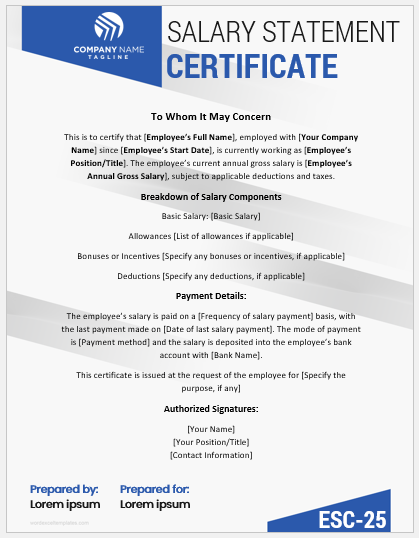
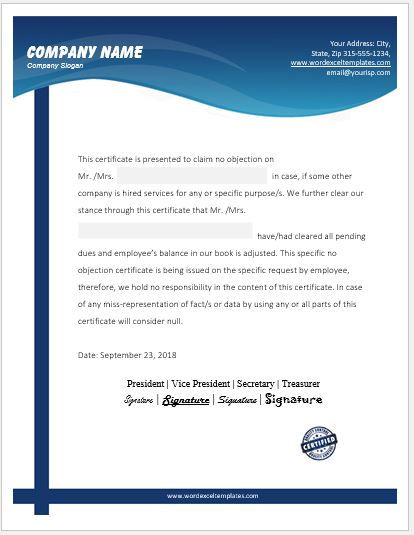
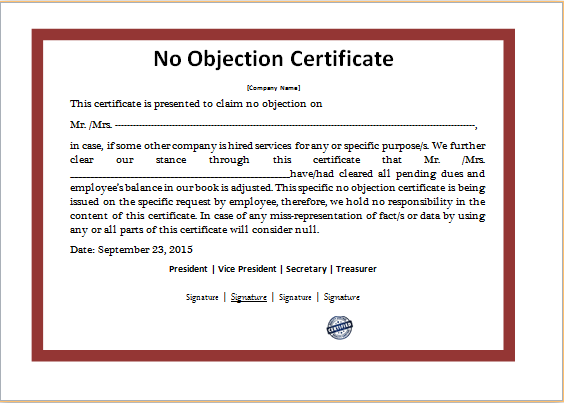
We also offer a professionally designed No Objection Certificate (NOC) Template in Microsoft Word format. Simply download the template, customize it with your organization’s details, edit the content as needed, and print it for official use. The fully editable MS Word file features a clean, professional layout and is suitable for employment, travel, property, education, business, visa, and many other types of No Objection Certificates.
File: Word (.docx)
Size 39 KB
- Work Completion Certificates for Industry
- Certificate of Attendance and Punctuality
- Perfect Attendance Certificate for Employees
- Certificate of Appreciation for Best Speaker
- Internship Completion Certificate from Bank
- Employment Certificate Generator
- Probation Completion Certificates
- Internship Completion Certificates for Word
- Employee Salary Certificates for Word
- Work Completion Certificates for Various Jobs
- Bonus Certificate Template
- Salary Certificate Format and Templates
- Experience Certificates
- Employment Certificate Generator
- Certificate of Quality and Conformity