A Daily Entry Summary Sheet is a practical record-keeping document used to organize and summarize all important daily activities, transactions, or operational entries in one place. Businesses, offices, schools, warehouses, construction sites, and other organizations can use it to maintain accurate records of work completed throughout the day. Instead of managing multiple notebooks or spreadsheets, users can record essential details such as time, reference numbers, categories, descriptions, inflows, outflows, status, and remarks in a structured format.
This generator simplifies the entire process by allowing users to enter information through an easy-to-use form while automatically creating a clean, professional A4 summary sheet in real time. Totals are calculated automatically where applicable, and the live preview updates instantly with every change. If the amount of information exceeds a single page, the generator automatically continues the document onto additional A4 pages while maintaining consistent formatting and page numbering. The finished document can be printed directly or saved as a PDF without losing its layout or styling.
A Daily Entry Summary Sheet helps improve record accuracy, saves time, reduces paperwork, and provides a standardized format for reporting daily operations. It is especially beneficial for managers, supervisors, administrators, accountants, project coordinators, and business owners who need organized daily documentation for reporting, auditing, or future reference.
Daily Entry Summary Sheet
Enter daily records and print a clean A4 summary sheet.
Sheet Information
Daily Entries
Notes & Approval
Frequently Asked Questions
What is a Daily Entry Summary Sheet?
It is a structured record used to summarize transactions, activities, updates, or operational entries completed during a particular day.
Who can use this generator?
Office administrators, accountants, supervisors, shop managers, data-entry operators, project teams, and small business owners can use it.
Can I add or remove entries?
Yes. Use the Add Entry button to create additional rows and the × button on an entry card to remove an unwanted row.
How are totals calculated?
The generator automatically totals all inflow and outflow values and displays the net movement in the live preview.
Does the sheet print on A4 paper?
Yes. The print function creates a separate A4 portrait print document containing only the completed live preview with preserved colors, borders, and typography.
Does it work on mobile devices?
Yes. On smaller screens, use the Input and Live Preview tabs. Zoom−, Zoom+, and Fit controls are also available for preview navigation.
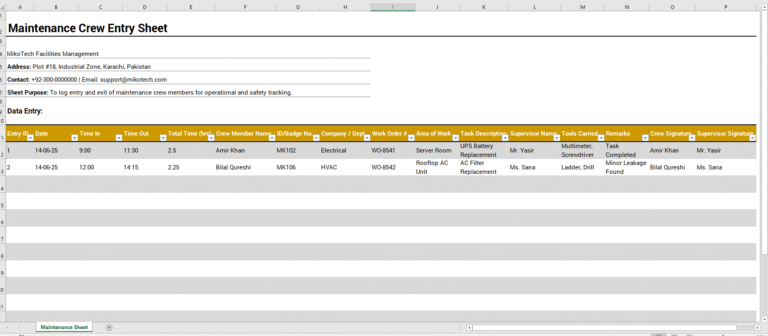
MS Excel Template
Following is an MS Excel template for offline work.

- Quotation Register
- Customer Order Tracker
- Inventory Dashboard Generator
- Sales Dashboard Generator
- SWOT Analysis Generator
- KPI Scorecard Generator
- Warehouse Bin Location Generator
- Dispatch Slip Generator
- Universal Work Order Generator
- Office Asset Transfer Form Generator
- Summer Holiday Assignment Cover Page Generator
- Salary and Overtime Calculator Template
- Summer Vacation Planner Generator
- Outlet Mall Shopping Planner
- Customer Information and Ranking Sheet