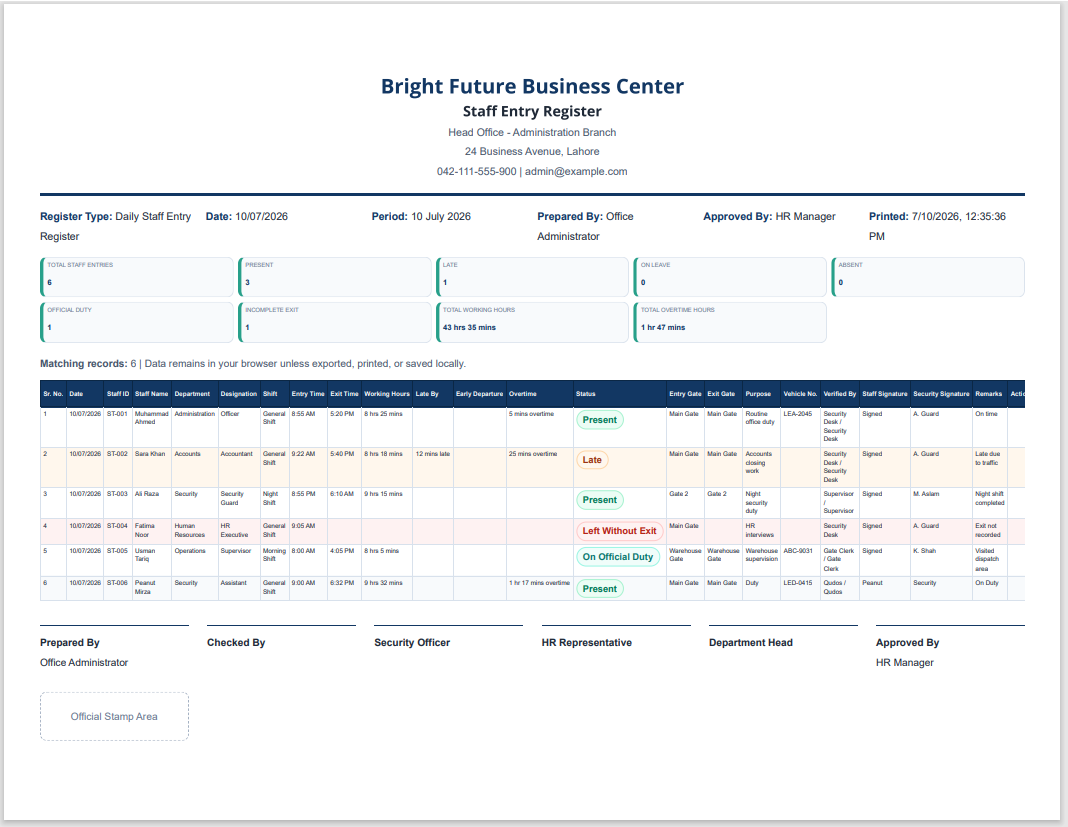
In addition to our downloadable MS Excel Staff Entry Register Template, we also provide this online Staff Entry Register Generator to make daily attendance and entry record management faster and more convenient. Instead of manually formatting spreadsheets, you can enter staff details, record entry and exit times, calculate working hours, and maintain an organized register directly in your web browser.
The generator includes features such as automatic calculations, editable staff records, department and shift management, search and filtering options, print-ready reports, and PDF download support. You can also save your work and continue editing later without starting over.
Whether you manage a small office, school, warehouse, factory, hospital, or a large organization, this online tool helps reduce paperwork and improve record accuracy. If you prefer working offline or need a printable spreadsheet for long-term recordkeeping, our professionally designed MS Excel Staff Entry Register Template is also available for free download, giving you the flexibility to choose the format that best fits your workflow.
Staff Entry Register Generator
Create, calculate, filter, print, save, and export a professional staff entry and exit register for offices, schools, factories, hospitals, and organizations.
Header Details
Register Settings
Add / Edit Staff Entry
Search, Filters & Sorting
Bulk Record Actions
Shift Management
| Shift | Start | End | Grace | Std Hours | OT Start | Action |
|---|
Departments & Designations
Import, Export, Save & Print
Design & Column Options
Frequently Asked Questions
What is a Staff Entry Register?
A Staff Entry Register records employee entry time, exit time, attendance status, department, verification, purpose, and remarks for daily office recordkeeping.
Who can use this generator?
Offices, schools, factories, warehouses, hospitals, security desks, and HR teams can use it to manage staff entry and exit records.
Can I add unlimited staff entries?
Yes. You can add, edit, duplicate, delete, reorder, import, and export staff entries as needed.
How are working hours calculated?
Working hours are calculated from entry time to exit time. Empty exit times are treated as incomplete exit records.
Does the tool support night shifts?
Yes. If the exit time is after midnight, the generator calculates the duration correctly as an overnight shift.
Can I filter entries by department or date?
Yes. You can filter by department, designation, shift, date, date range, status, gates, late arrivals, early departures, incomplete exits, and overtime.
Can I save the register and continue later?
Yes. The Save Register button stores your data in browser localStorage, and Load Saved Register restores it later.
How can I download the register as a PDF?
Use Download as PDF, then choose Save as PDF in your browser print dialog. No external PDF library is required.
Does the print button print the full webpage?
No. The print button prints only the live register preview and hides the editor, filters, buttons, WordPress header, footer, and sidebar.
Is the entered information sent to a server?
No. The tool runs in your browser. Data remains in your browser unless you export, print, or save it locally.
Excel Template
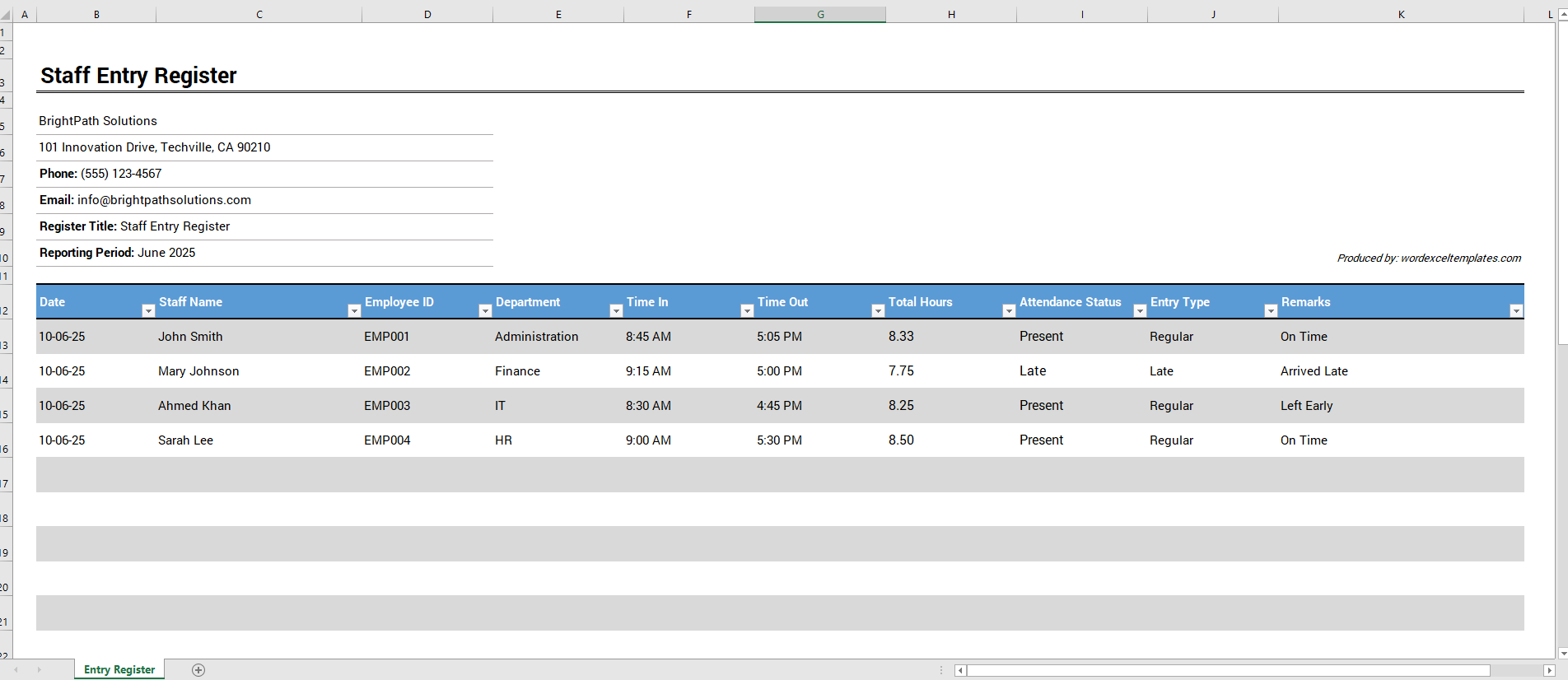
This Excel Staff Entry Register Template is designed to simplify employee attendance management and working hour tracking. The template includes dedicated columns for Date, Staff Name, Employee ID, Department, Time In, Time Out, Total Hours, Attendance Status, Entry Type, and Remarks.
The template automatically calculates total working hours based on the recorded entry and exit times, reducing manual calculations and improving accuracy. It also helps identify attendance conditions such as Present, Late, or Absent, allowing managers to monitor attendance performance more effectively.
The clean and professional layout makes the template suitable for offices, schools, educational institutions, healthcare facilities, factories, and other workplaces. By maintaining accurate attendance records, organizations can improve workforce management, monitor punctuality, and keep reliable staff attendance histories.