A Body Temperature Tracker is an easy health monitoring tool designed to help individuals, families, and caregivers record body temperature readings in an organized format. Instead of writing measurements on paper, users can maintain a complete digital log that includes the date, time, temperature value, measurement method, symptoms, medications, and personal notes. Keeping a consistent temperature history makes it easier to observe daily patterns and monitor changes over time.
Using the tracker is simple. Enter the person’s information, choose whether to use Celsius or Fahrenheit, and record each temperature reading along with the measurement location, such as oral, forehead, ear, armpit, or rectal. You can also note symptoms, medicines taken, and other observations for every entry. As new readings are added, the tracker automatically updates the summary by calculating the latest, minimum, maximum, and average temperatures while identifying readings that meet the general fever threshold. A built-in temperature trend chart provides a clear visual overview of changes throughout the tracking period.
The live preview updates instantly as information is entered, allowing you to review the completed record before printing. When finished, the tracker generates a clean, professional A4 report that can be printed or saved for personal records or future reference.
Body Temperature Tracker
Record readings, observe patterns, and print a clear temperature history.
Person & Report Information
Add Temperature Reading
Report Notes & Settings
Body Temperature Tracker
| Date | Time | Temp. | Status | Method | Symptoms | Medicine / Action | Notes |
|---|
MS Excel Template
If you prefer working offline, Microsoft Excel body temperature tracker templates provide a simple way to record and organize temperature readings. These spreadsheets allow you to log the date, time, temperature, symptoms, medications, and notes while maintaining a structured record for future reference. Many templates also include automatic calculations for minimum, maximum, and average temperatures, making it easier to monitor changes over time.
Excel templates are easy to customize, print, and save, making them suitable for home use, caregivers, schools, clinics, and workplaces. They offer a practical alternative for users who prefer managing health records directly in Microsoft Excel.
Here we have various templates:
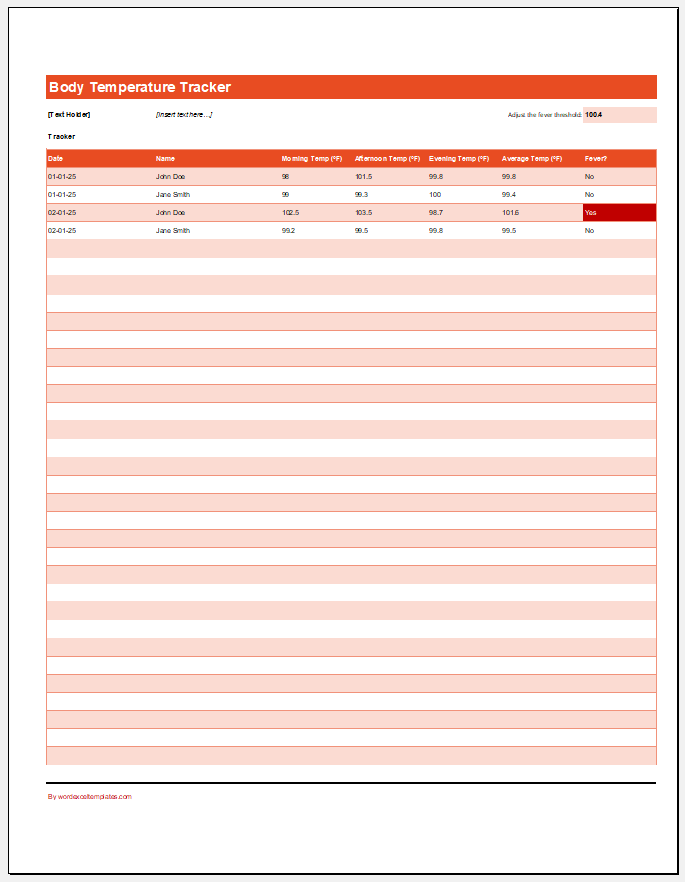
1- Track temperatures during illness or recovery.
2- Monitor temperatures for multiple individuals.
3- Maintain records for patients in healthcare settings.
4- Can be served as a family temperature log
Format: MS Excel Sheet
Elderly Temperature Monitoring Log
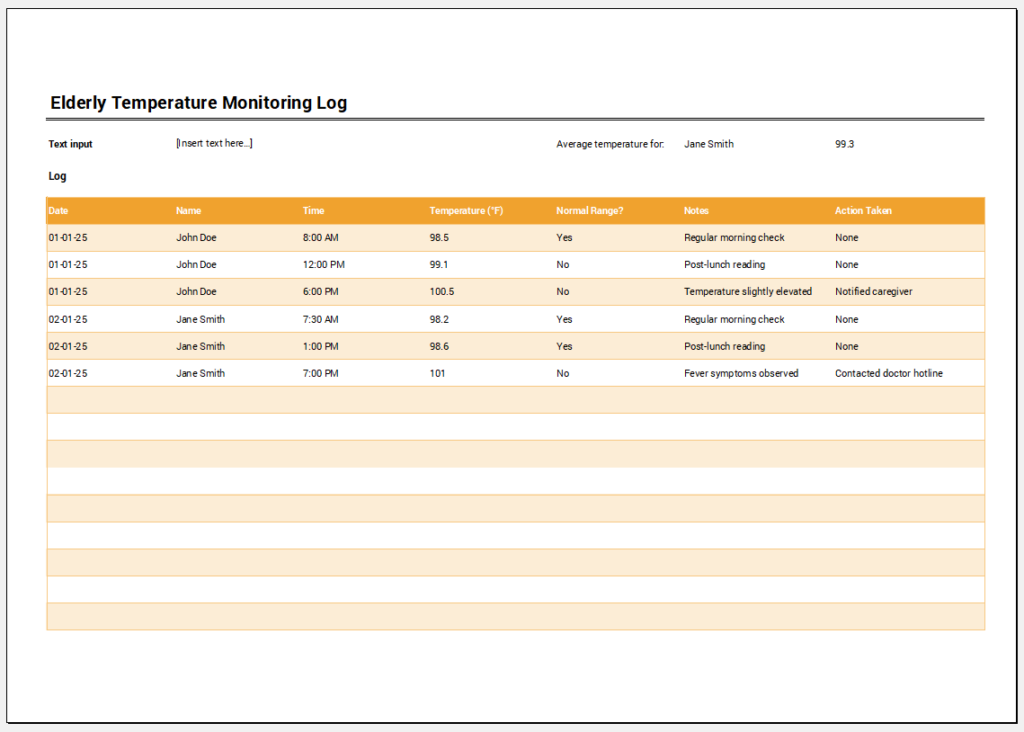
1- Track temperatures throughout the day for elderly individuals.
2- Identify patterns of fever or consistently abnormal temperatures.
3- Share log entries with family members or healthcare providers.
Format: MS Excel Sheet

Key features:
- Track health during illness or recovery.
- Identify patterns in heart rate and temperature for long-term conditions.
- Reimbursement Management Forms
- Forms Used for Workplace Ethics and Policies
- Forms used for Operations in an Organization
- Procurement/Supply Chain Forms
- Downloadable Forms for Unprofessional Behavior
- Commonly Downloaded Office Forms
- Employee Dispute & Grievance Forms
- Insurance & Protection Benefit Forms
- Employee Retirement & Pension Forms
- Employee Service & Tenure Forms
- Employee Health & Well-being Forms
- Employee Scrutiny & Evaluation Forms
- Customer Service and Support Form Generator
- Commonly Used Forms for Payroll Correction
- Employee Exit Forms -Generate Online
- Office Discipline & Violation Forms
- Marketing Forms Used by Businesses
- Salary Negotiation Form