A Quarterly Tax Payment Tracker is a simple record-keeping tool for individuals and businesses that make estimated or scheduled tax payments during the year. It keeps the payment information for all four quarters—Q1, Q2, Q3, and Q4 -organized in one place, making it easier to see what has been estimated, paid, and still remains.
How to Use the Quarterly Tax Payment Tracker?
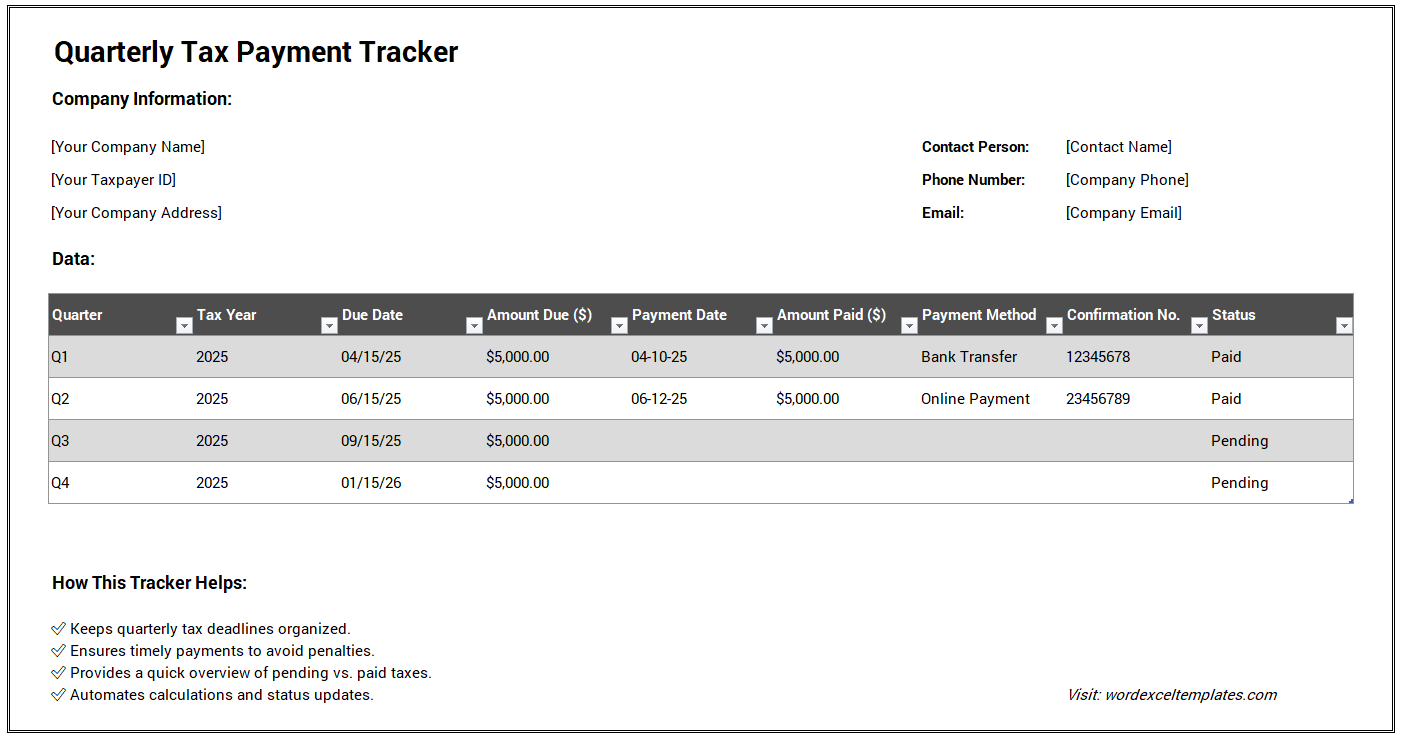
Start by entering the taxpayer or business name, tax year, tax ID or reference, tax type, tax authority, and filing category. Then complete the details for each quarter, including the due date, estimated tax amount, amount paid, payment date, payment method, and payment reference.
The tracker automatically calculates the remaining balance for each quarter and shows its payment status as Paid, Partially Paid, or Unpaid according to the amounts entered.
Understanding the Annual Summary
The annual summary combines all four quarters and displays the Total Estimated Tax, Total Paid, Total Remaining, and number of fully paid quarters. This provides a quick overview of your quarterly payment records and helps you identify payments that may still need attention.
This tracker is intended for record keeping and payment organization. Actual tax amounts, payment deadlines, and filing requirements should always be confirmed with the relevant tax authority or a qualified tax professional.
Quarterly Tax Payment Tracker
Taxpayer Details
Quarterly Payments
Annual Summary
Review
MS Excel Worksheet Still Available
While the online generator offers a fast and convenient alternative, we understand that many users prefer working with spreadsheets. For this reason, we continue to provide the original Quarterly Tax Payment Tracker Template for MS Excel.
The Excel worksheet allows users to maintain their records offline and customize the tracker according to their individual or business requirements. It remains an excellent option for those who are comfortable using spreadsheet software and require additional flexibility.
Whether you choose the interactive online generator or the traditional Excel template, both solutions are designed to help you stay organized, maintain accurate records, and manage your quarterly tax obligations more efficiently.
Here we have the sample template for Excel.