Tracking how often a baby is breastfed is important, but it can be difficult for mothers, mainly because they have so much to do in caring for the baby that they feel occupied all the time.
A baby feeding timer is a fantastic tool for mothers who need to keep track of their routine and their baby’s feeding needs, to make sure the newborn is getting enough nutrition. Many benefits convince people to use it instead of manually monitoring the feeding time and duration.
A baby feeding timer is an excellent and highly useful tool for busy mothers and for those feeding their first infant who are unsure how often to feed. It helps them see the timing of each feed, so that feeds are not missed and the newborn does not go too long without food.
Use the following online feeding log for your help:
Baby Feeding Timer
Start the timer when a feed begins, stop it when it ends, and the feed is saved to your log. Your log is kept in this browser only.
Feeding Timer
Since the Last Feed
Add a Past Feed
Tap a feed to edit it. Feeds are sorted by start time.
Baby & Report
Units & Feed Plan
The gap is only used to show a suggested next feed time. Follow your doctor's advice for your baby.
Notes
What are the features of the baby feeding timer?
If you are unsure whether this tool will help you keep track of your infant’s feeding routine, you can go through the potential benefits of using this timer. Here are a few of them:
It helps you plan the next feed:
This timer shows how long it has been since the last feed and suggests a time for the next one, based on the gap you set. Due to their busy routines, mothers often lose track of time, and this makes it easy to see when the next feed is due.
It tracks all types of feeds:
Whether mothers are bottle feeding, breastfeeding or giving solids, the timer keeps track of all the feeds. As every type of feed has different details to record, the timer lets you choose the feed type, switch between the left and right breast, and enter the bottle amount.
For instance, the amount of milk given in a bottle is also important to record. The timer saves it with the feed, so nothing important is overlooked.
It saves your notes:
Although people mainly expect this timer to record the duration of each feed, they are pleased to find that it can do more than that. Mothers can add past feeds they forgot to time, edit any entry, and add notes to a feed or to the report.
It helps in analysis:
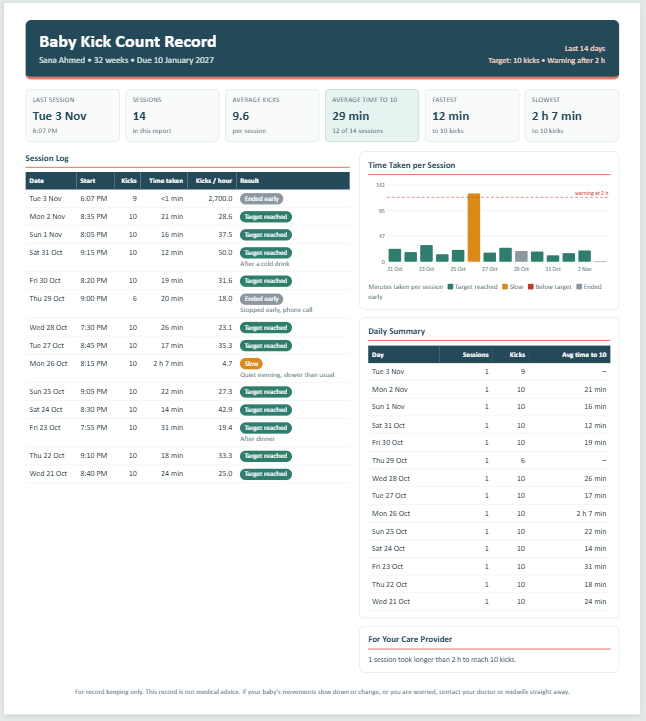
When the user enters the data, the timer summarizes it automatically. It shows daily totals, the average gap between feeds and the busiest hours of the day. A printable report can be created that mothers can share with the child’s doctor to show how the baby has been fed. The doctor can then give further suggestions.
The report also makes it easy for doctors to understand the readings and quickly give useful recommendations to mothers. Raw data is often time-consuming to read, so a summarized report is more convenient for them.
You can keep a record for each baby:
The best part of using this timer is that you can enter the baby’s name in the report, so you can print or download a separate log for each infant. This is useful for nurses and caregivers who look after the feeding routines of more than one infant.
The data can be saved and downloaded:
The timer keeps your feeding log in your browser, so it is still there when you return to the page. You can also download the full log as an Excel file and keep it as a backup, or share it with others. Due to this, there is very little chance of losing the data once it has been entered.
Excel Template