Donation Receipt Generator

Reviewed & updated by Updated Originally published

A Donation Receipt Generator helps organizations prepare a written acknowledgment of money or property received from a donor. It provides structured fields for recording organization details, donor information, the donation date, receipt number, purpose of the contribution, and other relevant information.

The generator below supports both monetary and in-kind donations. For monetary donations, you can record the amount, currency, payment method, and payment reference. For in-kind donations, you can describe the donated items, enter quantity and condition, and optionally record an estimated value.

The receipt can also include an organization logo, registration or tax identification details, additional notes, and an optional tax-status disclaimer. Whether a donation qualifies for a tax deduction—and what information a valid acknowledgment must contain—depends on the applicable laws and the organization’s status in the relevant jurisdiction.

Review the entered information before issuing the receipt. The Live Preview updates as the details are changed and can be printed or saved as an A4 PDF using Print / Save PDF.

Donation Receipt Generator v1.1

Create monetary and in-kind donation acknowledgment receipts.

Organization Details

Receipt and Donor Details

Donation Information

Statement

Live Donation Receipt

Frequently Asked Questions

What is a Donation Receipt Generator?

It creates a professional acknowledgment receipt for monetary or in-kind donations.

Can I create in-kind receipts?

Yes. Enter the donated items, quantity, and condition. An estimated value can be entered optionally and can be shown or hidden on the receipt.

Can I add tax information?

Yes. You can include an organization registration or tax number and an optional tax-status disclaimer. The generator does not determine whether a donation is tax deductible.

Can I generate a receipt number?

Yes. The generator creates a unique date-and-time-based reference.

Can I upload a logo?

Yes. It appears in the live and printed receipt.

Can I print or save the receipt as a PDF?

Yes. Use Print / Save PDF in the Live Preview section to print the A4 receipt or save it as a PDF.

Is donor information stored?

This generator processes the information entered in this tool within the browser and does not submit donor details to a server as part of the receipt-generation process.
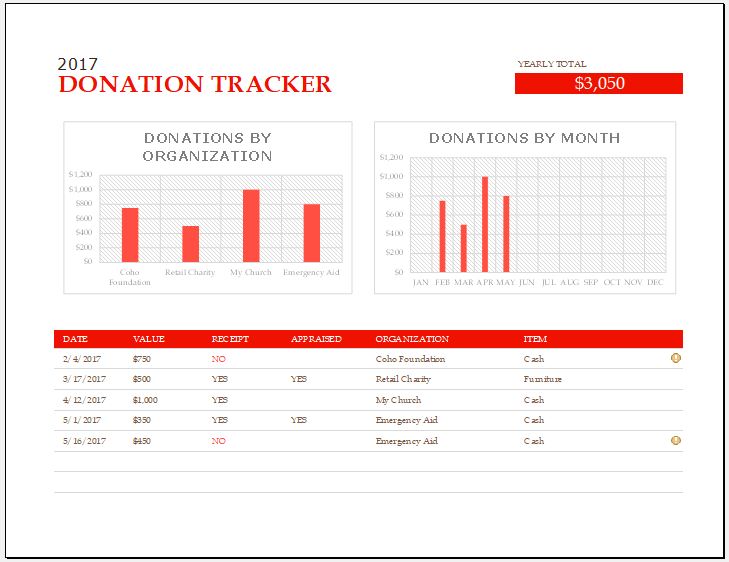
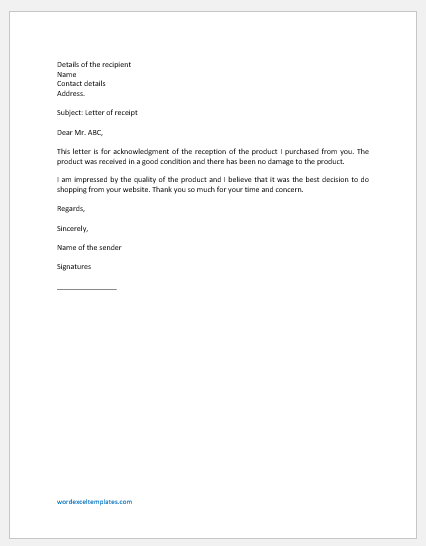
Using the Donation Receipt Generator

Choose whether the contribution is Monetary or In-Kind, then enter the donor and organization information required for the receipt. Monetary receipts include the entered amount and payment details, while in-kind receipts can include the donated items, quantity, condition, and an optional estimated value.

For in-kind donations, the estimated value can be shown or hidden on the receipt. If it is displayed, the generator identifies it as a value entered for recordkeeping and does not treat it as a determination of the donor’s tax-deductible amount.

Use Load Sample only to view an example receipt. Use Reset to return to a blank form.

Information Included on a Donation Receipt

A donation receipt commonly identifies the organization receiving the contribution and the donor making it. Depending on the type of donation, the receipt can also include the donation date, receipt number, purpose, payment method, payment reference, donated property description, quantity, condition, and other supporting information.

The generator also provides space for organization registration or tax details, notes, the person receiving the contribution, and signature lines. These fields should be completed according to the organization’s own recordkeeping requirements.

Monetary and In-Kind Donations

For a monetary donation, the generator displays the entered donation amount and converts the amount into words on the receipt. For example, an entered amount of 500 USD can be shown as Five Hundred US Dollars Only.

For an in-kind donation, describe the property received rather than treating the receipt as a valuation certificate. An estimated value can be entered when useful for internal records, but displaying that value is optional. The appropriate treatment of donated-property valuation can depend on the applicable tax and reporting rules.

Tax and Deductibility Information

The optional tax-status disclaimer acknowledges that tax treatment depends on applicable law, the organization’s status, and the donor’s circumstances. Selecting the option does not make a donation tax deductible or establish that the receipt satisfies a particular jurisdiction’s tax requirements.

Organizations should use the registration number, acknowledgment language, and other receipt information required for their own legal and tax environment.

Keeping Donation Records

Donation receipts can support donor acknowledgment, internal bookkeeping, audit records, fundraising administration, and contribution tracking. Organizations should retain records according to their own accounting and document-retention policies.

The generator creates the receipt from information entered in the browser. The current HTML processes donor details and uploaded logos locally as part of the receipt-generation process rather than submitting them to an external service.