Employee attendance plays a vital role in the smooth operation of any organization. While employees are expected to maintain regular attendance, companies also understand the importance of vacations, personal leave, sick leave, and other approved absences. Managing these absences efficiently is essential to ensure that daily operations continue without disruption. An Employee Absence Schedule Template helps organizations plan, track, and monitor employee absences throughout the year.
An employee absence schedule is an Excel worksheet used to record planned and unplanned employee absences on specific dates. It provides managers and supervisors with a clear overview of workforce availability, making it easier to allocate resources, schedule shifts, and avoid staffing shortages. Instead of maintaining separate records for each employee, organizations can use a centralized schedule to view absences across departments and teams.

Why Use an Employee Absence Schedule?
Employee absences can occur for many reasons, including vacations, medical appointments, personal matters, family emergencies, training programs, and public holidays. When these absences are not properly documented, organizations may face scheduling conflicts, productivity issues, and communication problems.
An employee absence schedule provides a simple way to record leave dates and identify periods when multiple employees may be absent simultaneously. Managers can use this information to make informed staffing decisions and ensure that critical business functions remain adequately staffed.
The schedule also serves as a valuable reference for human resources departments. It allows them to maintain accurate records of employee leave usage and monitor attendance trends over time.
Benefits of Using an Employee Absence Schedule
Improves Workforce Planning
The schedule provides a complete overview of employee availability. Managers can quickly determine who will be absent on a given day and adjust work assignments accordingly.
Prevents Staffing Shortages
By recording absences in advance, organizations can identify periods of reduced staffing and arrange temporary coverage when necessary.
Enhances Communication
Employees and supervisors can easily view approved absences, reducing confusion and scheduling conflicts.
Tracks Different Types of Leave
The schedule can categorize absences such as vacation leave, personal leave, sick leave, and other custom leave types. This makes leave monitoring more organized and transparent.
Supports Attendance Management
Maintaining a record of absences helps organizations identify attendance patterns and ensure compliance with company leave policies.
Simplifies Reporting
With all absence information stored in one place, HR personnel can generate attendance summaries and review employee leave activity more efficiently.
Information Commonly Included in an Employee Absence Schedule

A well-designed absence schedule typically includes:
- Employee name
- Dates of absence
- Type of absence
- Vacation leave records
- Personal leave records
- Sick leave records
- Custom leave categories
- Monthly tracking periods
- Total absence days
- Notes or remarks section
How to Use the Employee Absence Schedule
Using the schedule is straightforward:
- Enter employee names in the designated employee list.
- Select the appropriate month for tracking absences.
- Mark the dates on which employees will be absent.
- Use the designated absence codes to identify the reason for absence.
- Review the schedule regularly to monitor workforce availability.
- Check total absence counts for each employee.
- Update records whenever leave requests are approved or modified.
By maintaining the schedule consistently, organizations can improve planning accuracy and reduce disruptions caused by unexpected staffing gaps.
Best Practices for Managing Employee Absences
- Update the schedule immediately after approving leave requests.
- Encourage employees to submit vacation requests in advance.
- Establish clear absence reporting procedures.
- Review monthly absence trends regularly.
- Maintain consistent leave coding across departments.
- Use the schedule as a planning tool rather than solely as a record-keeping document.
Proper absence management helps organizations maintain productivity while supporting employee work-life balance.
About This Employee Absence Schedule Template
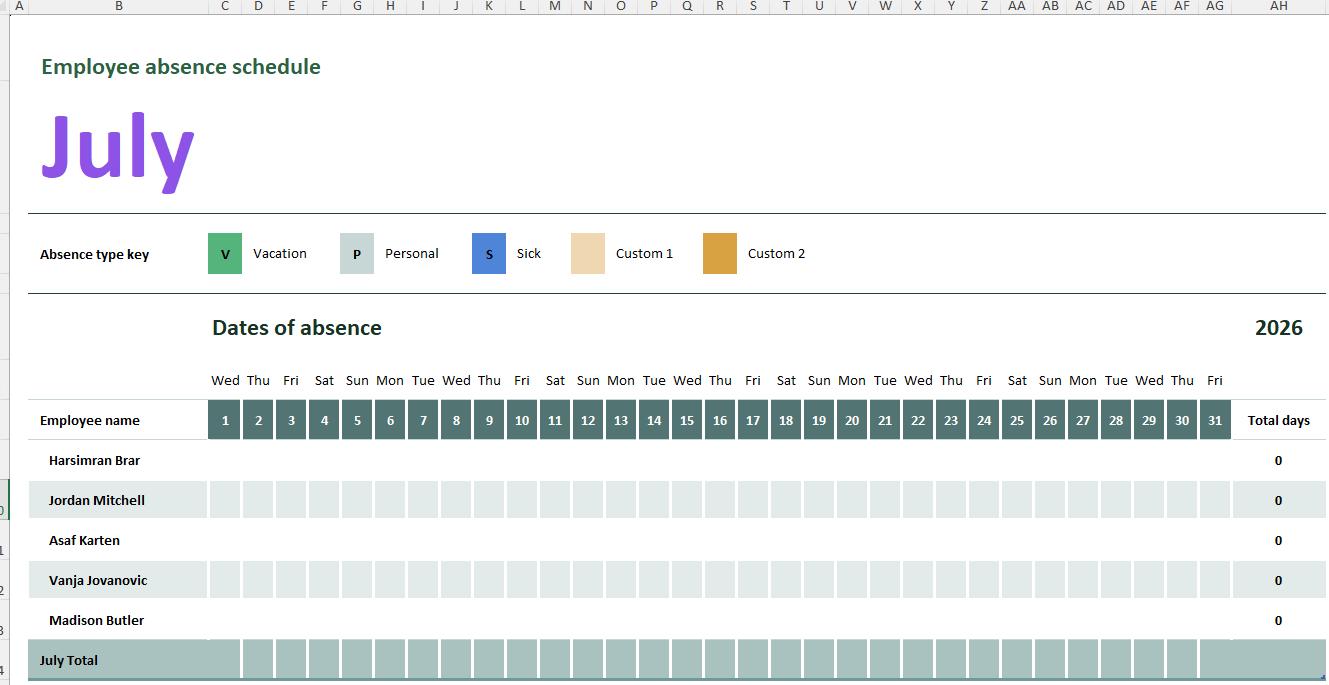
Our team has created a comprehensive Employee Absence Schedule Template in Excel to simplify employee leave planning and attendance management. The workbook includes separate worksheets for multiple months, allowing organizations to track absences throughout the year.
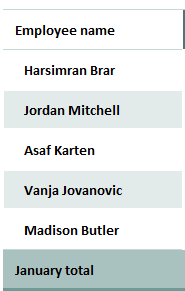
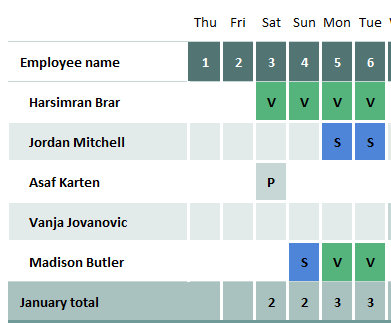
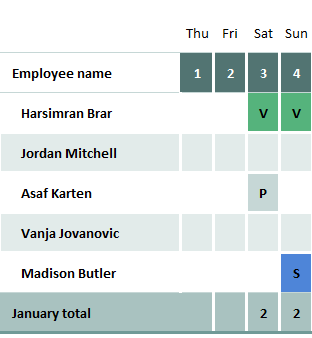
The template features predefined absence codes, including Vacation (V), Personal (P), Sick (S), and customizable leave categories. Employee names can be entered in a dedicated employee list sheet and referenced throughout the schedule. Each monthly worksheet displays calendar dates, making it easy to mark employee absences on specific days.
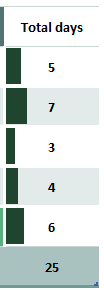
The template also includes automatic total absence calculations, helping managers quickly determine the number of days each employee has been absent during the month. Its visual layout provides a clear overview of workforce availability, making scheduling and resource planning significantly easier.
This ready-to-use template is suitable for businesses, offices, schools, healthcare facilities, retail operations, and any organization that needs an organized system for tracking employee absences and leave schedules.
The Template: 39 KB
- Reimbursement Management Forms
- Financial and Assistance Benefits Forms
- Forms Used for Workplace Ethics and Policies
- Forms used for Operations in an Organization
- Procurement/Supply Chain Forms
- Downloadable Forms for Unprofessional Behavior
- Commonly Downloaded Office Forms
- Employee Dispute & Grievance Forms
- Insurance & Protection Benefit Forms
- Employee Retirement & Pension Forms
- Employee Service & Tenure Forms
- Employee Health & Well-being Forms
- Employee Scrutiny & Evaluation Forms
- Employee Training and Development Forms
- Customer Service and Support Form Generator
- Commonly Used Forms for Payroll Correction
- Employee Exit Forms -Generate Online
- Employee Orientation Forms