A work completion form is a document that records the details of a job, task or project. It is filled in with information such as the type of work, the duration, the resources used and any limitations. The form can serve as a record of the completed work for the client.
Once a job is finished, the company or contractor fills in its details from start to finish, so that the client can review the completed work.
Sometimes a business prepares a work completion form for its internal records, and in other cases a client may ask for one. In the latter case, either the company or the client may design the form. Whoever prepares it, a few points should be kept in mind while designing it:
- The client’s requirements should be met.
- The company’s performance should be clearly stated.
- The nature of the project or work should be considered.
- The project should be described properly.
- The size and duration of the project affect the details that need to be added to the form.
- The information should be well structured.
- Quality checks and standards should be stated.
- If applicable, the relevant safety measures should be mentioned.
- A space should be left for any limitations or issues faced while doing the job.
Create your work completion form below:
Work Completion Form
Enter the company and job details, list the work items, tick the ones that are done, check the one-page form on the preview, then print it or save it as a PDF, or download it as an editable Word document. Anything you leave empty stays as a blank line to write on. Your details stay in your browser and are not sent anywhere. This form is a sample prepared for help and guidance only. It is not intended for legal or any other official purpose.
Company
Job Details (optional, leave empty to write by hand)
Work Items
Tick the items that are completed:
Handover Checklist
Sections on the Form
Signature Lines
Page & Style
Our Work Completion Form generator lets you enter the job and client details, list the work items and tick the ones that are done, and add a handover checklist, remarks and signature lines. You can then print the form or save it as a PDF, or download it as an editable Word document. It is a sample prepared for help and guidance only, and it is not intended for legal or any other official purpose.
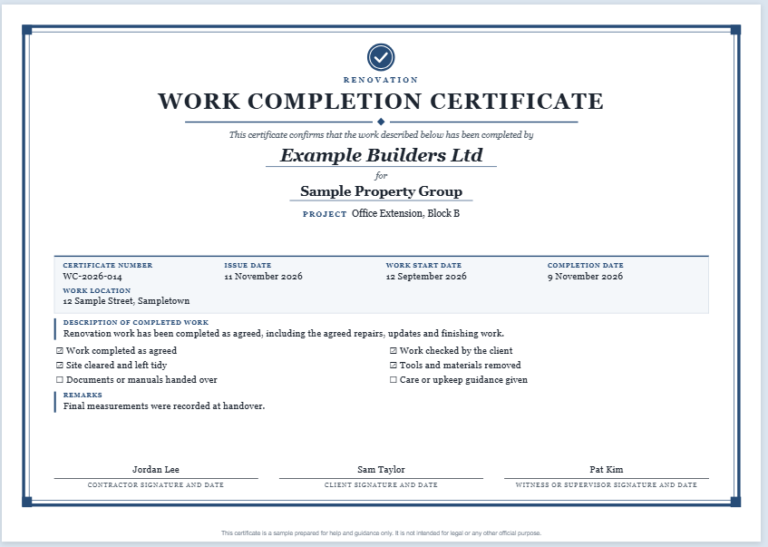
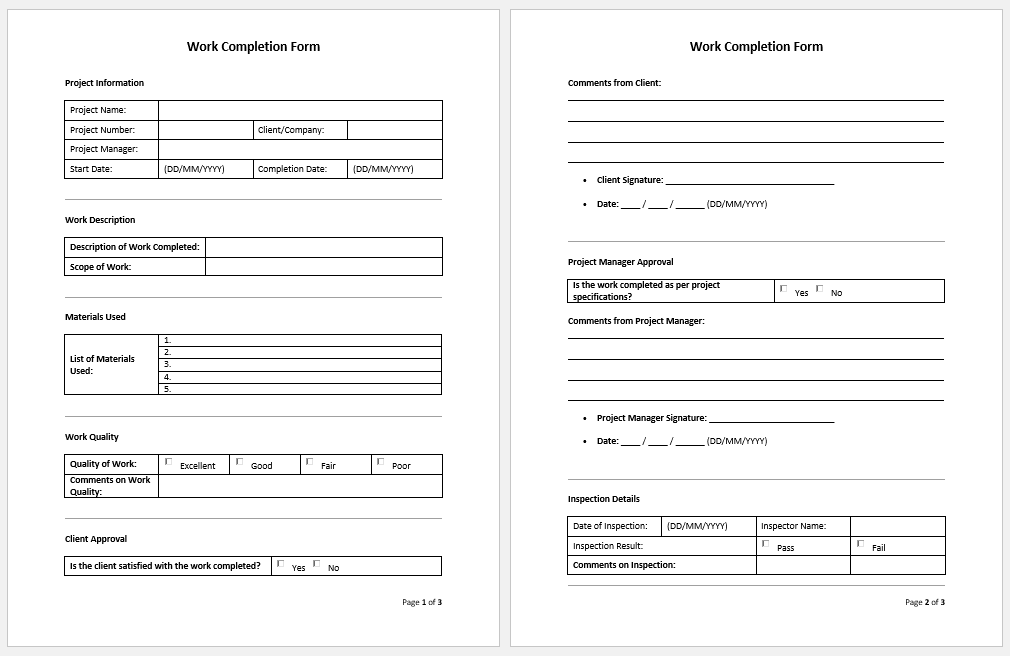
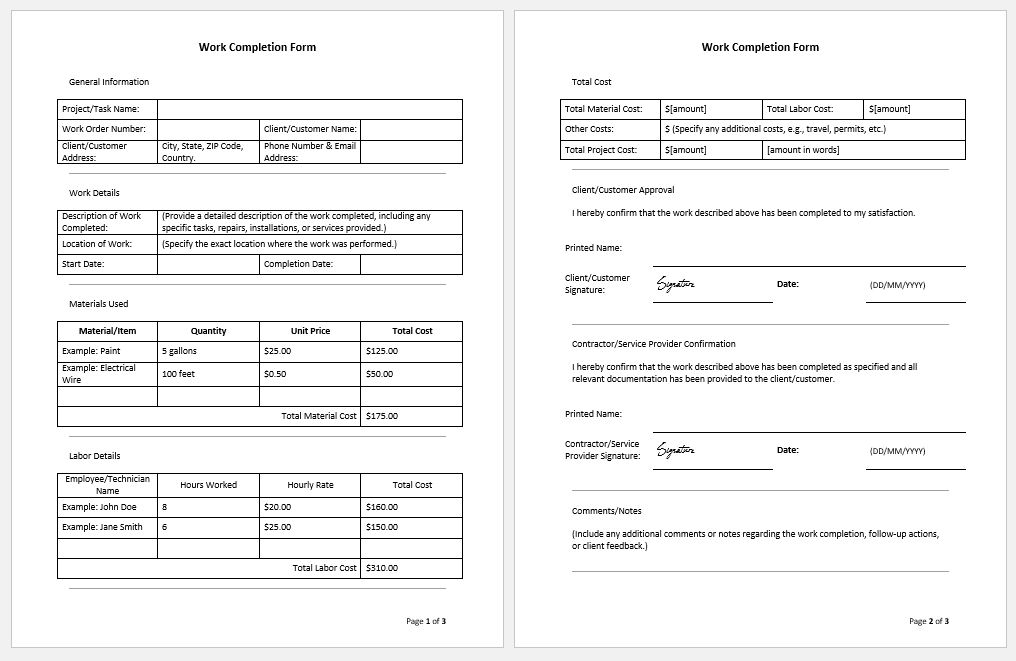
Depending on these factors, a work completion form can be very short or run to several pages. Nevertheless, almost all work completion forms include the following information:
- Date
- Company details, such as the name, logo and slogan
- Client details
- Job reference
- Duration of the project, including the start and end dates
- Work description
- Quality and safety standards
- Company’s performance
- Limitations or issues
- Status of the work (tested or not)
- Signature and stamp of the authorised person
When the work is complete, the company fills in the form and sends it to the client. The form is often attached to the invoice and the technical report. The form tells the client that the company has finished its task, while the invoice tells the client that the company is asking for payment.
If the client is satisfied with the work and the form is accurate, they may proceed according to the terms of their agreement. If there are any issues, such as changes or revisions that are needed or work that has not been tested, the client may wait until the job is fully delivered.
Work completion forms are kept in the project or client file so that they can be referred to later if needed.

File: Word (.docx)
Size 38 Kb
File: Word (.docx)
Size 38 Kb
File: Word (.docx)
Size 38 Kb