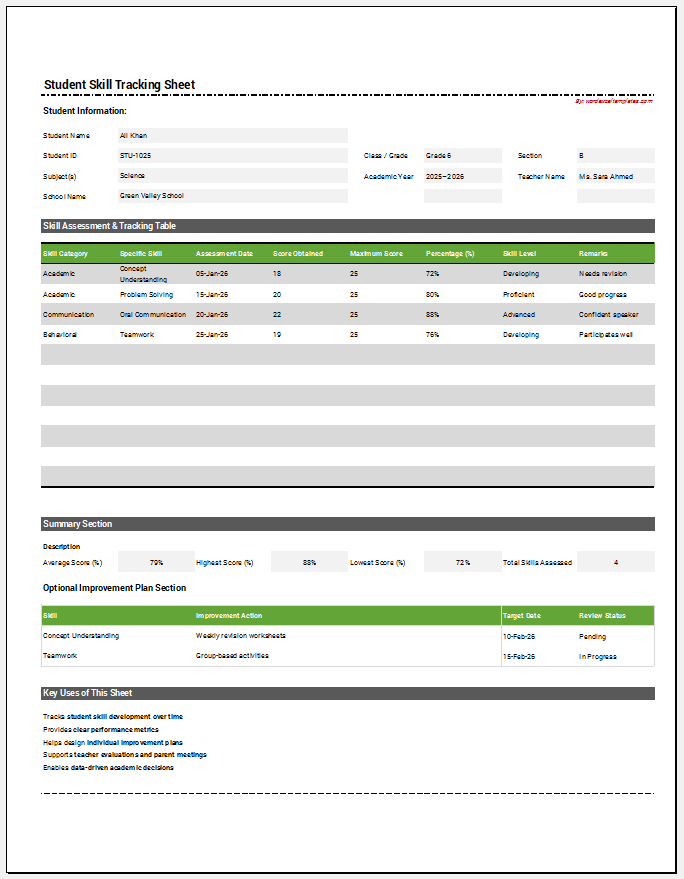
A Student Planner Generator is a practical online tool designed to help students organize their academic responsibilities in one structured and printable planner. Instead of creating a study plan manually, users simply enter their information, including their name, school, class, weekly goals, subjects, assignments, study schedule, and important notes. The generator instantly creates a clean, professional planner that can be printed or saved for daily use.
This planner is useful for school students, college students, university learners, homeschoolers, tutors, and even parents who want to monitor a child’s study routine. By keeping all important academic information in one place, it becomes easier to manage homework, prepare for exams, track assignments, and balance study time throughout the week.
Using the Student Planner Generator is simple. Fill in the required fields, customize your weekly schedule and priorities, and watch the live preview update automatically. Once everything looks correct, print the planner on an A4 sheet or save it as a PDF for digital access. Students can create a new planner every week to stay organized and focused on their learning goals. A well-planned study schedule improves productivity, reduces stress, encourages better time management, and helps students develop consistent study habits that lead to improved academic performance.
Student Planner Generator
Create a personalized weekly student planner with classes, assignments, goals, priorities, and notes.
Student Information
Weekly Focus
Daily Schedule
Assignments and Notes
Weekly Student Planner
Main Weekly Goal
Weekly Reward
| Day | Classes / Study Plan | Important Task |
|---|
Top Priorities
Assignments
Notes and Reminders
Frequently Asked Questions
What is a Student Planner Generator?
It is an interactive tool that helps students create a structured weekly plan containing classes, assignments, goals, priorities, and reminders in one printable layout.
Who can use this planner?
School students, college students, homeschool learners, parents, tutors, and teachers can use it to organize academic work and monitor weekly progress.
Can I print the generated planner?
Yes. The Print Planner button prints only the completed live preview on an A4 portrait page while preserving borders, colors, tables, and typography.
Does the planner update automatically?
Yes. Any change made in the input fields appears instantly in the live preview, so you can review the planner before printing.
Does it work on mobile devices?
Yes. On smaller screens, separate Planner Inputs and Live Preview tabs make editing and reviewing easier. Zoom controls are also available.
Can I create a planner for different weeks?
Yes. Change the week-starting date and update the schedule, assignments, goals, and reminders whenever you need a new weekly planner.