It is important for employees to continuously improve their skills so they can advance in their careers. We need to know the latest techniques and processes related to our field to prosper. A company may train employees to enhance their skills and support the company, or an employee may pursue different certifications. It is important to keep track of this, and a training and development tracker can be considered here.
The document allows both the employee and employer to understand the employee’s skill level. You can see where improvement is required as well.
What is an Employee Skill Development Tracker?
This is a document that helps one monitor an employee’s learning status and progress. It lets one know any certifications they have obtained. The skill development of the employee will be tracked as well.
Significance of the Tracker:
The document is important because it records employee training, allowing both the employer and the employee to be informed about it. The employee will know how many training sessions they have left. The certifications the employee has obtained will be listed, allowing the employer to be aware of them. The employee will know which skills they have developed and where improvement is needed.
Benefits of using the Tracker:
The following are some benefits that this tracker may have:
- It lets managers as well as employees know which modules have been done and the ones that are in progress.
- The organization can figure out skill gaps and make plans to improve employee skills here.
- Mandatory certifications can be tracked and known so that employees can meet all requirements according to regulations and company policies.
- Training effectiveness can also be measured using the sheet, allowing one to understand its impact and completion rates.
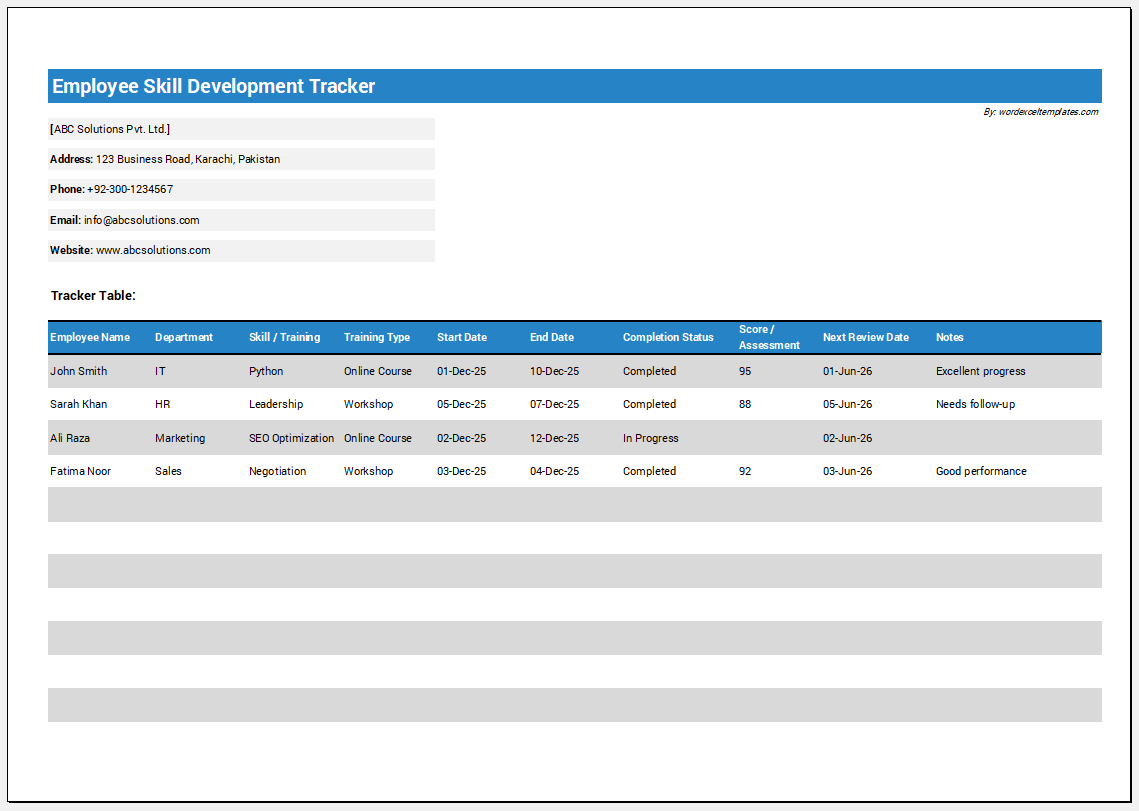
Sample Excel Template for Help
Key Concepts about the Tracker:
Certain details need to be added to the tracker to make it useful and efficient. The following points can be considered:
Details about the employee:
The employee’s details need to be included, such as their name and position in the company.
Training details:
You need to mention the courses, diplomas, or training programs the employee is pursuing. This part will show the status of the training, such as whether it is in process or has been completed.
Certifications:
This part of the tracker will note down the certifications the employee has obtained. It will let one know which certifications the employee still requires so that they can work towards getting these.
Skill development:
The tracker will let one know which skills the employee has and which ones they still need to work on obtaining. This helps the employer analyze the best employee for a certain post and the employee who still needs to enhance their skills.
Tips to Make a Good Tracker:
The following tips can be helpful when making this tracker:
Choose application:
The tracker can be created in a simple application where all necessary details can be added.
- You can make it in Microsoft Word or Microsoft Excel.
- The tracker should be updated regularly to keep the information accurate.
Table:
The information can be added in a table format so that it is easy to understand. The name of the employee should be mentioned.
You can include the following columns in the sheet:
- A Training column to list the course or training name.
- A Status column to show whether the training is completed or ongoing.
- A Skill Development column to track skills gained or improved.
- A Certification column to record any certifications earned.
Necessary details:
The document should only include the relevant information so that those who need to use the document will not be confused and will be able to find what they need.
Conclusion:
Employees need to enhance their skills so that they can compete in today’s environment. A company must ensure employees have the required skills to complete their roles and responsibilities. To make the process easier, a training and development tracker can be used. It can help an organization and employee know what skills the employee has and which skills they need to work on. In this way, a manager can see where there are any skill gaps. The employer will know which training the employee still needs to help advance their skills. This benefits both the company and the employee.
- Summer Vacation Planner
- Outlet Mall Shopping Planner
- Customer Information and Ranking Sheet
- Small Family Kitchen Design Planning Sheet
- Summer Party Budget Sheet
- Payroll Register & Salary Sheet
- Employee Skill Development Tracker
- HR Budget & Expense Tracker
- Leave & Vacation Tracker Template
- Exit/Off-boarding Checklist
- Performance Evaluation Sheet
- New Year Goal Setting Worksheet
- Workforce Planning & Headcount Forecast Sheet
- Christmas Countdown Calendar
- Year-End Financial Summary Template