The School Health Screening Record Manager is a systematic online tool that helps schools organize and manage student health screening records in one place. It allows teachers, school nurses, and healthcare staff to record important health information during routine medical examinations and generate professional health reports for each student. Instead of using paper forms, schools can keep health screening information organized, easy to update, and ready for printing whenever needed.
This manager records essential health screening details, including height, weight, BMI (Body Mass Index), vision test results, hearing test results, blood pressure readings, dental check findings, and medical remarks. As data is entered, the system automatically calculates BMI and evaluates screening results based on built-in rules. If any reading falls outside the normal range, it is highlighted so staff can quickly identify students who may need additional attention or medical follow-up.
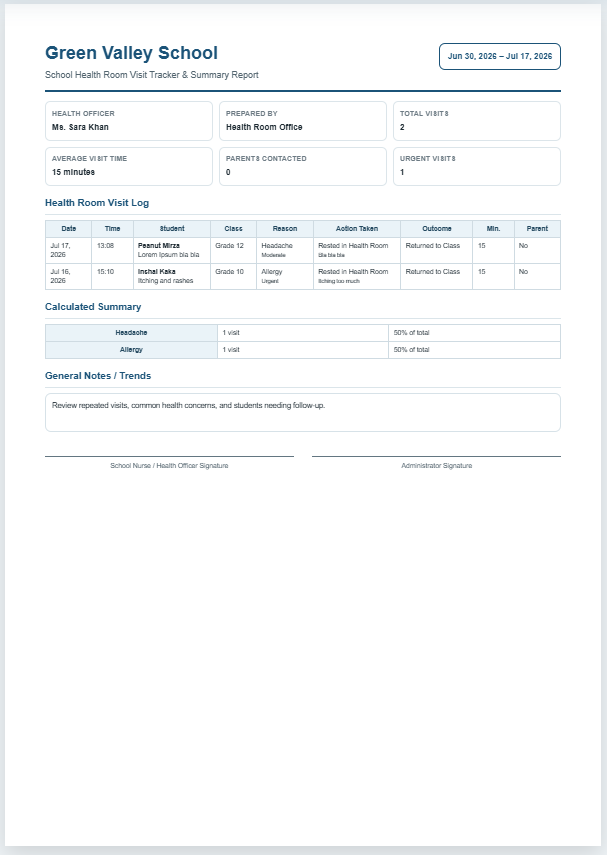
One of the most valuable features is the automatic student health report. Every record is displayed in a professional live preview that can be printed directly on an A4 sheet. The printed report includes all screening information, health observations, and recommendations in a clean, easy-to-read format suitable for school records or communication with parents and healthcare providers.
The manager also maintains a complete screening history for each student. Multiple health screenings can be saved under the same student ID, making it easy to compare current and previous results. This historical record helps schools monitor student growth, identify long-term health trends, and track improvements or recurring health concerns over time.
School Health Screening Record Manager
Record student screening results, identify values that may need attention, maintain history, and print a professional report.
Student Information
Physical Measurements
Sensory and Clinical Screening
Remarks and Follow-up
Screening Data Log
Student Health Screening Report
School Health Screening Record Manager
Current Screening Results
| Screening Area | Result | Status | Screening Note |
|---|
Medical Remarks
Recommended Follow-up
Student Screening History
| Date | Height | Weight | Summary |
|---|
Frequently Asked Questions
1. What is the School Health Screening Record Manager?
It is an online tool for recording student height, weight, BMI, vision, hearing, blood pressure, dental findings, remarks, and follow-up recommendations in one organized record.
2. Does the tool calculate BMI automatically?
Yes. BMI is calculated automatically from the entered height and weight. The result is compared with the selected screening range.
3. How are abnormal values highlighted?
Potential concerns are shown with warning or referral colors in the live report. Vision, hearing, blood pressure, BMI, and dental results are checked using built-in screening rules. Blood pressure uses the entered age and evaluates systolic and diastolic readings independently.
4. Are the highlighted results a medical diagnosis?
No. The highlights are screening prompts only. A qualified healthcare professional should evaluate abnormal, uncertain, or repeated findings.
5. Can I keep more than one screening record for a student?
Yes. Each saved screening is added to the student's history using the Student ID, making it possible to review changes over time.
6. Where is screening history stored?
Records are stored locally in the current web browser. They are not automatically sent to an external server.
7. How can I manage the screening data log?
Use the separate Screening Data Log controls to search by student name, ID, or class, sort the records, load an entry for editing, or delete an individual record.
8. Can I print only the student report?
Yes. The Print Student Report button prints only the live report area on an A4 page while hiding the form, website header, sidebar, and other page elements.
9. Does the report work on mobile devices?
Yes. On smaller screens, use the Student Data and Live Preview tabs. The Fit button centers and scales the report for the available screen width.
10. Can schools change the screening limits?
The BMI screening range can be selected in the form. For clinical use, schools should adapt the code or criteria to match their approved local health policy and age-specific standards.
The built-in data log makes record management simple. Users can search, sort, load, update, or delete individual screening records without affecting other students. This keeps school health records well organized while reducing paperwork and saving valuable administrative time.
Designed with a responsive layout, the School Health Screening Record Manager works smoothly on desktop computers, tablets, and mobile devices. The live preview updates instantly as information is entered, allowing users to verify every detail before saving or printing. Professional print formatting ensures that only the health report is printed while the input form remains hidden, producing a clean document suitable for school files.
Whether used during annual health examinations, admission screenings, routine wellness checks, or special health campaigns, the School Health Screening Record Manager provides a reliable and efficient solution for maintaining accurate student health records. It improves record accuracy, simplifies documentation, supports early identification of potential health concerns, and helps schools maintain organized health information throughout every student’s academic journey.