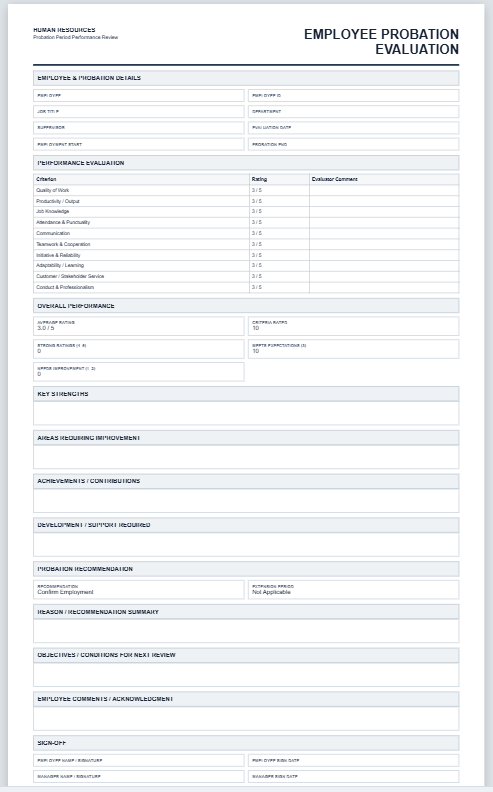
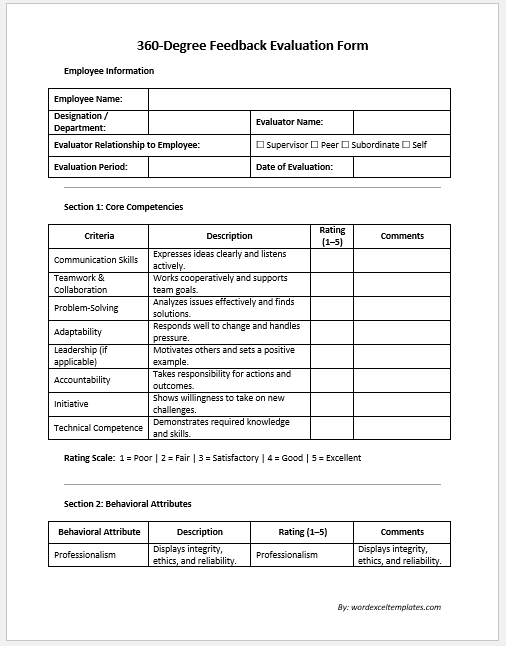
A Probation Evaluation Form is a practical HR document used to assess an employee’s performance during the probation period. It helps managers review work quality, attendance, communication, teamwork, reliability, and overall job performance before deciding whether the employee should be confirmed, receive additional training, or have the probation period extended. Using a structured evaluation form ensures that every employee is assessed fairly and consistently based on the same performance criteria.
Using this Probation Evaluation Form Generator is quick and straightforward. Enter the employee’s details, department, job title, reviewer information, evaluation date, and performance ratings in the input section. Add comments, strengths, areas for improvement, and the final recommendation. As you complete the form, the live preview updates instantly to show the finished evaluation document.
Once everything has been reviewed, print the completed form in a professional A4 layout for meetings, employee records, or HR documentation. This generator simplifies the evaluation process, improves consistency, and helps organizations maintain accurate and well-organized probation assessment records.
Frequently Asked Questions
What is a probation evaluation form?
A probation evaluation form is used to review a new employee’s performance during or at the end of a probationary period. It helps managers assess work quality, attendance, conduct, skills, teamwork, and overall suitability for continued employment.
Who should complete the evaluation?
The employee’s immediate supervisor, department manager, or another authorized reviewer should complete the evaluation. HR may also review the final recommendation before confirming, extending, or ending the employee’s probation.
How is the overall score calculated?
The generator averages the selected ratings for all performance criteria. Each criterion uses a five-point scale, and the total percentage updates automatically in the live preview.
Can I change the evaluation criteria?
Yes. The form includes practical criteria commonly used during probation reviews. You can edit the criterion labels and comments before printing the final evaluation.
What recommendations are available?
The form supports confirmation of employment, extension of probation, performance improvement review, transfer or reassignment, and termination or non-confirmation.
Can the completed form be printed?
Yes. The Print Evaluation button prints only the formatted live preview section on A4 paper with professional margins, colors, borders, and page-break control.
Does the generator work on mobile devices?
Yes. On smaller screens, users can switch between the Input Form and Live Preview tabs. Zoom In, Zoom Out, and Fit controls help keep the preview centered and readable.
Is the entered information stored online?
The generator works inside the browser and does not require permanent storage. Users should print or save the completed form before leaving or refreshing the page.