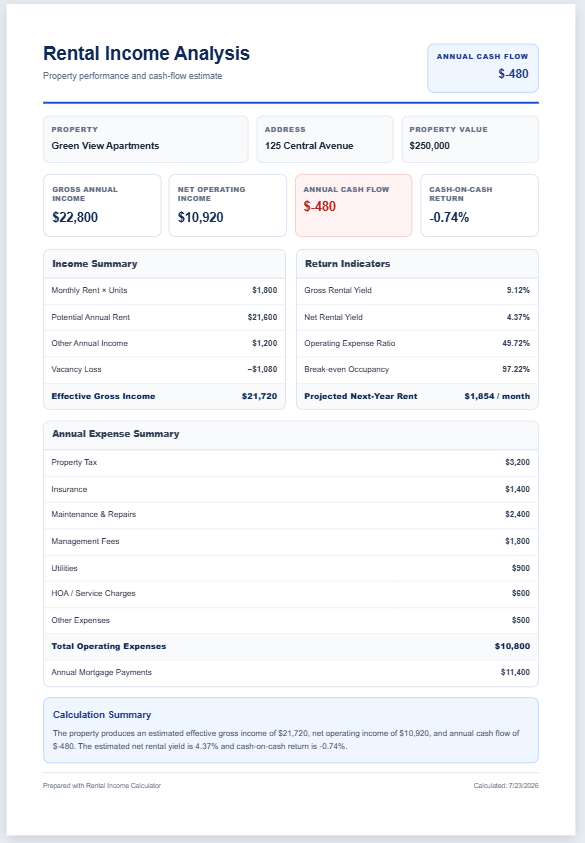
A rental property can generate income, build equity, and provide long-term growth, but only when the numbers support the investment. The Rental Property ROI Calculator helps investors evaluate a property before making a purchase decision. It combines purchase details, financing, rental income, vacancy, and operating expenses to produce a clear investment summary.
Rental Property ROI Calculator
Enter the purchase, loan, rent and running costs. See cash flow, key investment ratios and a year-by-year projection of your return.
Property
Purchase & Loan
Holding Period
Rental Income
Operating Costs
Maintenance and management are charged on rent actually collected. Property tax, insurance and the other costs grow by the cost growth rate. Income tax and depreciation are not included.
Review
To use the Rental Property ROI Calculator, start on the Property & Loan tab. Enter the property name or address, your currency symbol and the purchase price. Add closing costs and any renovation or upfront costs, then set your down payment percentage, loan interest rate and loan term. If you are paying cash, enter 100% as the down payment. Next, choose how many years you plan to hold the property, the yearly growth you expect in its value, and the selling costs you would pay at sale.
Open the Income & Costs tab next. Enter the monthly rent, any other monthly income, an allowance for vacancy, and how fast you expect rent to grow. Then add running costs: property tax, insurance, maintenance, property management, HOA or service charges, utilities, other costs and the yearly growth in those costs. Maintenance and management are calculated as a percentage of rent actually collected.
The preview on the right updates as you type. The cards show cash invested, monthly cash flow, cap rate, cash-on-cash return, IRR and total profit. Below them you will see a year 1 income and cost statement, key ratios with green, amber and red markers, a chart of value, loan balance and equity, and a table showing the result if you sold in different years. The insights section explains the numbers in plain sentences.
Finally, add your name and notes on the Review tab. Download the Excel file to keep changing assumptions with live formulas, or print the analysis to PDF. Try different rents, rates and prices to compare deals.