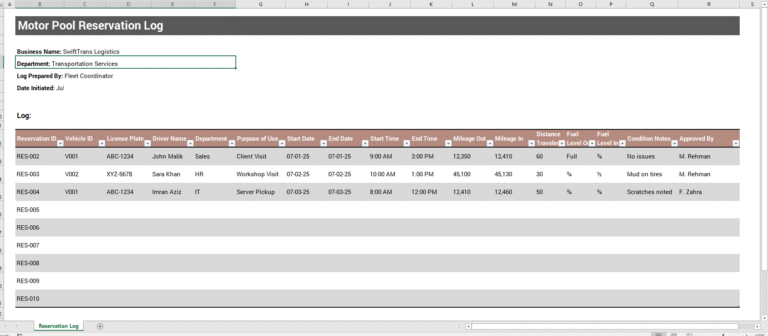
Managing vehicle fuel consumption and travel expenses is important for individuals, businesses, delivery drivers, contractors, sales representatives, and fleet operators. Our Gas Mileage Log Generator provides a simple and professional way to record mileage, track fuel usage, calculate fuel efficiency, and monitor transportation costs in one convenient place.
This online tool allows you to create detailed mileage records directly from your web browser without requiring any spreadsheet software. Simply enter your trip and fuel information, and the generator automatically performs all calculations for you.
Gas Mileage Log Generator
Track fuel usage, mileage, trip costs, MPG, KM/L, and generate a professional printable mileage report.
Vehicle and Fuel Entry
Summary Cards
Mileage Log Table
| Date | Vehicle | Driver | Distance | Fuel | Fuel Cost | MPG | KM/L | Purpose | Actions |
|---|
What Does This Generator Do?
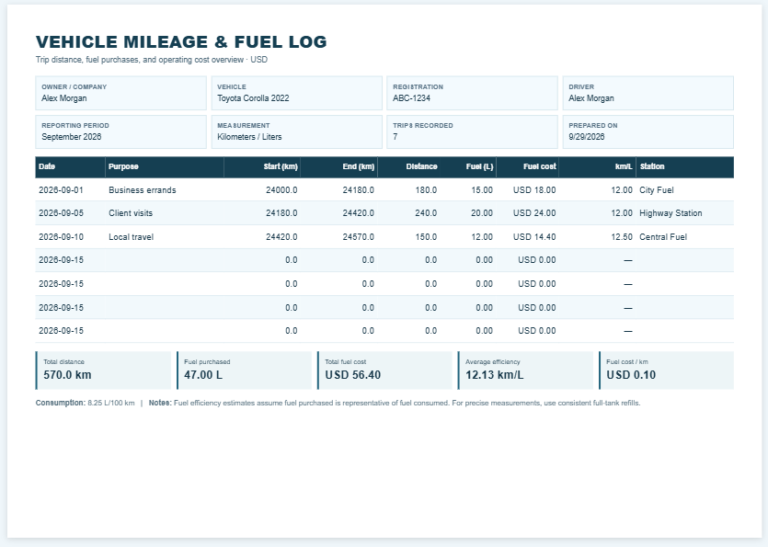
The Gas Mileage Log Generator helps users maintain an accurate record of vehicle travel and fuel expenses. It calculates mileage performance, fuel efficiency, fuel costs, and travel statistics automatically based on the information entered.
Whether you are tracking personal driving, business trips, delivery routes, company vehicles, or tax-deductible mileage, this tool provides a complete solution for mileage management.
Important features of the online editor is:
Vehicle and Driver Information
The generator allows you to record important vehicle and driver details, including:
- Vehicle Name
- Driver Name
- License Plate Number
- Company or Business Name
- Trip Date
- Fuel Station Name
- Trip Purpose
- Additional Notes
These details help create organized records that can be saved, printed, or used for expense reporting.
Mileage Tracking
Users can enter:
- Starting Odometer Reading
- Ending Odometer Reading
The system automatically calculates the total distance traveled for each trip. This eliminates manual calculations and reduces the risk of data entry errors.
The generator supports both:
- Miles and Gallons
- Kilometers and Liters
Users can easily switch between measurement systems depending on their location and preference.
Fuel Tracking and Cost Analysis
The tool allows users to record:
- Fuel Quantity Purchased
- Fuel Cost
- Fuel Unit (Gallons or Liters)
Based on the information provided, the system automatically calculates:
- Total Distance Traveled
- Miles Per Gallon (MPG)
- Kilometers Per Liter (KM/L)
- Cost Per Mile
- Cost Per Kilometer
- Total Fuel Expense
These calculations provide valuable insights into vehicle performance and fuel efficiency.
Dynamic Mileage Log Table
Each trip can be added to a professional mileage log table.
The table stores multiple records and includes options to:
- Add New Entries
- Edit Existing Entries
- Delete Individual Entries
- Clear All Records
- Reset Form Data
This makes the generator suitable for both occasional users and those who need long-term mileage tracking.
Automatic Summary Dashboard
To help users quickly analyze their data, the generator includes summary cards that automatically update as new entries are added.
The dashboard displays:
- Total Distance Traveled
- Total Fuel Consumed
- Average Fuel Efficiency
- Average MPG
- Average KM/L
- Total Fuel Cost
- Average Cost Per Mile
- Average Cost Per Kilometer
These statistics help users identify fuel consumption trends and monitor transportation expenses more effectively.
Professional Print and Download Features
Once your mileage records are complete, the generator provides professional output options.
Users can:
- Print the mileage report
- Download the completed log
- Save records for future reference
- Create expense documentation for reimbursement or tax purposes
The print function generates a clean report that focuses only on the mileage log and summary information without printing unnecessary webpage content.
Sample Data and Quick Start Features
For first-time users, the generator includes sample data that demonstrates how the system works. Users can instantly populate the form with example entries, review the calculations, and then replace the sample information with their own records.
Who Can Use This Tool?
This Gas Mileage Log Generator is ideal for:
- Business Owners
- Contractors
- Sales Representatives
- Delivery Drivers
- Fleet Managers
- Self-Employed Professionals
- Company Drivers
- Freelancers
- Personal Vehicle Owners
Why Use Our Online Gas Mileage Log Generator?
Our online generator eliminates manual calculations and helps you maintain accurate mileage records with minimal effort. It provides automatic calculations, professional reporting, fuel efficiency analysis, cost tracking, and printable documentation in a user-friendly interface.
Simply enter your trip details, review the automatically generated calculations, and print or download your completed mileage log whenever needed.
Also Available as an MS Excel Template
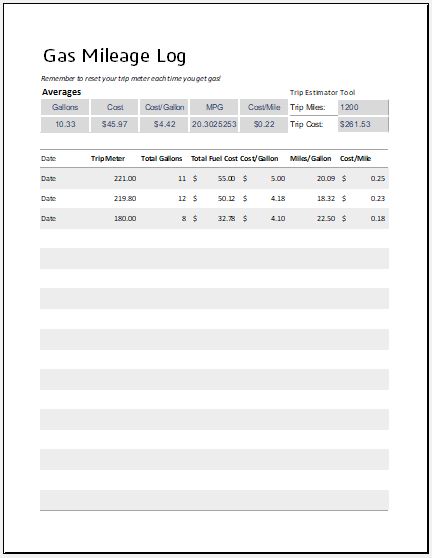
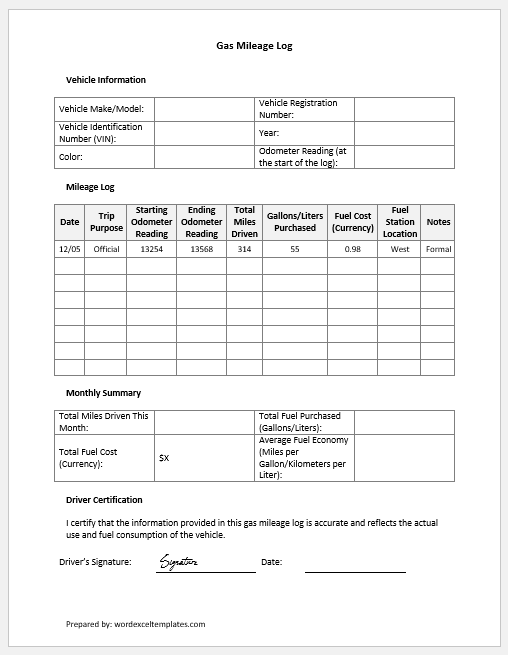
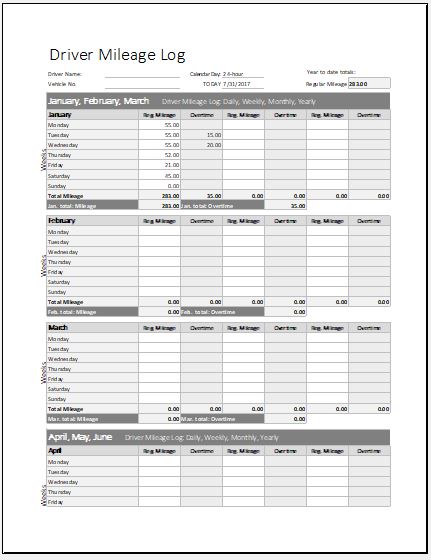
In addition to the online Gas Mileage Log Generator, we also offer a downloadable MS Excel Gas Mileage Log Template for users who prefer working offline. The Excel version provides a structured spreadsheet format for recording mileage, fuel purchases, travel distances, fuel efficiency, and vehicle-related expenses. Built-in formulas automatically calculate total distance traveled, fuel consumption, average fuel economy, fuel costs, and other important statistics, helping users maintain accurate transportation records with minimal effort.

File: Excel (.xls) 2003+ and iPad
Size 22 Kb

File: Word (.docx) 2007/+ and iPad
Size 29 KB
- Universal Work Order Generator
- Office Asset Transfer Form Generator
- Summer Holiday Assignment Cover Page Generator
- Salary and Overtime Calculator Template
- Summer Vacation Planner Generator
- Outlet Mall Shopping Planner
- Customer Information and Ranking Sheet
- Small Family Kitchen Design Planning Sheet
- Summer Party Budget Sheet Generator
- Payroll Register & Salary Sheet Generator
- Employee Skill Development Tracker
- HR Budget & Expense Tracker
- Leave & Vacation Tracker
- Exit/Off-boarding Checklist
- Performance Evaluation Sheet