Logistics operations involve coordinating shipments, vehicles, drivers, and delivery schedules to ensure goods reach their destinations accurately and on time. Managing this process manually can be challenging, especially when handling multiple deliveries each day. To simplify dispatch management, businesses can use a Logistics Dispatch Sheet Online that allows dispatch information to be recorded, updated, and organized more efficiently.
Our AI-powered Logistics Dispatch Sheet Online provides a convenient way to track outgoing shipments and monitor delivery activities directly from your web browser. Instead of relying solely on paper records or manually updating spreadsheets, users can enter dispatch details online, generate organized reports, and print or save the completed sheet whenever needed. This modern solution helps businesses improve communication among dispatch teams, drivers, warehouse staff, and management while reducing the chances of overlooked information.
Logistics Dispatch Sheet
Dispatch Details
Shipments
Summary
Review & Print
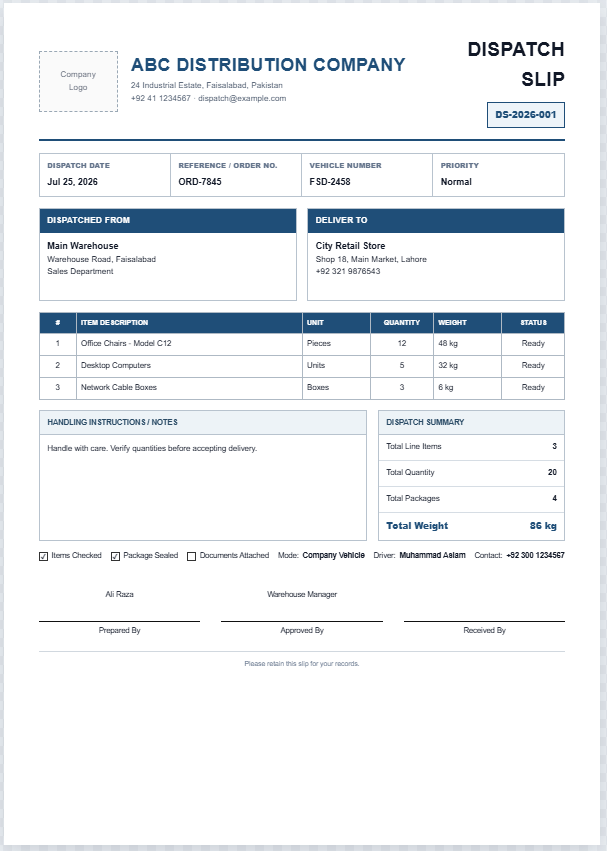
A Logistics Dispatch Sheet Online is designed to record all essential information related to deliveries and transportation activities. It enables businesses to maintain a centralized record of shipments, making it easier to review dispatch schedules, monitor progress, and resolve issues if they arise. Since all dispatch-related information is stored in a structured format, users can quickly locate important records whenever required.
This online tool allows users to enter information about each order, including shipment details, customer information, delivery destinations, assigned vehicles, and responsible drivers. Route information, special delivery instructions, and dispatch status updates can also be recorded to provide a complete overview of ongoing logistics operations. The organized format helps dispatch coordinators prioritize deliveries and ensure that each shipment follows the planned schedule.
Benefits of Using the Logistics Dispatch Sheet Online
- Record and manage outgoing shipments in one place.
- Track delivery status and dispatch progress more effectively.
- Improve communication between dispatch personnel and drivers.
- Reduce misunderstandings by documenting important instructions.
- Maintain a reliable record of completed deliveries for reporting purposes.
- Monitor vehicle assignments to improve fleet utilization.
- Generate professional dispatch reports that can be printed or downloaded.
- Access and update dispatch information instantly without specialized software.
One of the major advantages of the online version is that businesses can complete the worksheet directly on their devices without requiring spreadsheet expertise. The AI-enhanced functionality streamlines the data-entry process and helps users generate organized dispatch records quickly. This can save valuable time for logistics teams that manage multiple deliveries daily.
The online tool is designed with a user-friendly layout that includes clearly labeled sections and editable fields. Users can add dispatch entries, update delivery statuses, include driver assignments, and maintain notes related to individual shipments. Since all relevant information is grouped logically, the worksheet remains easy to review even when handling a large number of orders.
What Information Can Be Recorded?
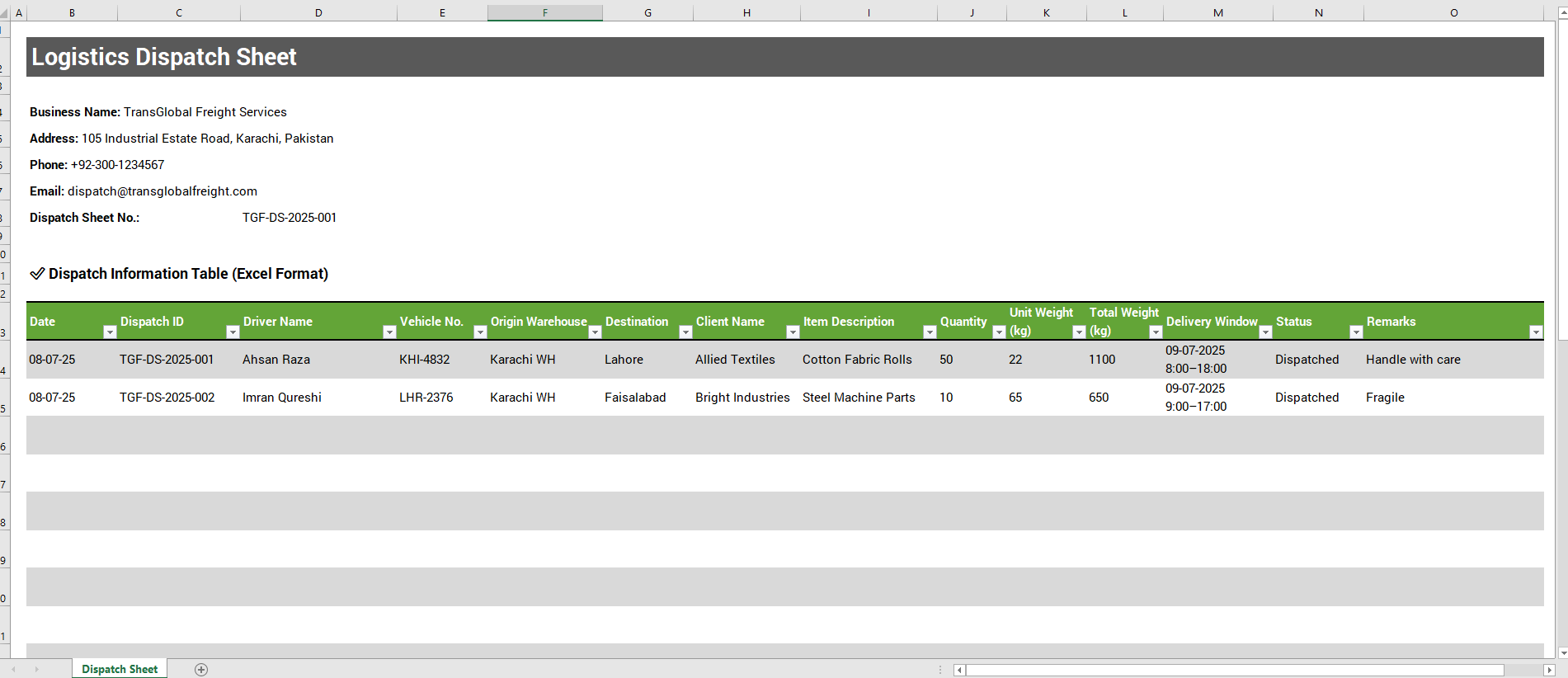
The Logistics Dispatch Sheet Online typically includes fields for:
- Dispatch date
- Order or shipment number
- Customer name
- Product or item description
- Delivery location
- Delivery instructions
- Assigned vehicle details
- Driver information
- Planned route information
- Dispatch status
- Remarks and additional notes
These sections help organizations maintain complete visibility over their logistics activities while ensuring that critical information is not missed during the dispatch process.
Although the online version offers greater flexibility and convenience, we understand that many businesses still prefer working with traditional spreadsheets. Therefore, the original Logistics Dispatch Sheet Template remains available for Microsoft Excel users. Companies can download and customize the Excel worksheet to suit their internal procedures while continuing to benefit from familiar spreadsheet functionality.
Whether you choose the online version or the Excel template, using a structured dispatch sheet can significantly improve logistics management. It provides better control over deliveries, enhances accountability, and supports more accurate reporting. By keeping track of shipment details, vehicle usage, and delivery progress, businesses can improve operational efficiency and provide a higher level of service to their customers.
Our Logistics Dispatch Sheet Online combines the practicality of a traditional dispatch worksheet with the convenience of modern browser-based editing, giving organizations a smarter and more efficient way to manage their daily logistics operations.