This Shareholder List Generator helps you create a clean, organized, and printable shareholder register for a company. It is designed for business owners, company secretaries, accountants, consultants, and office staff who need to prepare a professional shareholder list without building a spreadsheet from scratch.
You can enter the company’s basic information, add multiple shareholders, record their share details, and instantly generate a formatted shareholder list for review, printing, or record keeping.
What This Tool Does
The generator allows you to prepare a complete shareholder list with company details, shareholder records, share values, ownership percentages, and summary totals. As you enter the information, the tool automatically updates calculations and the printable preview.
It is especially useful when you need to prepare a shareholder register, ownership summary, company record, internal report, investment record, or supporting document for corporate paperwork.
```htmlShareholder List Generator
Create a printable shareholder register with live totals, filters, and CSV export.
Company Information
Search, Filter, and Sort
Shareholder Entries
| No. | Full name * | ID / CNIC / Passport | Address | Phone | Share class | Shares * | Value / Share | Total value | Ownership | Date | Status | Notes | Action |
|---|
Printable Preview
Company Information Section
At the top of the form, you can enter important company details, including the company name, registration number, business address, contact email, contact phone number, report title, prepared by name, and prepared date.
These details are automatically shown in the printable preview, so the final document looks complete and professional.
Shareholder Entry Section
The shareholder table lets you add detailed records for each shareholder. For every shareholder, you can enter the shareholder’s full name, ID, CNIC, passport number, address, email, phone number, share class, number of shares held, value per share, allotment or purchase date, status, and notes.
You can add as many shareholder rows as needed. The tool automatically assigns serial numbers, so the list stays organized even when rows are added or deleted.
Automatic Calculations
The generator performs key calculations automatically. When you enter the number of shares and value per share, it calculates the total share value for that shareholder.
It also calculates each shareholder’s ownership percentage based on the total shares issued. The dashboard and summary totals update live as you edit the form.
The tool also calculates total shares issued, total company share value, active shareholders, largest shareholder, and average shares per shareholder.
Search, Filter, and Sort Options
If your shareholder list is long, you can quickly find records using the search box. You can search by shareholder name, ID, email, or phone number.
You can also filter shareholders by share class or status, such as Active, Transferred, Sold, or Inactive. The sorting option lets you arrange the list by name, shares held, ownership percentage, or date.
A reset filters button is included so you can quickly return to the full list.
Summary Dashboard
The live dashboard gives you a quick overview of the shareholder data. It shows total shareholders, total shares issued, total share value, active shareholders, largest shareholder, and average shares per shareholder.
This helps you review the company’s ownership position at a glance before printing or exporting the report.
Printable Preview
The preview section creates a clean shareholder list document beside the input form. It includes company details, prepared date, shareholder table, summary totals, notes, and signature lines for the person who prepared the report and the authorized person.
This preview is designed to be printed as a formal business document.
CSV Download
The Download CSV button exports all shareholder records into a CSV file. You can open this file in Excel, Google Sheets, or any spreadsheet software for further editing, backup, or record keeping.
Print Option
The Print button prints only the generated shareholder list preview, not the input form. This makes it easy to produce a neat final copy for office files, management review, or documentation purposes.
Reset Option
The Reset Form button clears all company and shareholder details and restores the form to a fresh blank state with one empty shareholder row.
Why Use This Generator
This tool saves time, reduces manual calculation errors, and helps produce a professional shareholder list quickly. It is simple enough for everyday office use, but detailed enough to handle multiple shareholders, different share classes, ownership percentages, and status tracking.
It is a practical solution for preparing shareholder records in a clean, printable, and spreadsheet-friendly format.
MS Word and Excel Templates Available
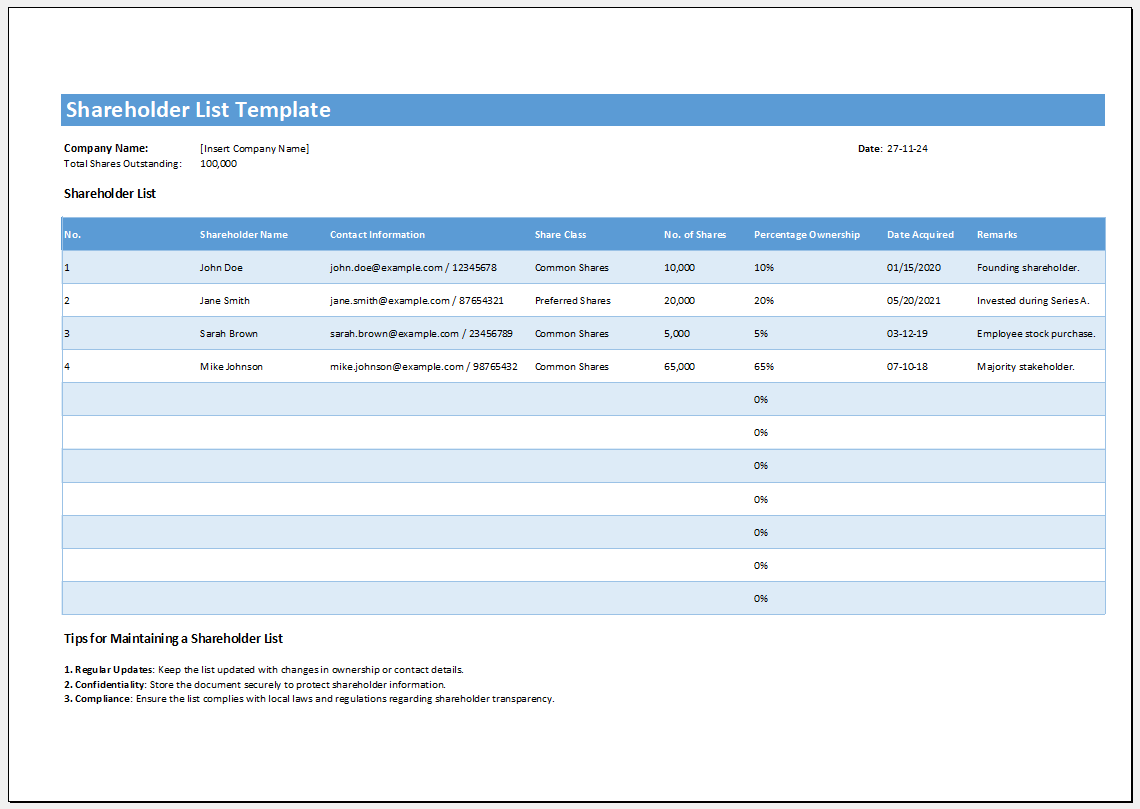
For users who prefer offline editing, we also provide MS Word and Excel Shareholder List Templates. These templates can be downloaded, customized, and printed to maintain accurate shareholder records.
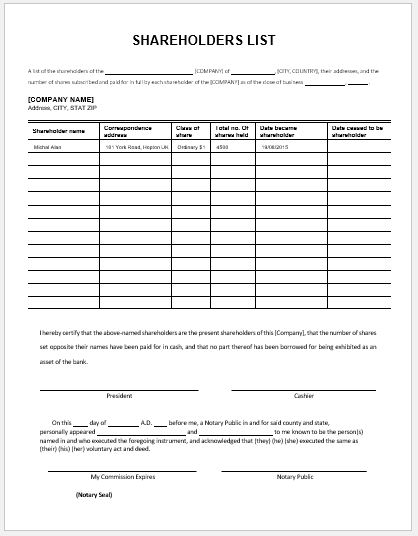
The Word template is ideal for creating a simple shareholder register with details such as shareholder names, contact information, share classes, and shares held. The Excel template offers additional flexibility for organizing, sorting, filtering, and updating shareholder data efficiently.
How to Use
- Download the Word or Excel template.
- Enter company and shareholder information.
- Customize the template as needed.
- Save, print, or share the completed document.
Benefits
- Fully editable and printable
- Professional layout
- Easy shareholder record management
- Suitable for businesses of all sizes
- Available in both Word and Excel formats
Preview and Details of Template
File: Word (.doc) & iPad
Size 23 Kb
- Quotation Register
- Customer Order Tracker
- Inventory Dashboard Generator
- Sales Dashboard Generator
- SWOT Analysis Generator
- KPI Scorecard Generator
- Warehouse Bin Location Generator
- Dispatch Slip Generator
- Universal Work Order Generator
- Office Asset Transfer Form Generator
- Summer Holiday Assignment Cover Page Generator
- Salary and Overtime Calculator Template
- Summer Vacation Planner Generator
- Outlet Mall Shopping Planner
- Customer Information and Ranking Sheet