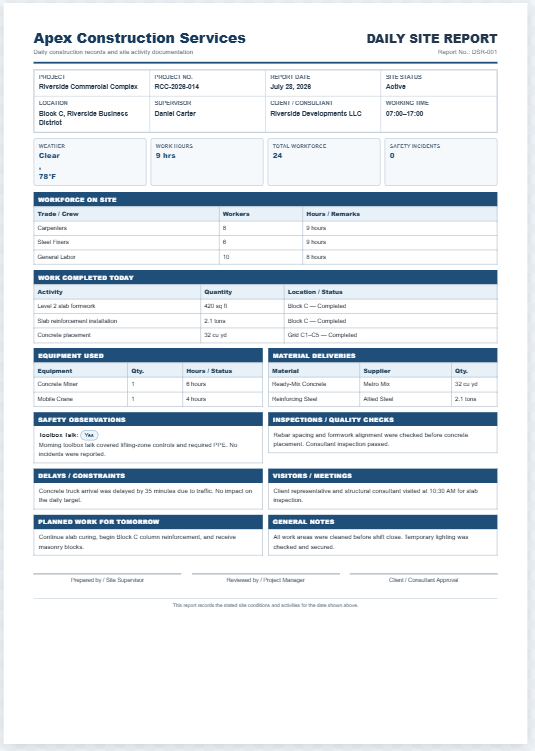
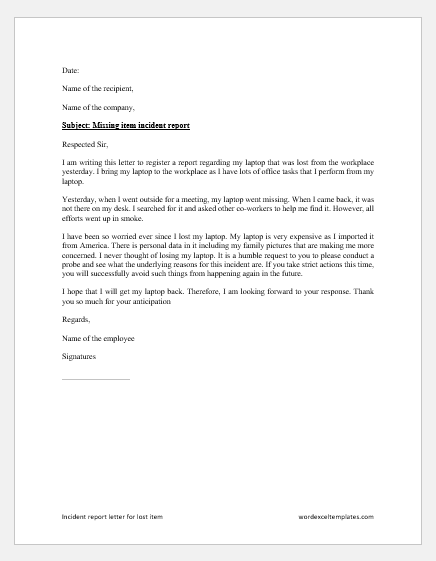
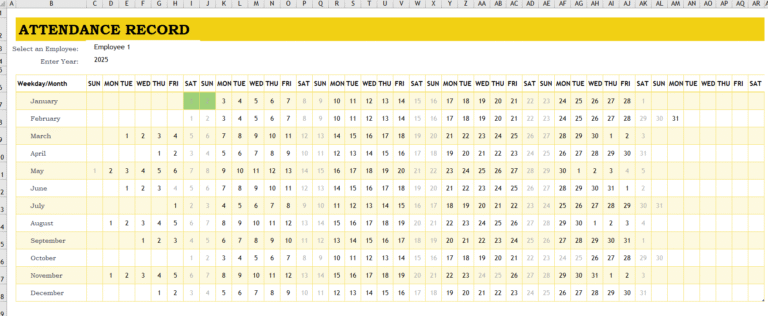
Incidents can occur in schools, offices, factories, hospitals, construction sites, warehouses, retail stores, and other organizations. These incidents may involve injuries, equipment failure, property damage, security concerns, employee misconduct, near misses, or operational disruptions. Recording them properly helps an organization understand what happened, identify possible hazards, and take action to reduce the chances of similar incidents occurring again.
When incidents are reported and documented accurately, management can make better decisions about safety, training, workplace procedures, and corrective actions. A properly maintained incident report log also provides a reliable record that can be reviewed whenever clarification, investigation, or follow-up is required.
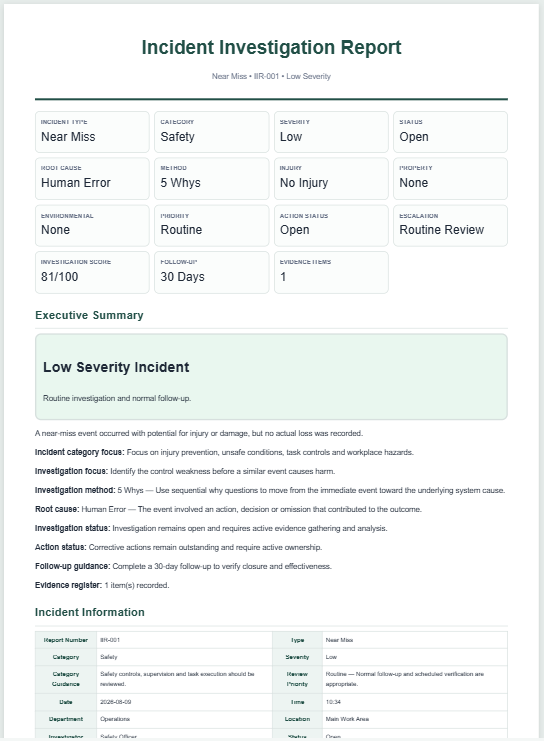
An Incident Report Log Generator makes this process easier by allowing users to create, manage, and review incident records online. Instead of preparing a separate document for every incident, users can enter all relevant information in one organized system. The generator can record the people involved, incident location, date and time, description, severity, immediate response, investigation details, corrective actions, and current status.
The generator can also calculate risk scores, highlight overdue follow-ups, identify incomplete records, and provide a summary of open, resolved, critical, and closed incidents. This makes it easier to recognize patterns, monitor recurring problems, and manage risks more effectively.
Incident Report Log Generator
Record, manage, review, print, save, and export professional incident report logs directly in your browser.
FAQ
What is an Incident Report Log?
It is a structured register used to document incidents, actions taken, investigations, follow-ups, and closure information.
Who should use this generator?
Offices, factories, schools, hospitals, construction companies, warehouses, retail businesses, government departments, safety teams, and security departments can use it.
Can I add multiple incidents?
Yes. You can add, edit, duplicate, view, move, filter, print, and delete multiple incident records.
How is the risk score calculated?
Risk Score = Severity Value × Likelihood Value, using values from 1 to 5.
Is my information uploaded to a server?
No. The tool works in your browser and does not make network requests.
Can I save and reopen the incident log?
Yes. Use Save Log or named saved logs. Browser storage keeps the data on the same device and browser.
How do I download the report as a PDF?
Click Download as PDF and choose “Save as PDF” in the browser print dialog.
Can I export the incident data to Excel?
Yes. Use CSV Export and open the file in Excel.
Can I import a previous incident log?
Yes. Use JSON Import to restore a compatible backup.
Can I print only filtered incident records?
Yes. Enable “Export filtered records only,” apply filters, then print or export.
Benefits of an Incident Report Log Generator
An online incident report log generator offers several practical advantages.
- It allows schools, businesses, and organizations to keep important incident information in one structured and easily accessible location.
- Incident patterns can be identified by reviewing categories, departments, locations, severity levels, or the people involved. This information can help management introduce preventive measures.
- The generator helps users record complete details, including what happened, when and where it occurred, who was involved, and what action was taken.
- It provides a consistent reporting format so that all incidents are documented using the same procedure.
- High-risk, critical, unresolved, or overdue incidents can be identified quickly through summary cards, risk indicators, and status alerts.
- The saved log can be consulted later if questions, complaints, insurance matters, audits, legal concerns, or investigations arise.
- Corrective and preventive actions can be assigned to responsible employees or departments and monitored until completion.
- Incident information can be searched, filtered, sorted, printed, downloaded as a PDF, or exported as a CSV or JSON file.
Possible Limitations
The usefulness of an incident report log depends on the accuracy and completeness of the information entered.
- Some incidents may be overlooked, delayed, or underreported, especially when employees or institutions are concerned about blame, reputation, or disciplinary action.
- Important details may be missing if the report is not completed soon after the incident.
- Personal opinions or unclear descriptions may affect the reliability of the record. Incident reports should therefore be based on facts, observations, witness statements, and available evidence.
- Sensitive or confidential information must also be handled carefully. Access to reports involving injuries, misconduct, medical details, or security issues should be limited to authorized individuals.
How to Use the Incident Report Log Generator
Start by entering the organization’s name, department, branch, reporting period, address, and contact information. A logo can also be uploaded to create a more professional report.
Next, add a separate record for every incident. Enter the incident reference number, date, time, category, department, location, reporter information, and the names of the people involved.
Provide a clear and factual description of what happened. Explain the circumstances of the incident without adding assumptions or unsupported conclusions.
Record any immediate action taken, such as providing first aid, stopping equipment, contacting emergency services, securing the area, or informing a supervisor.
Select the priority, severity, likelihood, and status of the incident. The generator can use these values to calculate a risk score and classify the incident as low, medium, high, or critical risk.
Add investigation findings, root causes, contributing factors, corrective actions, preventive actions, responsible persons, and follow-up deadlines.
Review the live preview to check that all details are correct. The completed log can then be saved in the browser, printed, downloaded as a PDF, or exported for future use.
Important Details to Include
A professional incident report log should contain the following information:
Organization Information
Include the organization or school name, department, branch, address, reporting period, preparer’s name, and reviewer’s details.
Incident Identification
Add an incident ID or reference number so that every record can be identified and tracked separately.
Date, Time, and Location
Record the exact date, time, and location of the incident. If the report was submitted later, also mention the date and time it was reported.
People Involved
Enter the names of employees, students, customers, visitors, witnesses, supervisors, or other individuals involved in the incident.
Incident Description
Explain what happened, how the incident occurred, and the circumstances surrounding it. The description should be objective, accurate, and easy to understand.
Injuries and Damage
Record any injuries, medical treatment, property damage, equipment damage, environmental impact, or estimated financial loss.
Immediate Action
Mention the steps taken immediately after the incident, including first aid, evacuation, equipment shutdown, area isolation, or notification of emergency services.
Investigation and Root Cause
Include the investigator’s name, investigation status, findings, root cause, and contributing factors.
Corrective and Preventive Actions
State what action will be taken to resolve the issue and what preventive measures will be introduced to stop it from happening again.
Follow-Up and Status
Add the responsible person, due date, resolution date, progress, and current status of the incident.
Effective Tips for Maintaining an Incident Report Log
Record Incidents Promptly
Complete the report as soon as possible while the details are still fresh. Delayed reporting may result in missing or inaccurate information.
Use Factual Language
Avoid emotional language, personal opinions, blame, or unsupported conclusions. Clearly separate facts from assumptions.
Collect Witness Information
Where possible, record witness names and statements. Witnesses may provide useful information during an investigation.
Include Supporting Evidence
Attach photographs, documents, medical records, equipment reports, or other relevant files when permitted.
Review High-Risk Incidents
Critical and high-risk incidents should be reviewed immediately. They may require urgent corrective action, regulatory reporting, or senior management attention.
Monitor Corrective Actions
Creating an incident report is not enough. Assigned actions should be monitored until they are completed and verified.
Protect Confidential Information
Reports containing personal, medical, disciplinary, or security-related information should only be shared with authorized individuals.
Analyze the Log Regularly
Review incident records by department, category, location, priority, or risk level. Regular analysis can reveal patterns that may not be noticeable in individual reports.
Using the Online Generator
The online Incident Report Log Generator provides a more convenient alternative to preparing every report manually in Microsoft Word or Excel. Users can add multiple incidents, edit existing records, calculate risk levels, monitor corrective actions, and view an automatically updated summary.
The search and filter features can be used to locate incidents by reference number, category, department, status, priority, or date. Users can also save the log in their browser and reopen it later without starting again.
Once the report is complete, it can be printed in a professional A4 layout or downloaded as a PDF. Incident data can also be exported in CSV format for use in Microsoft Excel or saved as a JSON backup for future restoration.
Schools, offices, factories, healthcare facilities, construction companies, and other organizations can use this generator to maintain transparent and consistent incident records. Accurate reporting helps improve accountability, identify common risks, monitor corrective actions, and create a safer environment for employees, students, customers, and visitors.
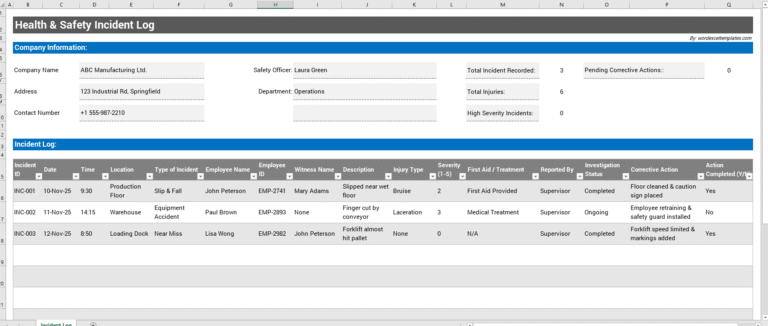
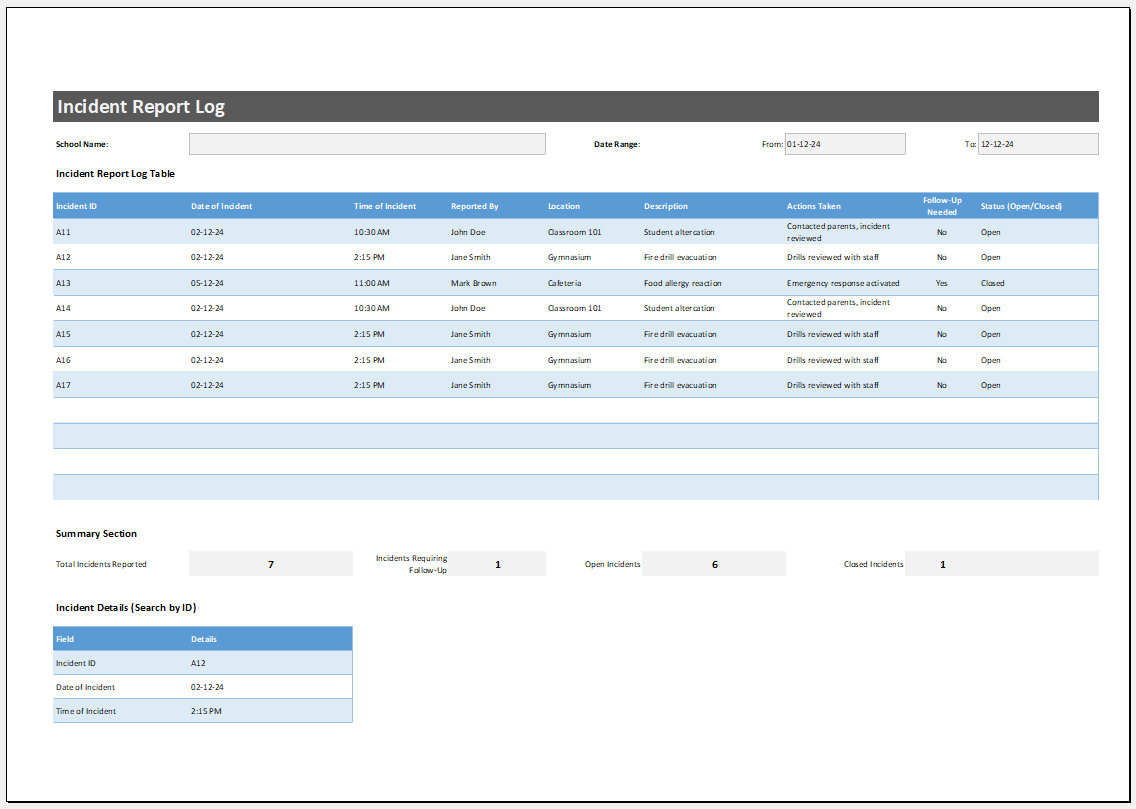
MS Excel Template
Our free MS Excel Incident Report Log template is ideal for organizations that prefer maintaining incident records in a familiar spreadsheet format. It offers a well-organized layout for documenting incidents, monitoring their status, and maintaining a complete historical record for reporting, compliance, and future reference.
- Student Planner Generator
- Seating Arrangement Generator
- Parent-Teacher Communication Log
- Behavior and Discipline Log
- Individualized Education Program (IEP) Tracker
- Student Skills Tracking Sheet
- Classroom Inventory
- Professional Development Tracker Template
- Field Trip Planner and Roster
- Student Roster and Information Sheet
- Tutoring & Support Services Log
- School Fees and Payments Tracker
- Scholarship and Financial Aid Tracker
- Teacher Performance Evaluation Tracker
- Counselling & Guidance Record Sheet
- Classroom Supplies Budget Tracker
- Tuition and Fees Ledger
- Fundraising Contribution Record Sheet