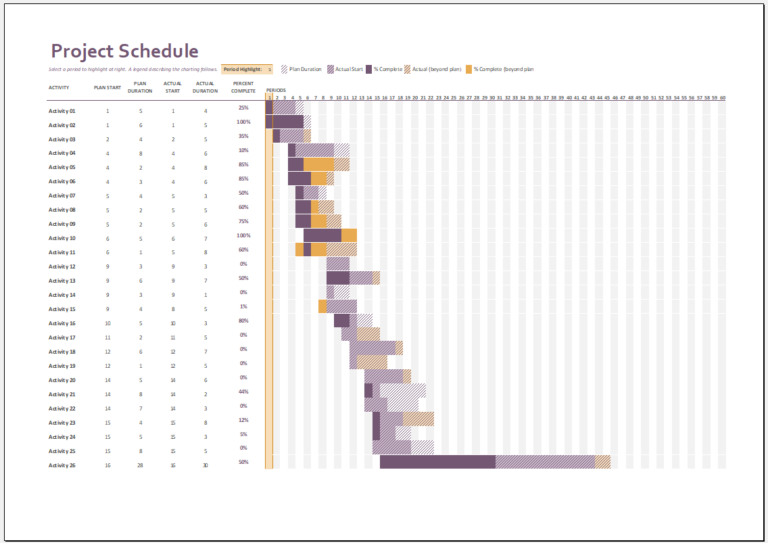
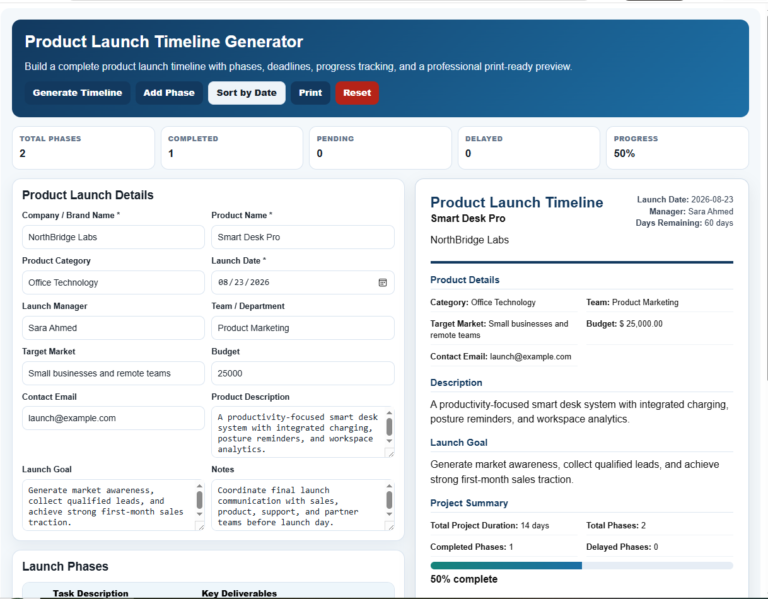
A simple project timeline organizes project tasks in chronological order and shows when work is expected to start and finish. It can help teams see upcoming activities, milestones, deadlines, and the sequence in which tasks are planned.
Use a project timeline when you need a clear visual overview of a project without the complexity of a full project-management system. The downloadable Excel template below can be adapted to the project’s actual tasks, dates, owners, and milestones.
A timeline represents the current project plan, not a guarantee that work will be completed on the scheduled dates. Update it when priorities, dependencies, resources, scope, or delivery dates change.
Simple Project Timeline Generator
Plan tasks, milestones, owners and dates, then create a visual project timeline for printing or PDF.
Project Details
Timeline Tasks & Milestones
Activities
Notes & Display
Frequently Asked Questions
What does the Simple Project Timeline Generator create?
It creates a visual timeline from the project tasks, dates, owners, statuses, and milestones entered into the tool.
Can I add my own tasks and milestones?
Yes. Add, edit, or remove activities. Select Milestone as the status for important point-in-time events such as approvals or launches.
Does the timeline update automatically?
Yes. Changes to project details, tasks, dates, owners, and statuses update the Live Preview immediately.
Can I use weekly or monthly timeline scales?
Yes. The display can use an automatic, weekly, or monthly scale depending on the project duration and your preference.
Does the generator save my work?
Yes. Draft information is stored locally in the browser so the current timeline can be restored on the same device and browser.
Can I print or save the timeline as PDF?
Yes. The generator provides an isolated A4 landscape print view. Choose Save as PDF in the browser print dialog to create a PDF.
Does the timeline calculate the critical path or manage resources?
No. This is a simple visual timeline. It does not perform critical-path analysis, resource leveling, or detailed dependency scheduling.
Should the timeline be updated during the project?
Yes. Update tasks, dates, milestones, and status information whenever actual progress or project conditions differ from the current plan.
What is a Simple Project Timeline?
A simple project timeline is a visual schedule that places project tasks, activities, and milestones in chronological order. It typically shows when each activity is planned to start and finish, helping users understand the sequence and expected duration of the work.
Unlike a detailed project schedule, a simple timeline focuses on the main activities and dates rather than every dependency, resource constraint, or scheduling detail. It can be useful for straightforward projects, early-stage planning, presentations, status discussions, and situations where a quick overview is more useful than a complex project-management system.
The timeline should be updated whenever actual progress, deadlines, task dependencies, or project requirements differ from the original plan.
When to Use a Simple Project Timeline
A simple project timeline is most useful when the main goal is to communicate what is planned, when activities are expected to occur, and how major tasks or milestones are sequenced.
It may be suitable for:
- Small or straightforward projects: Organize a manageable number of tasks, dates, and milestones without using a complex scheduling system.
- Early project planning: Create an initial visual schedule while the scope, dates, and responsibilities are being established.
- Team coordination: Give team members a shared reference for planned activities and important deadlines.
- Client or stakeholder updates: Present key phases and target dates in an easy-to-read format.
- Events and campaigns: Map preparation activities, launch dates, reviews, and other time-sensitive work.
- High-level project tracking: Compare planned dates with current progress and identify activities that may need attention.
For projects involving extensive dependencies, resource constraints, critical-path analysis, or frequent schedule changes, a more detailed project schedule or project-management system may be more appropriate.
Why a Simple Project Timeline Is Useful
A simple project timeline provides a visual reference for the main activities and dates associated with a project. Its value comes primarily from making the current plan easier to understand, communicate, and review.
A timeline can help:
- Clarify planned dates: Show when major tasks or project phases are expected to start and finish.
- Communicate milestones: Give team members, clients, or stakeholders an accessible view of important target dates.
- Show task sequence: Make it easier to understand which activities are planned earlier or later in the project.
- Support progress reviews: Compare the current project position with the dates originally planned.
- Identify schedule changes: Make delays, revised deadlines, or changes in task timing easier to notice when the timeline is kept up to date.
A simple timeline does not automatically manage resources, resolve dependencies, predict delays, or control project risks. Those activities may require additional planning information or more detailed project-management tools.
How to Create and Use a Simple Project Timeline
Start with the main project activities and the dates currently expected for completing them. The timeline can then be refined as more information becomes available.
1. Define the project scope: Identify the main objective, expected deliverables, and boundaries of the project so the timeline covers the work that actually needs to be planned.
2. List the main tasks: Break the project into manageable activities. For a simple timeline, focus on tasks and milestones that are important for understanding the overall schedule.
3. Identify important dependencies: Note tasks that cannot reasonably begin until another activity has been completed. Not every dependency needs to appear visually on a simple timeline, but important sequencing should be considered when setting dates.
4. Estimate start and finish dates: Assign planned dates based on the information currently available, including expected workload, resources, approvals, and known constraints.
5. Assign responsibility where useful: Record the person, team, or department responsible for major activities when ownership needs to be communicated.
6. Add milestones: Mark significant events such as approvals, reviews, launches, submissions, handovers, or completion targets.
7. Review and update the timeline: Compare the planned schedule with actual progress. Revise dates or tasks when delays, scope changes, dependencies, or other developments affect the original plan.
Keep the timeline simple enough to remain useful. If the project requires detailed resource planning, critical-path calculations, extensive dependencies, or frequent schedule analysis, use a more comprehensive project schedule alongside or instead of the simple timeline.
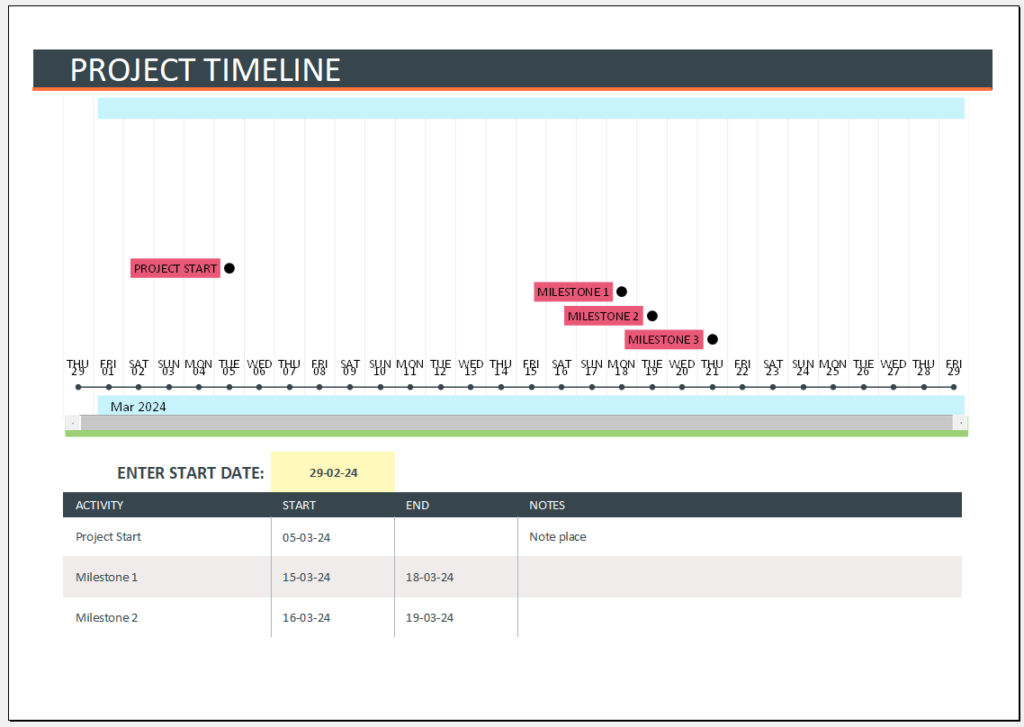
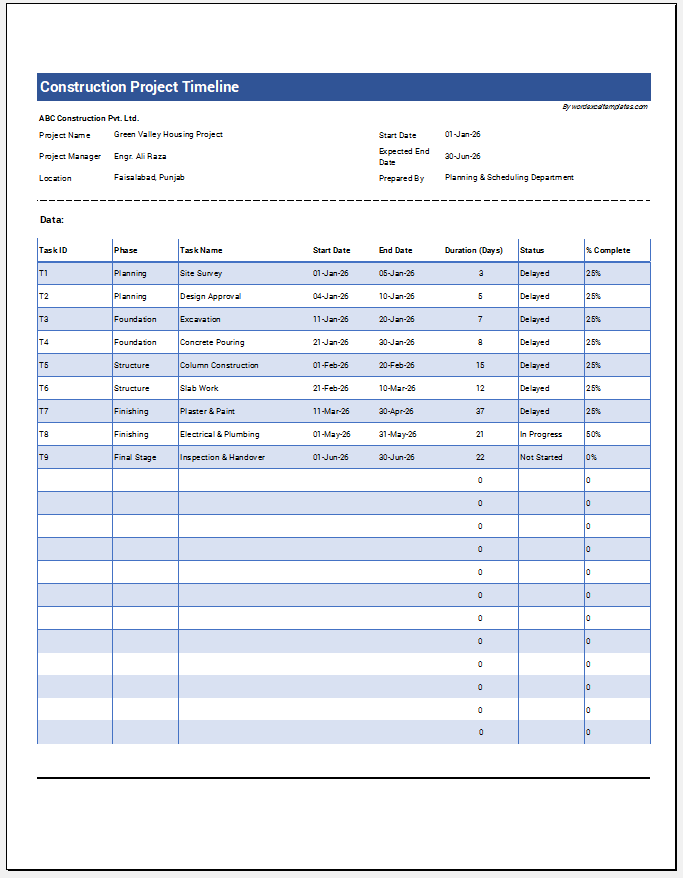
This Excel project timeline template provides a simple structure for recording and presenting a project schedule. Depending on how you customize the file, it can be used to organize:
- Project tasks and activities
- Planned start and finish dates
- Major phases and milestones
- Task sequence and timing
- Project progress or status information
- Other project-specific details added by the user
The workbook is editable in Microsoft Excel, so the supplied structure, labels, dates, and entries can be adapted to the requirements of a particular project. Review the workbook before use and remove any sample information that does not apply.
Project Timeline File: 82 KB
How to Use the Excel Project Timeline Template
Download the Excel file and open it in Microsoft Excel or another compatible spreadsheet application. Before entering project information, review the existing layout and replace any sample content with details from your own project.
Enter the main project activities and their planned dates, then adjust the timeline to reflect the sequence of work. Add or revise milestones where important events, approvals, reviews, submissions, or completion targets need to be visible.
As the project progresses, compare the timeline with actual progress and update dates or task information when the plan changes. Save a separate copy when you need to preserve an earlier version of the schedule for reference.
Before sharing the timeline with team members, clients, or stakeholders, check that the displayed tasks, dates, milestones, and status information reflect the current project plan.