Appointment Slot Generator

Kate

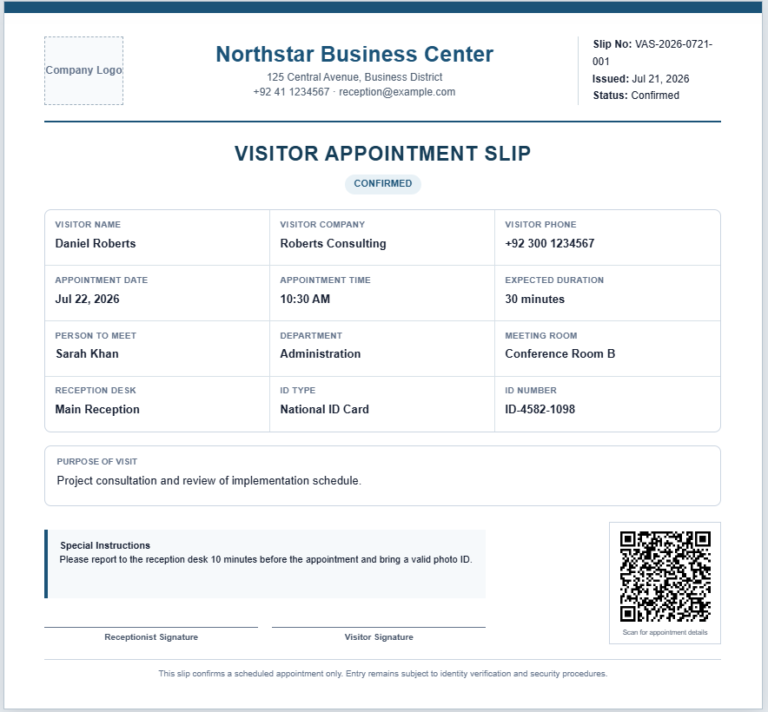
An Appointment Slot Generator is a practical scheduling tool that helps businesses and professionals create organized appointment schedules within minutes. Instead of manually calculating available booking times, the generator automatically creates appointment slots based on your selected working hours, appointment duration, break periods, and optional buffer time between appointments. This saves time while ensuring a consistent and well-structured daily schedule.

The generator is suitable for doctors, clinics, salons, consultants, tutors, fitness trainers, legal advisors, service centers, and many other organizations that rely on scheduled appointments. Users can define the appointment date, working hours, service provider, department, location, slot duration, booking capacity, and custom reference numbers. Multiple break periods can also be added so unavailable times are automatically excluded from the schedule.

The live preview instantly updates whenever information changes, allowing you to review the final appointment timetable before printing. Individual slots can be marked as Available, Reserved, or Unavailable to better manage bookings throughout the day.

With its responsive design, mobile compatibility, and professional print layout, the Appointment Slot Generator provides an efficient solution for creating clear, accurate, and easy-to-manage appointment schedules for both small businesses and large organizations.

Appointment Slot Generator

Create professional appointment availability schedules with automatic time slots and break handling.

Schedule Information

Working Hours and Slot Settings

Break Periods

Slots overlapping any break period will not be generated.

Schedule Options

Live Appointment Schedule

Frequently Asked Questions

What is an Appointment Slot Generator?

It automatically creates booking times from working hours, slot duration, break periods, and capacity settings.

Can I choose the duration of each appointment?

Yes. Select a duration from 10 to 90 minutes depending on your service requirements.

Can I exclude lunch or prayer breaks?

Yes. Add one or more break periods, and overlapping appointment slots will be excluded.

Can several clients use the same slot?

Yes. Increase the capacity per slot for group appointments, classes, or multi-staff booking systems.

Can I mark a slot as reserved or unavailable?

Yes. Each generated slot can be changed to Available, Reserved, or Unavailable.

Can I add buffer time between appointments?

Yes. Add a buffer of 5, 10, 15, or 20 minutes between slots.

Can I print the appointment schedule?

Yes. The Print Schedule button prints only the live schedule in a clean A4 layout.

Is entered information stored?

No. The generator works locally in your browser and does not transmit the entered schedule to an external server.