A Kids Blood Sugar Tracker is a simple record sheet used by parents or caregivers to keep track of a child’s blood sugar readings over time. It provides an organized place to record the date, time, glucose reading, meal timing, food, physical activity, medication or insulin notes, and any symptoms or observations.
Kids Blood Sugar Tracker
Child & Tracker
Blood Sugar Readings
Summary & Notes
Review & Print
Step-by-Step Tour: How to Use the Kids Blood Sugar Tracker
Step 1: Enter the Child & Tracker Details
Start by entering the child’s name, age, parent or guardian, and healthcare provider. Select the tracking period and choose the glucose unit used for the readings: mg/dL or mmol/L. You can also enter the target range or instructions provided by the child’s healthcare professional.
Step 2: Record Blood Sugar Readings
Open the Blood Sugar Readings section and enter each reading with its date, time, blood sugar value, and timing, such as before breakfast, after lunch, bedtime, or overnight. Use + Add Reading whenever you need another entry.
Step 3: Add Helpful Details
For each reading, you can also record meal or food information, physical activity, medication or insulin notes, and any symptoms or comments. These details can provide useful context when reviewing the readings later.
Step 4: Review the Reading Summary
Go to Summary & Notes to see the automatically calculated number of readings, average recorded reading, lowest reading, and highest reading. You can also add general notes and write down questions you may want to discuss with the child’s healthcare professional.
Step 5: Check the Live Preview
Use the live preview on the right side of the generator to check the completed tracker. The −, +, and Fit controls can be used to adjust the preview size. On a mobile device, switch between the Edit and Preview tabs.
Step 6: Print or Save Your Tracker
When everything is complete, open Review & Print. Choose Print / Save PDF to create a printable copy, or select Download Excel if you want to save and manage the recorded information in Excel.
Important: The tracker is designed to record and organize information only. Blood sugar targets, interpretation of readings, and treatment decisions should follow the instructions provided by the child’s healthcare professional.
Kids Blood Sugar Tracker for Excel
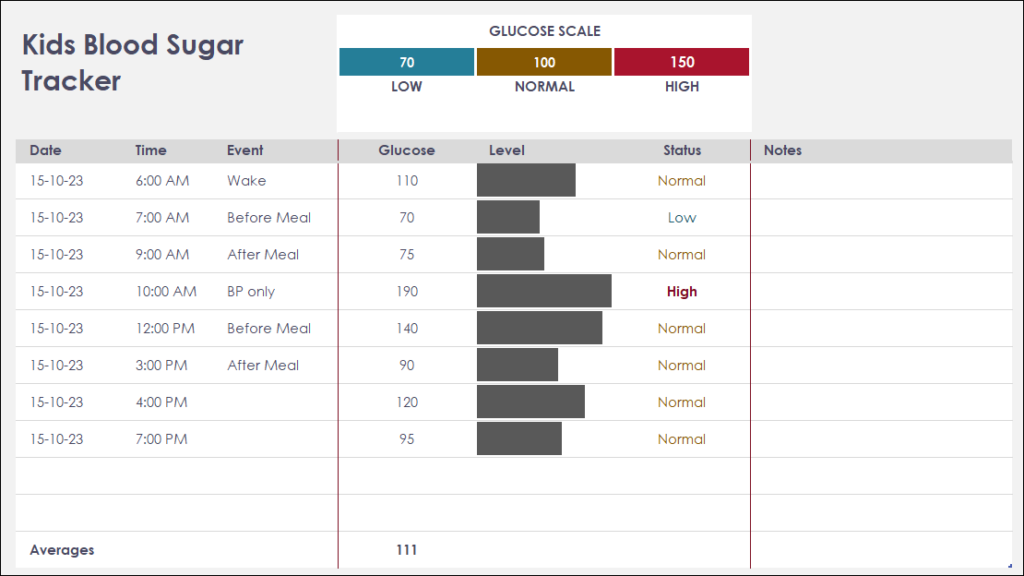
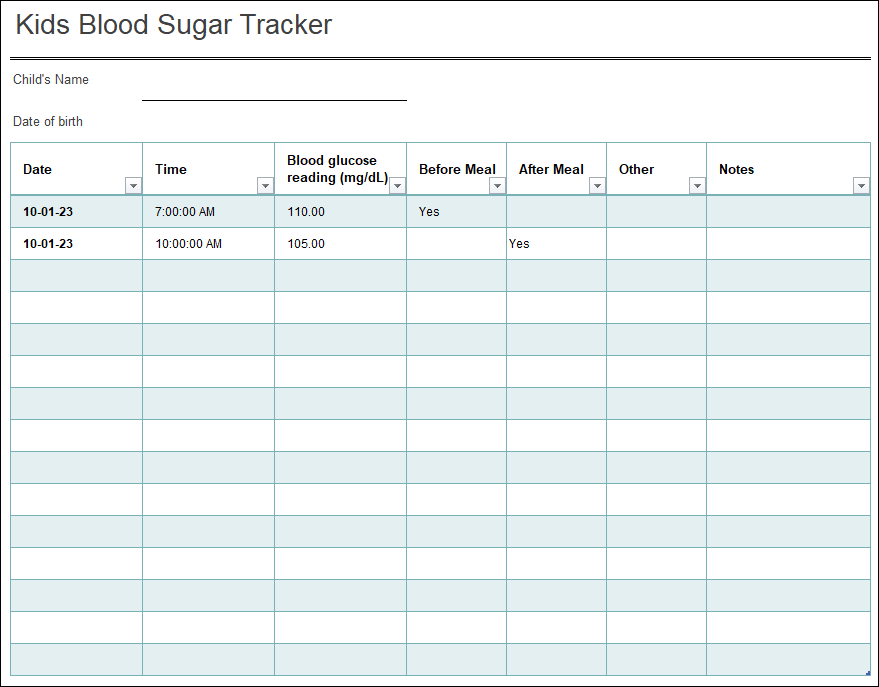
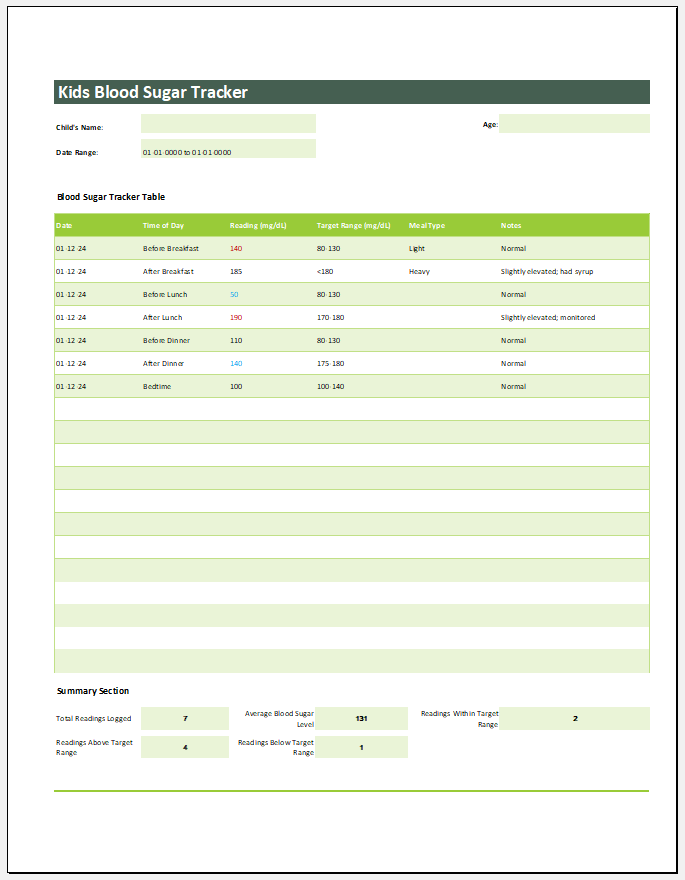
If you prefer working offline, our Kids Blood Sugar Tracker Excel Template offers a practical solution for recording and monitoring your child’s glucose readings. The spreadsheet includes organized sections for recording blood sugar levels, reading times, meal information, medications, symptoms, and notes, while built-in formulas automatically calculate averages, highest and lowest readings, and other useful summaries. It is ideal for maintaining daily health records, preparing information for doctor visits, and printing reports whenever required.
The Excel template can be easily customized to match your child’s individual monitoring schedule and serves as an excellent companion to our online Kids Blood Sugar Tracker Generator.
#1
Template File: 176 KB
#2
Template File: 176 KB
Template File: 124 KB