The Inspection Report Generator is a practical tool designed to help maintenance teams, facility managers, safety officers, and inspectors create clear and professional inspection reports. It provides a structured way to document inspection details, record observations, identify issues, assign priorities, and recommend corrective actions. Whether you are performing routine inspections, preventive maintenance checks, or follow-up evaluations, this generator keeps all important information organized in one place.
Users can enter organization details, inspection dates, inspector information, inspection type, and the area being reviewed. Each inspection finding can be categorized, assigned a compliance status, and given a priority level. Corrective actions and additional notes can also be included to ensure every issue is properly documented and tracked. The generator automatically summarizes inspection results, making it easier to understand the overall condition of the inspected facility or equipment.
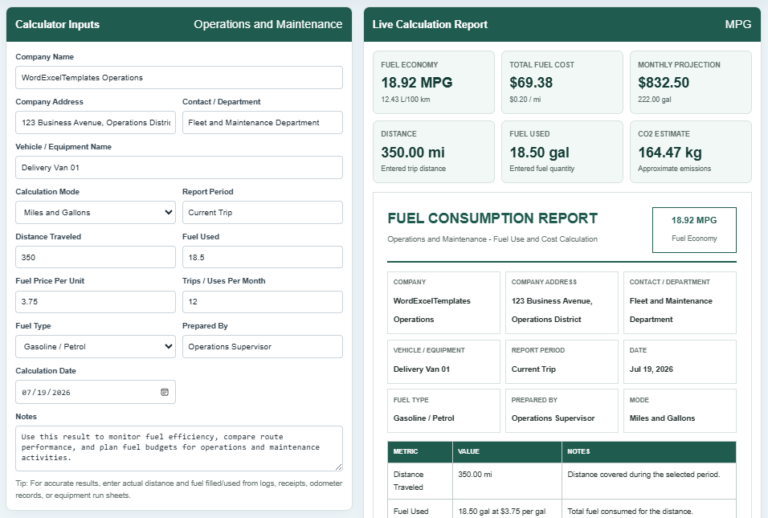
The built-in live preview allows users to review the complete report before printing, ensuring a neat and professional layout. This generator is ideal for factories, offices, warehouses, schools, hospitals, and commercial facilities where regular inspections are essential for maintaining safety, compliance, and efficient operations. It helps improve record keeping, supports accountability, and simplifies the inspection reporting process.
Inspection Details
InputInspection Information
Add Inspection Finding
Inspection Findings
| # | Item | Status | Action |
|---|
Final Notes & Approval
Live Preview
Inspection Report Generator
Operations and Maintenance - Inspection Findings and Corrective Action Record
| # | Category | Finding / Observation | Status | Priority | Finding / Corrective Action |
|---|
GENERAL NOTES
Frequently Asked Questions
1. What is an Inspection Report Generator?
An Inspection Report Generator creates a structured report for recording inspection details, findings, risk levels, corrective actions, owners, due dates, and approvals.
2. Who can use this inspection report generator?
Operations managers, maintenance supervisors, facility teams, safety officers, equipment inspectors, site managers, and compliance staff can use it for routine checks and follow-up reporting.
3. What types of inspections can it support?
It can support operations inspections, preventive maintenance checks, safety walkthroughs, equipment condition reviews, housekeeping checks, utility inspections, and corrective action follow-ups.
4. Can I add custom findings?
Yes. Enter any finding, select a category, choose the condition status and priority, and add corrective action notes.
5. How are condition statuses used?
Compliant means the item meets requirements. Needs Attention means follow-up is required. Non-Compliant means the item fails expectations. N/A means the item does not apply.
6. How are inspection totals calculated?
The form automatically counts all findings and displays totals for compliant, attention-required, and non-compliant results.
7. Can I edit or remove an inspection finding?
Yes. Use Edit to load a finding back into the form, or Delete to remove it from the inspection findings list.
8. Can the inspection report be printed on A4 paper?
Yes. The Print Preview button prints the live preview section as an A4 portrait report.
9. Does the form work on mobile devices?
Yes. On smaller screens, use the Input and Live Preview tabs, and use Zoom+, Zoom-, or Fit to control the preview scale.
10. Can this replace official regulatory inspection records?
No. It is designed for internal operations and maintenance reporting. Adapt it to applicable regulations, standards, permits, customer requirements, and company procedures.