The Lease Agreement Generator is a practical online tool for creating clear and professional rental agreements. It supports residential leases, commercial leases, room rental agreements, and month-to-month tenancy arrangements. Instead of writing an agreement from the beginning, landlords, property managers, tenants, and business owners can enter the required information and generate a properly structured document.
The generator includes important fields for landlord and tenant names, contact details, property address, approved occupants, monthly rent, security deposit, payment method, lease duration, and termination notice. Users can also define utility responsibilities, parking arrangements, maintenance duties, property rules, permitted use, and pet policies.
How to Create a Lease Agreement
Begin by selecting the appropriate agreement type. The generator automatically adjusts the document title and relevant clauses according to the selected lease. For example, a commercial agreement contains business-use language, while a room rental agreement covers the tenant’s private room and shared areas.
Enter the property information and provide the landlord and tenant details. Next, specify the starting date, ending date, monthly rent, payment due date, security deposit, late fee, and preferred payment method. Month-to-month agreements can include termination and rent-increase notice requirements instead of a fixed ending date.
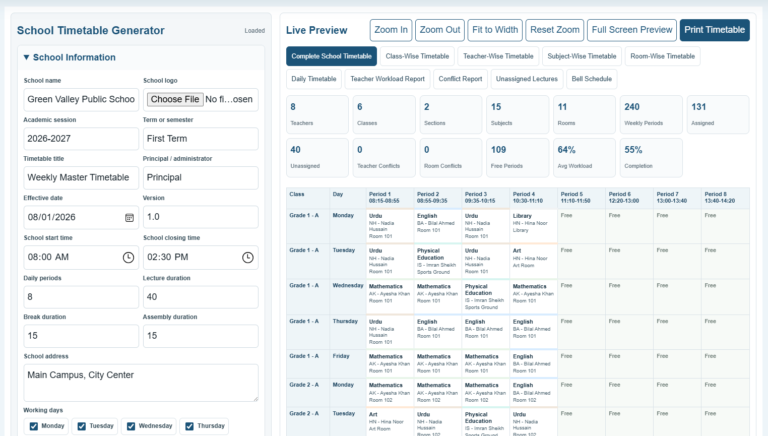
The live preview updates whenever information is entered or changed. This allows users to review the agreement while completing the form and identify missing or incorrect information before printing.
Lease Agreement Generator
Create a structured, customizable lease for a residence, commercial property, private room, or month-to-month tenancy.
Agreement Details
Frequently Asked Questions
What types of leases can this generator create?
It supports residential, commercial, room-rental, and month-to-month agreements. Selecting a type automatically adjusts the title and relevant term wording.
Is the generated lease legally binding?
A lease may become binding when legally competent parties agree to its terms and sign it, but requirements vary by jurisdiction. Local review is recommended.
Can I customize the clauses?
Yes. Use the maintenance, rules, and additional clauses fields to add terms appropriate to the property and local requirements.
What should be included in a security deposit clause?
State the amount, permitted deductions, handling method, inspection procedure, and return deadline required by applicable law.
Who should be listed as a tenant?
List every adult who will be legally responsible under the agreement. Other permitted occupants may be identified separately.
How does a month-to-month lease differ?
It continues for recurring monthly periods until properly ended. The required termination and rent-increase notice periods depend on local law.
Can this be used for a commercial property?
Yes. Choose Commercial Lease and describe the premises and permitted business use. Commercial arrangements often need specialized clauses and professional review.
How are utilities handled?
Select utilities paid by the landlord. The document states that remaining services are the tenant’s responsibility unless additional terms say otherwise.
Can I save my information?
The Save Draft button stores the current form in this browser. Avoid using it on a shared device when the agreement contains personal information.
How do I print the agreement?
Choose Print Preview. Only the agreement preview is sent to the browser’s print dialog in an A4-ready layout; longer agreements continue onto additional pages.
Useful Features
The generator provides sample information for every supported agreement type. The sample option is particularly useful for understanding how different fields affect the completed lease. Users can replace the sample details with their own information.
Additional clauses can be added for maintenance responsibilities, smoking restrictions, guests, parking, property alterations, insurance requirements, or other rental conditions. The Save Draft option stores entered information in the browser, allowing users to continue editing later on the same device.
Zoom controls make the live document easier to inspect on different screen sizes. The responsive layout also keeps the preview centered and accessible on mobile devices.
Printing and Reviewing the Agreement
Once the details are complete, users can print the lease from the live preview section. The document is formatted for an A4 sheet and includes professional headings, numbered clauses, and signature areas for the landlord and tenant.
This generator creates a general lease template and does not provide legal advice. Rental laws, deposit limits, notice periods, disclosure requirements, and tenant protections vary by location. Both parties should carefully review the completed agreement and consult a qualified local professional when necessary before signing it.