The School Health Room Visit Tracker & Calculator is a helpful tool that helps schools record, organize, and analyze student visits to the health room. Whether a student has a minor injury, headache, fever, stomachache, or needs first aid, this calculator makes it easy to maintain accurate records in one place.
School nurses, health officers, teachers, and administrators can quickly enter important information such as the student’s name, class, visit date and time, symptoms, treatment provided, visit duration, and follow-up notes. Every record is automatically added to the visit log, making it simple to review previous health room visits whenever needed.
One of the most useful features of this calculator is its automatic reporting. It instantly calculates the total number of visits, average time spent in the health room, number of parent contacts, urgent cases, and students who were sent home or referred for further medical attention. These summaries help school staff identify common health concerns and monitor trends throughout the school year.
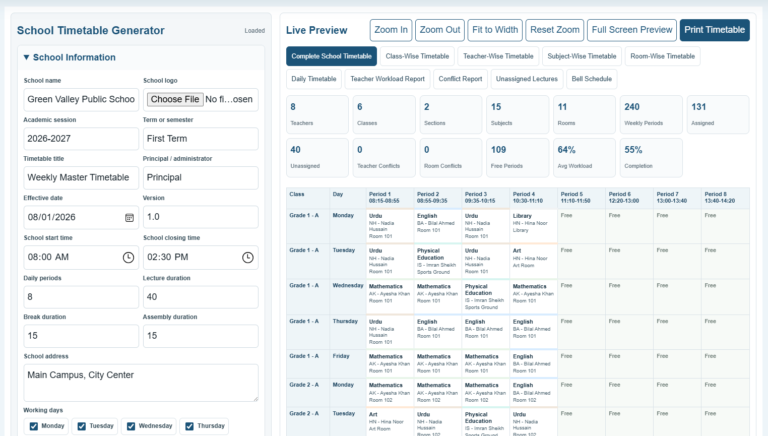
The built-in live preview generates a clean, professional report that can be printed on A4 paper or saved for school records. Schools can use these reports during staff meetings, health audits, parent discussions, or administrative reviews. Since the report updates automatically whenever information changes, users always have an up-to-date summary.
The calculator is fully responsive and works smoothly on desktops, tablets, and mobile devices. It also includes editable records, sample data, zoom controls for the report preview, and a professional print layout that prints only the final report.
Overall, the School Health Room Visit Tracker & Calculator is a reliable solution for improving health record management, reducing paperwork, and providing valuable insights into student health trends. It helps schools maintain organized documentation while saving time and ensuring accurate reporting throughout the academic year.
Health Room Visit Entry
Add Student Visit
Visit Records
| Date | Student | Class | Reason | Outcome | Minutes | Parent | Action |
|---|
Scroll the records table horizontally to view and edit every full-size field.
Report Notes
Live Preview
Green Valley School
School Health Room Visit Tracker & Summary Report
Health Room Visit Log
| Date | Time | Student | Class | Reason | Action Taken | Outcome | Min. | Parent |
|---|---|---|---|---|---|---|---|---|
| No health room visits added yet. | ||||||||
Calculated Summary
General Notes / Trends
The print button prints only the complete live preview on A4 pages. Long records continue automatically onto the next page.
Frequently Asked Questions
What is a School Health Room Visit Tracker?
It is a recordkeeping tool used to document student visits to the school nurse or health room, including symptoms, care provided, visit duration, outcomes, and follow-up needs.
What does the calculator measure?
It automatically calculates total visits, average time spent in the health room, parent contacts, urgent cases, students sent home or referred, and visit counts by reason.
Can I add multiple student visits?
Yes. Add as many visit records as required. Each entry appears in the editable records table and the live report preview.
Can I edit or remove a visit?
Yes. Visit records can be edited directly from the records table, and each row includes a remove button.
Does it store sensitive medical data?
The tool works inside the browser page. Schools should still follow their own privacy policies and avoid entering unnecessary confidential information on shared devices.
Can the report be printed?
Yes. The Print Preview button prints only the formatted health room report on A4 paper while hiding all input controls and page interface elements.
What happens when the report is longer than one page?
Long visit logs continue onto additional A4 pages without cutting important rows in the middle wherever the browser supports page-break rules.
Can this tracker be used daily or monthly?
Yes. Set any reporting start and end dates, so the tracker can be used for a day, week, month, school term, or custom period.
Can I track common reasons for visits?
Yes. The calculated summary counts visits by reason, helping staff identify repeated concerns such as headaches, injuries, fever, or medication visits.
What is the WordPress shortcode?
Use [wet_school_health_room_tracker] in any WordPress page or post after activating the plugin.